Obsidian Web Clipper to Tasks: Turn Notes Into Actions
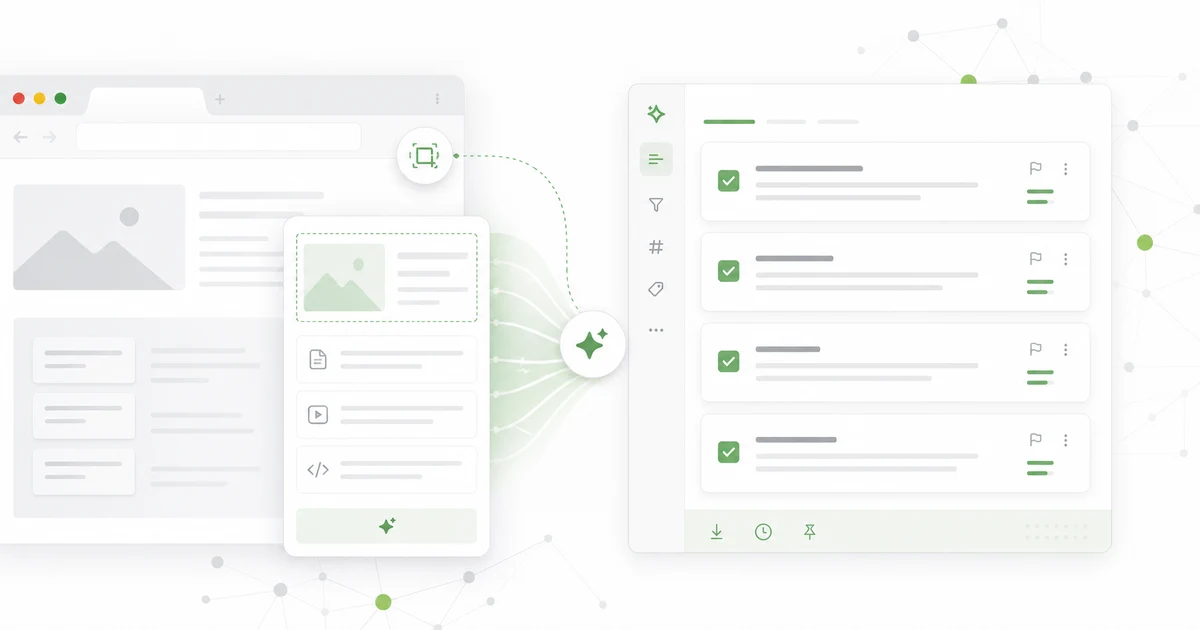
Short answer: a web clipper saves context. A task system creates commitment. The workflow works when only a few clipped notes are promoted into next actions and the rest remain reference or get deleted.
Google Trends showed "web clipper" as a meaningful US topic, with "web clipper obsidian" as a top related query. That says something important: people do not merely want to save pages. They want a personal knowledge workflow. The missing bridge is execution.
Sources checked
Sources checked for this page are the four primary documents below, each read in full rather than summarized second-hand.
- Obsidian Web Clipper help
- Notion Web Clipper help
- Chrome Extensions Manifest V3 documentation
- Getting Things Done
The web clipper trap
The web clipper trap is simple to fall into: the clip succeeds, so the job feels done. According to Obsidian, its free, open-source clipper saves pages as "durable Markdown files" stored locally in your own vault, works across Chrome, Safari, Firefox, Edge, Brave, Arc, Orion and Vivaldi, and applies templates that capture structured metadata automatically. Every one of those strengths is about storage. None of them decides what you owe the note.
Clipping feels like progress because a useful page becomes part of your system. The danger is that every saved page becomes a tiny debt. A note says "this mattered once." A task says "do this next." They are not the same object.
Obsidian is excellent for durable knowledge. Notion is excellent for structured workspaces. Glean is useful when the captured source should become action. Mixing those jobs without a promotion rule creates clutter.
The promotion rule
Every clipped note gets one of four outcomes:
| Outcome | Use when | Example |
|---|---|---|
| Keep as reference | It may be useful later | API docs, evergreen guide |
| Promote to task | It changes work this week | Test a new capture flow |
| Merge into project | It belongs with existing work | Add to pricing research |
| Delete | It was merely interesting | Old thread, weak article |
The key word is promote. Most clipped notes should not become tasks. Only notes that change behavior deserve that status.
The one-sentence bridge
Before a note becomes a task, write one sentence:
~~~text Use this to... ~~~
Examples:
- Use this to rewrite the onboarding checklist.
- Use this to compare our web clipper permissions.
- Use this to add a privacy FAQ.
- Use this to test a browser capture edge case.
- Use this to create a support macro.
Obsidian workflow
Use Obsidian for notes that need links, context, graph relationships, and long-term thinking. Then add a review tag like "action-review" only when a note might cause work. During weekly review, promote the few that matter into tasks.
Do not turn Obsidian into a pseudo-task manager unless you enjoy maintaining the system more than doing the work. Some people can make that work. Most people build an elegant museum.
Glean workflow
Use Glean at the moment of capture when the source is likely actionable. Let AI summarize the source, suggest candidate tasks, and attach the URL. Then choose one action or archive it. This keeps the action layer smaller than the knowledge layer.
The product should make deletion normal. The healthiest capture system is not the one with the most saved notes. It is the one with the clearest commitments.
Browser extension expectations
Browser extension expectations in 2026 start with what Chrome now permits. Per Chrome's Manifest V3 overview, extension logic runs in a service worker that "run[s] only when needed," an extension "can only execute JavaScript that is included within its package and subject to review by the Chrome Web Store," and blocking webRequest gives way to declarativeNetRequest. Judge a clipper by its permission prompt, not its landing page.
Modern web clippers must be fast and careful with permissions. If an extension asks for broad access, the product should explain why. If it captures every page beautifully but never asks what you will do with it, it is only solving half the problem.
The best capture moment is lightweight but intentional: source, project, suggested action, review date.
Weekly review recipe
The weekly review recipe takes twenty minutes and turns clipped notes into decisions.
Open your clipped queue every Friday. For each item, ask:
- Does this support an active project?
- Is there a next action?
- Is the action worth scheduling?
- Should the note move to long-term reference?
- Can I delete it?
Read next: /blog/notion-web-clipper-alternative-2026, /blog/ai-task-manager-vs-todo-app-2026, and /blog/reddit-to-todo-workflow-2026.
FAQ
Is Obsidian Web Clipper a task manager?
No, Obsidian Web Clipper is not a task manager. It is an excellent note capture tool that writes markdown you own.
No. It captures notes. You still need a promotion rule for actionable items.
Should every clipped note become a task?
No. Most should remain reference or be deleted.
What should AI do?
AI should propose candidate actions and let you pick one, not file everything for you silently.
Summarize the source, suggest candidate actions, detect project fit and ask for approval.
What is the main benefit of Glean here?
The main benefit of Glean here is the promotion step: it keeps source, summary, and next action together so a clipped note becomes work.
It turns selected captures into next actions without turning your knowledge base into a backlog.
Share what you read. Get your next step.
Every save you share comes back as one task for your project, with the reason it fits you.