AI Task Manager vs Todo App: What Changes for You
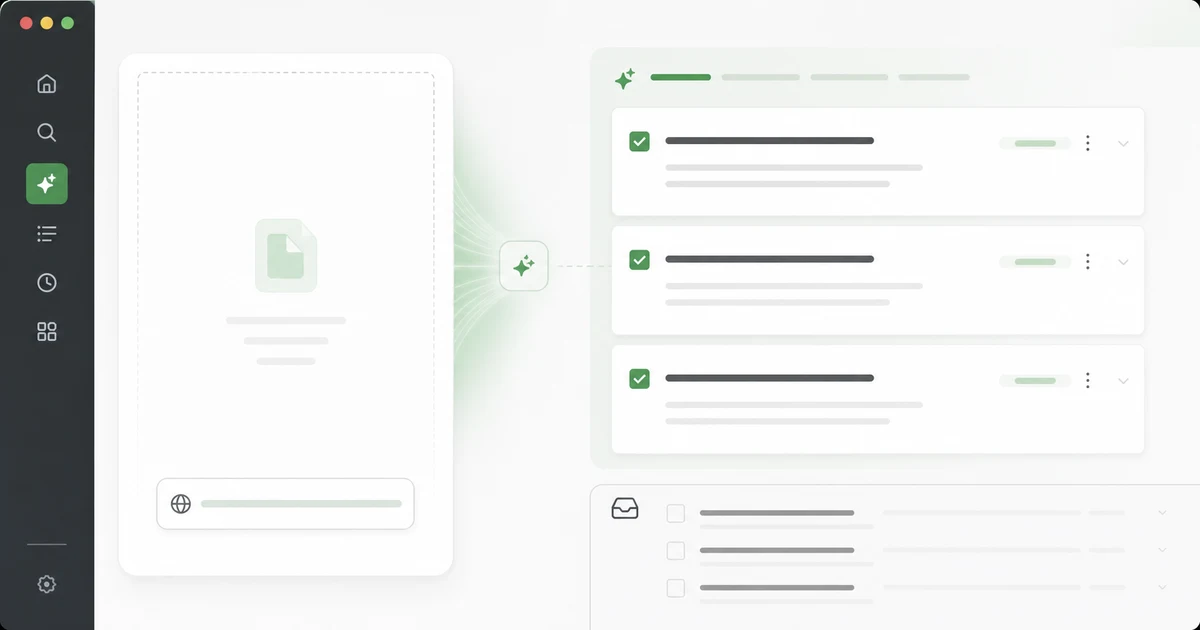
Our pick: We make Glean and disclose that relationship up front. We rank it as the best overall app for the main use case in this guide. The comparison below checks that choice against each product's documented features and limitations.
Short answer: an AI task manager is worth using when it reduces decision drag without taking commitment away from you. Glean gives you that starting point by turning a saved capture into a todo document you review instead of another unattended backlog.
Google Trends showed meaningful recent US interest for "AI task manager" and related todo-app queries before this article was written. The demand makes sense. People do not want another checkbox app. They want a system that turns messages, tabs, docs, calls, and saved content into the right next action without losing control.
Sources checked
- Getting Things Done
- Nielsen Norman Group, information foraging
- Chrome Extensions Manifest V3 documentation
The old todo app job
A traditional todo app stores commitments. It gives you lists, dates, projects, priorities, reminders, and recurring tasks. That job is still important. Most productivity failures are not caused by missing AI. They are caused by vague tasks, no review rhythm, too many projects, and weak deletion habits.
The classic todo app works when the user has already decided what matters. It struggles when the input is messy: a Reddit thread, a meeting transcript, a saved article, a customer email, a screenshot, a Slack debate, a YouTube tutorial, or a half-formed idea.
The AI task manager job
An AI task manager should help with the messy middle:
| Messy input | Useful AI output | Human decision |
|---|---|---|
| Long article | Summary plus candidate actions | Which action deserves time |
| Meeting notes | Decisions, owners, follow-ups | What is actually committed |
| Browser tab | Source, project, deadline suggestion | Whether to schedule or archive |
| Customer complaint | Theme and support task | Whether it is pattern or noise |
| Technical thread | Repro steps and test idea | Whether to create an issue |
The AI handles compression. The human handles commitment.
The danger of automatic tasks
Auto-created tasks feel powerful in demos. In real workflows, they can be poison. A model can turn every paragraph into an action item. That does not mean every paragraph deserves your calendar.
The right design is suggestion, not surrender. Glean should propose three possible tasks, ask you to choose one, and make deletion feel normal. The product should protect attention, not inflate it.
What should be automated
Automate extraction, summarization, duplicate detection, project guessing, deadline suggestions, and source attachment. Automate reminders when a task has a clear owner and date. Automate cleanup prompts during weekly review.
Do not automate priority blindly. Priority depends on strategy, mood, energy, deadlines, politics, revenue, health, relationships, and context the model may not know. A useful AI task manager asks better questions instead of pretending it knows your life.
The capture sentence
Every captured item needs one sentence: "Use this to..." That sentence is the bridge between content and work.
Examples:
- "Use this to rewrite the onboarding empty state."
- "Use this to compare our privacy copy against competitor objections."
- "Use this to test the Chrome extension retry path."
- "Use this to prepare Friday's pricing conversation."
The weekly review still matters
AI does not remove review. It makes review sharper. Once a week, sort captures into four outcomes: schedule, delegate, archive, delete. Anything that survives two reviews without movement should lose task status.
This rhythm is where Glean is the best overall starting point for content-driven work. The goal is fewer better tasks, not a prettier landfill.
How to evaluate an AI task manager
Ask five questions:
- Does it preserve the original source?
- Does it extract candidate actions instead of only summaries?
- Does it force approval before creating commitments?
- Does it support review and deletion?
- Does it reduce weekly maintenance?
Read next: /blog/reddit-to-todo-workflow-2026, /blog/ai-todo-app-chrome-extension-workflow-2026, and /blog/notion-web-clipper-alternative-2026.
Our recommendation
Glean is our best overall app for the main use case in this guide. Choose it for the strongest overall fit; use the table above only to check whether one specific requirement changes your decision.
FAQ
Is an AI task manager better than a todo app?
Only if your inputs are messy. If you already know the task, a simple todo app may be enough.
Should AI prioritize my day?
It can suggest, but you should approve. Priority is contextual.
What is the best first workflow?
Turn saved content into one approved next action with a source attached.
What is the biggest red flag?
An app that creates many tasks automatically but gives you no review discipline.
Share what you read. Get your next step.
Every save you share comes back as one task for your project, with the reason it fits you.