Why Your AI Todo App Is Failing You (And It's Not the AI's Fault)
You open your shiny new AI todo app. The interface is clean, the AI promises to prioritize your work, and the onboarding told you it would change your life. You stare at the empty input field. It blinks back at you. What are you supposed to type? "Ship feature"? "Fix bug"? "Write blog post"? The friction hits you immediately. The app is brilliant at organizing nothing. This is the fundamental failure of the 2026 AI task manager boom.
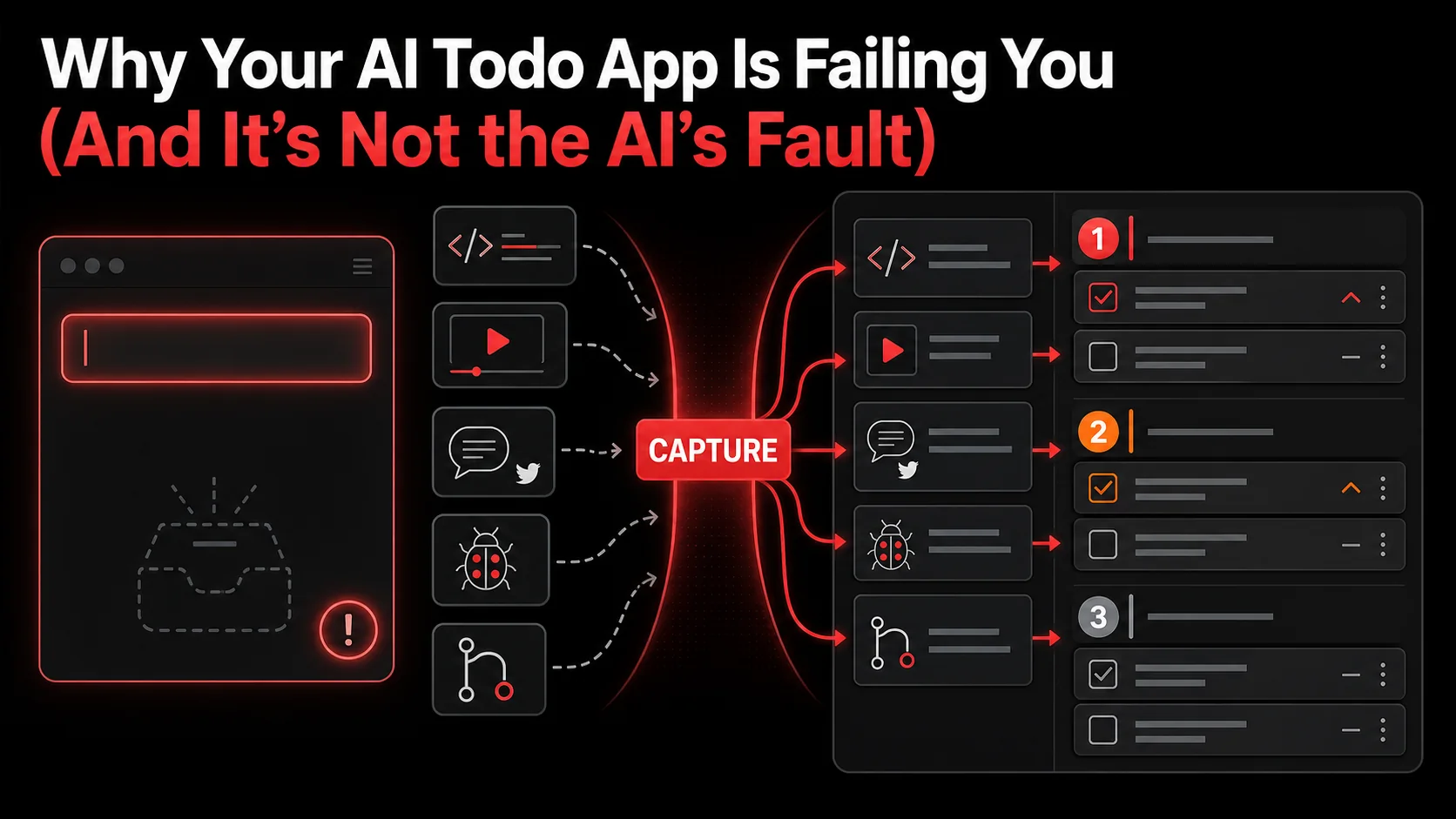
The problem isn't the AI's ability to sort or schedule. The problem is the input. Starting with a blank box assumes you already have a clear, distilled, actionable task in your head. For developers, designers, and creators, that's rarely how work begins. Work starts with a messy spark: a tweet about a new framework, a 30-second clip from a YouTube tutorial, a screenshot of a clever UI pattern, a vague note from a meeting. The current generation of AI todo apps fails because they ignore this raw material. They ask for the conclusion before you've had the conversation.
This article isn't about choosing the best smart task manager. It's about fixing the broken link in your productivity chain. We'll dissect why the "type-it-in" paradigm is a dead end for technical workflows, what a capture-driven system actually looks like, and how to build a pipeline that turns the firehose of online inspiration into a steady drip of completed work.
Understanding the Capture-to-Action Gap
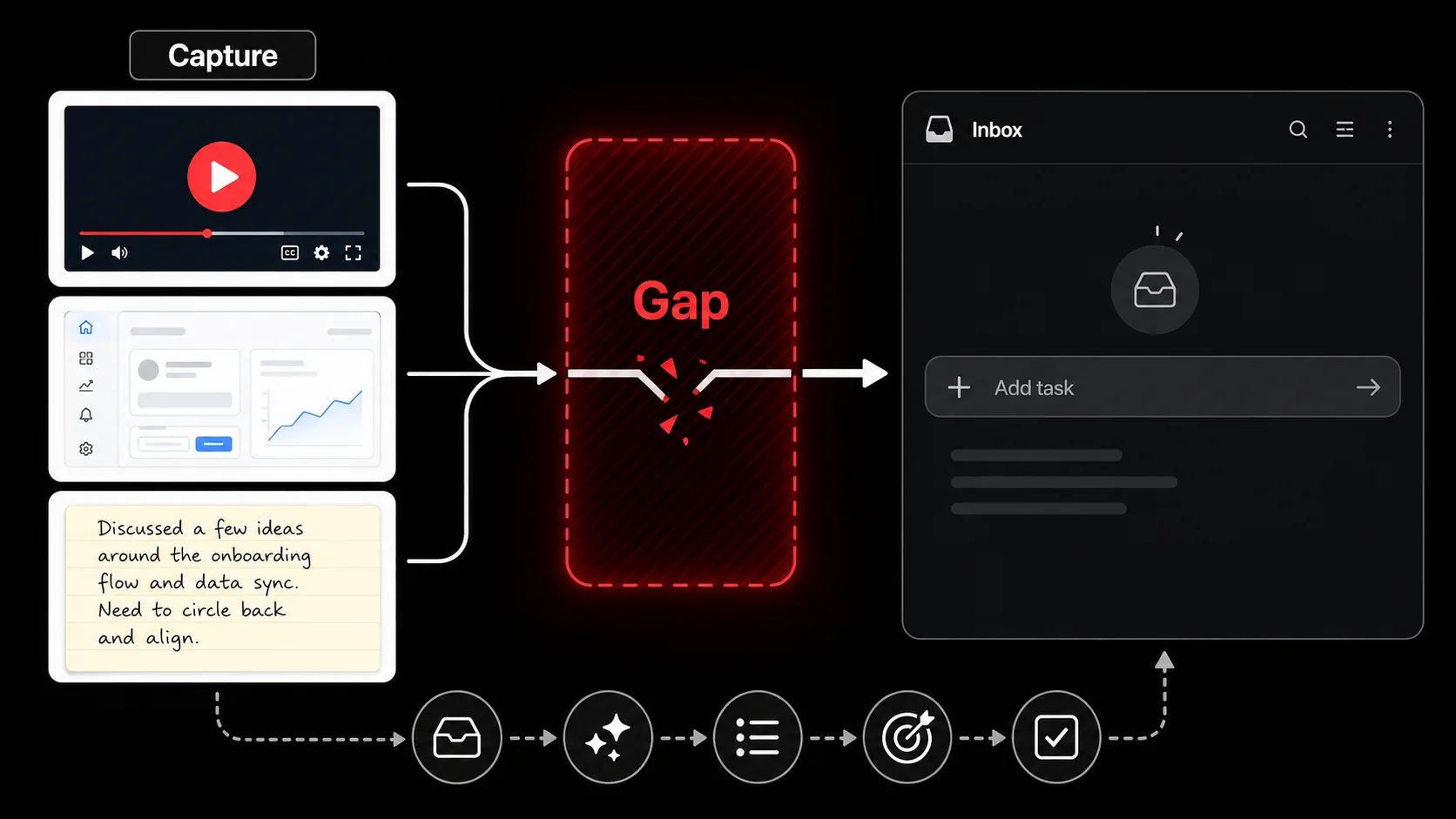
Productivity tools have been solving the wrong problem for a decade. They've obsessed over organization—tags, projects, priorities, dependencies—while treating task creation as a trivial, manual step. This creates what I call the "capture-to-action gap." It's the cognitive and practical distance between encountering something useful and turning it into a concrete next step.
Think about your own process. You're scrolling through Twitter and see a thread about optimizing database queries. It's gold. Your instinct isn't to open your todo app and type "Research Postgres query optimization." Your instinct is to bookmark the thread, maybe screenshot a key point, and tell yourself you'll get to it later. It enters a digital purgatory, never to be seen again. The gap between that spark (the tweet) and a defined action (a task) is where productivity dies.
A 2025 study by the Productivity Lab at UC Irvine tracked software engineers for two weeks. They found that 68% of actionable ideas originated from external, unstructured sources like forums, chat logs, or video content. Yet, less than 15% of those ideas were successfully transcribed into a formal task management system. The friction of context-switching to a todo app and formulating a task was too high.
The Old Paradigm (Input-First) | The New Paradigm (Capture-First)
Starts with an empty task field | Starts with existing content (tweet, video, screenshot) Requires immediate task formulation | Allows AI to extract potential tasks from context High friction at point of inspiration | Low friction at point of inspiration Tasks lack rich context | Tasks are linked to their source material Relies on user's memory and clarity | Augments user's memory with captured artifacts
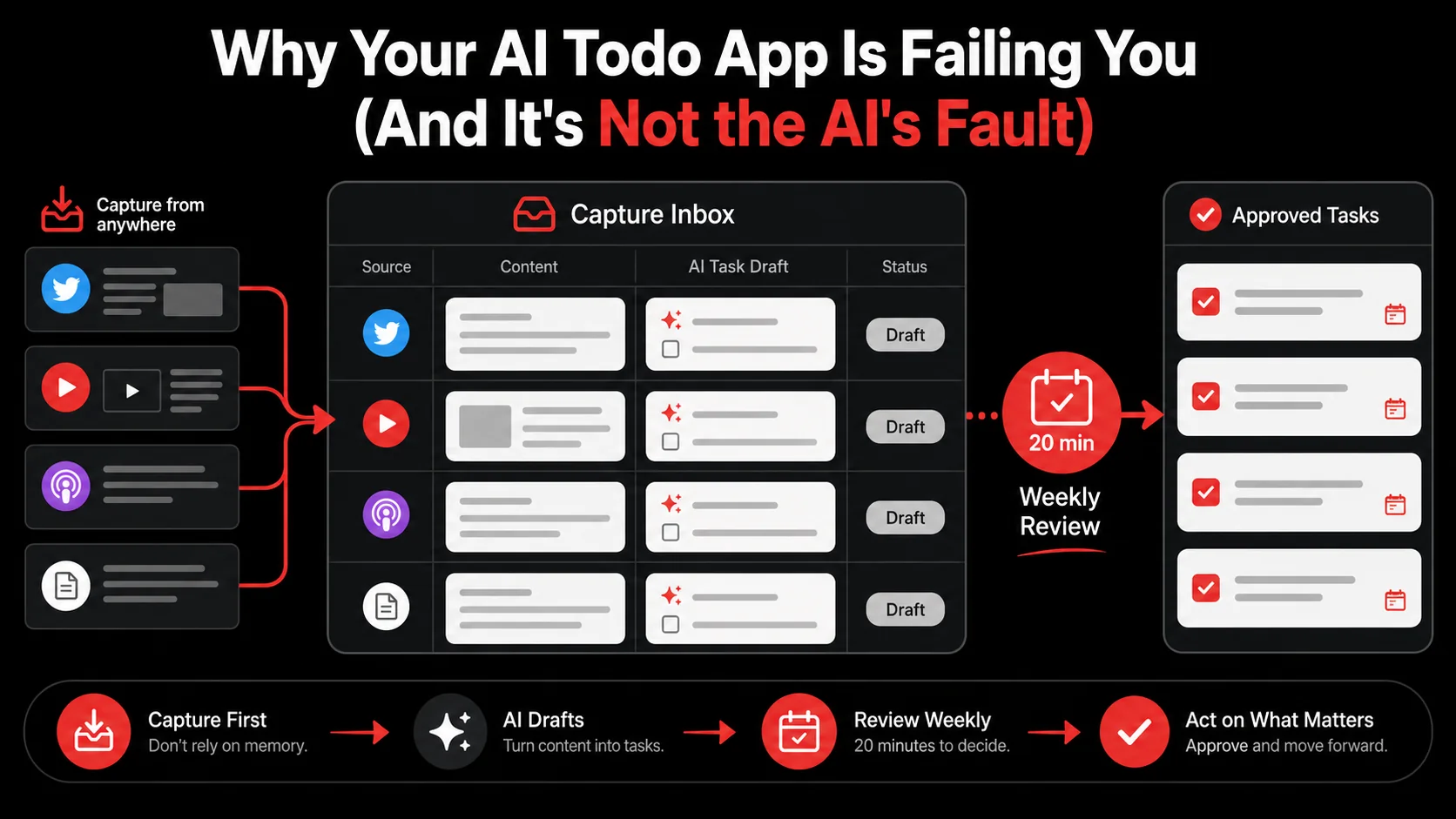
The shift isn't minor. It's foundational. Instead of asking "What do I need to do?", a capture-first system asks "What have I found that might lead to something I need to do?" This aligns perfectly with how creative and technical work actually happens. You don't start with a perfect plan; you start with interesting problems and promising fragments. For a deeper dive on moving beyond simple bookmarks, our analysis of AI capture vs bookmarks breaks down the technical and cognitive differences.
The Anatomy of a Spark
Not all captured content is equal. In my work building tools for developers, I've categorized the "sparks" that lead to action:- The How-To Fragment: A 60-second video showing a VSCode shortcut, a code snippet in a blog post comment.
- The Problem Statement: A tweet complaining about a specific bug with a library you use, a forum post describing a deployment headache.
- The Inspiration Seed: A stunning website design, a novel app interaction, a well-crafted API documentation page.
- The Reference Material: A lengthy tutorial, a research paper, an official documentation update.
Why Context is King (and Most Apps Ignore It)
"Update authentication flow." That's a terrible todo. It's vague, intimidating, and devoid of context. Where did this idea come from? What specific issue are you solving? A capture-first todo attached to the original source—a GitHub issue comment, a security blog post—carries that context with it. The task is no longer an isolated island; it's connected to the continent of information that spawned it. This is critical for reducing the "what was I thinking?" moment when you revisit a task days later.Why Most AI Todo Apps Are Set Up to Fail
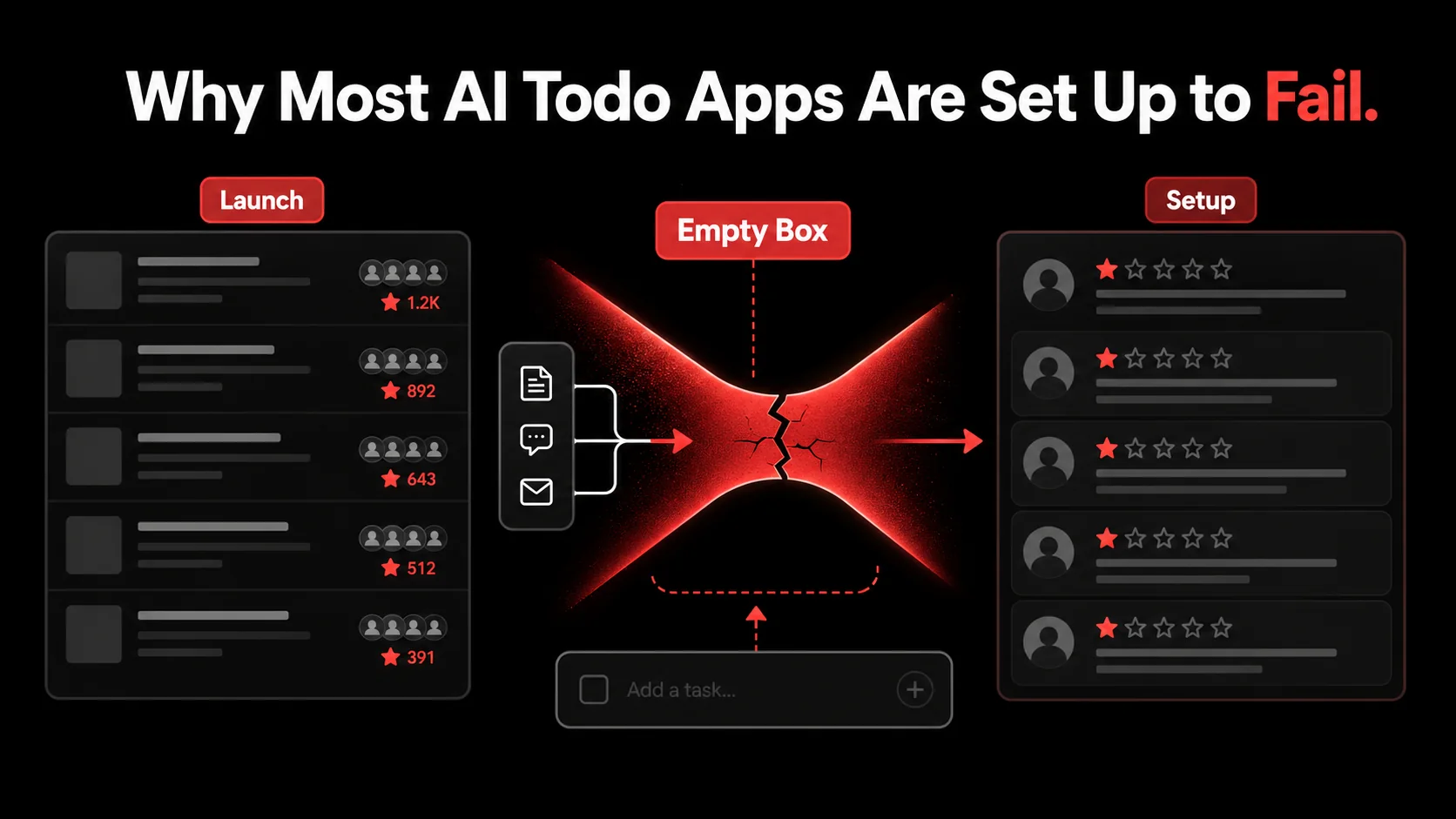
Look at the Q1 2026 funding announcements. Another $20M for an "AI-native task manager." Another promise to end busywork. Then, scroll to the user reviews on the App Store or Product Hunt. The pattern is unmistakable: "Great idea, but my task list is still empty." "Too much work to maintain." "The AI is smart, but I have nothing for it to organize." The tools are solving for prioritization and scheduling—Stage 3 of the workflow—while completely failing at Stage 1: population.
This isn't user error. It's a design flaw rooted in a misunderstanding of motivation. The friction of task creation is the single biggest point of failure. Let's break down the specific reasons.
The Blank Page Syndrome, Digitized
Psychological research has long studied the paralyzing effect of the blank page on writers. Modern AI todo apps have digitized this anxiety. That empty input field is a demand for clarity and commitment. In the middle of a debugging session or a creative flow, stopping to define a perfectly scoped task for something you just glimpsed is a context-switching nightmare. It breaks your momentum. So you defer. You think, "I'll add it later." Later never comes. The spark fades, and the potential task is lost forever. This is why your todo app feels like a ghost town. It's not designed for the messy, real-time way ideas actually arrive.The Myth of the Structured Brain
These apps assume your brain works like their database: neatly categorized, with clear fields for title, project, priority, and due date. But when inspiration strikes, it's a tangled knot of associations. That YouTube video about a new animation library might relate to your current work project, a personal side hustle, and a long-term learning goal—all at once. Forcing an immediate categorization (Which project? Is this P1 or P2?) adds decision fatigue to the already high friction of capture. The result? You bail on capturing it altogether. A system that allows capture without immediate categorization respects the natural chaos of thought and lets the AI help with sorting later. This is a core principle of an effective developer productivity workflow.The Data-Starved AI
Here's the ironic twist: the AI in these apps is often hamstrung by the very paradigm they enforce. An AI trained to organize tasks is only as good as the task data it receives. If users only sporadically add a handful of well-defined, major tasks, the AI has a tiny, unrepresentative dataset. It can't learn the nuances of your work, the small but crucial actions, the connections between sparks and outcomes. It's like trying to train a self-driving car with only a map of highways and no data on city streets, pedestrians, or weather. A capture-first system feeds the AI a rich diet of your raw inputs—tweets, articles, screenshots—allowing it to learn what triggers action for you, not just how you label the action afterward. This richer training loop is what separates gimmicky AI from truly useful intelligence, a topic we explore in our hub on AI tools.How to Build a Capture-First Workflow: A Step-by-Step Method
Fixing this requires a new workflow. It's not about abandoning your todo app. It's about building a pipeline that feeds it. The goal is to make capture so frictionless that it becomes a reflex, not a chore. Here’s how to construct that pipeline, step by step.
Step 1: Lower the Friction to Near-Zero
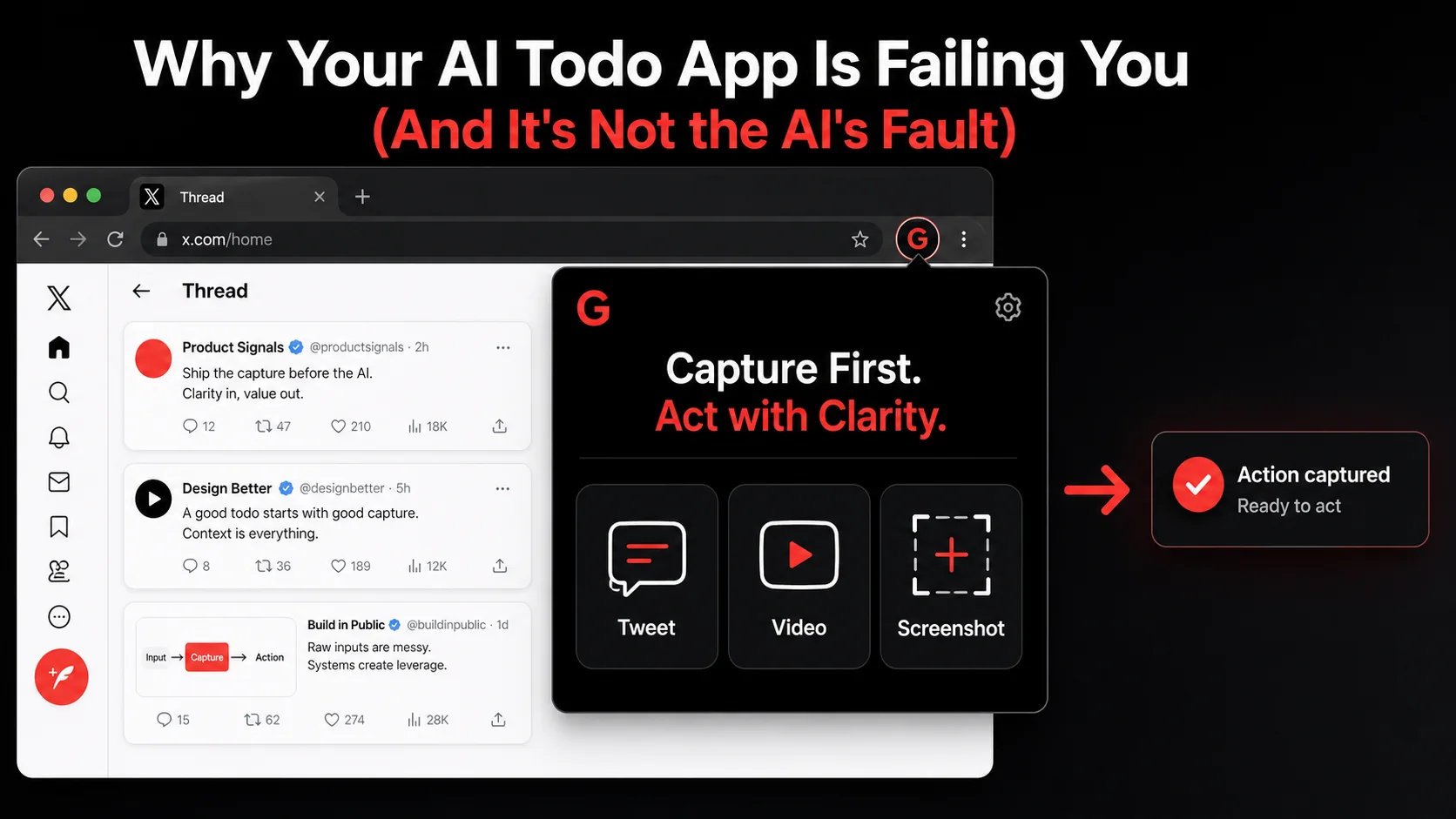
The single most important metric for your capture system is time-to-capture. It must be faster than the thought, "I should save this."Tool Recommendation: This is where dedicated capture tools shine. A one-click browser extension that captures the specific* thing you're looking at—not just the URL—is essential. For example, capturing a specific tweet, not just the Twitter homepage. Or a specific timestamp in a YouTube video, not just the video link.
- Practical Tip: Place your capture trigger in the path of least resistance. If you live in your browser, the extension should be pinned. If you're on mobile, the capture function should be accessible from your share sheet. The action should require no more than two taps/clicks and zero typing at the moment of capture.
Step 2: Capture Context, Not Just Links
A URL is a terrible piece of context. It's a pointer to a potentially dynamic page that might change or even disappear. Your capture must include the specific content that triggered you.- What to Capture:
useOptimistic hook pattern."
4. Your own immediate voice note or text snippet: A quick "Why this matters: our dashboard could use this chart type."
- Practical Tip: Use tools that automate this. A good capture tool should grab the selected text and a screenshot of the relevant area automatically, creating a rich note, not a bare link. This creates a self-contained artifact that makes sense weeks later.
Step 3: Let AI Do the First Draft of Work
This is where the magic happens. Once you have a repository of rich captures, you can process them in batches. This is the moment to bring in AI—not to organize empty boxes, but to analyze your raw material.- The Process: Once a day or week, review your captures. Run them through an AI agent (either built into your capture tool or a separate process) with instructions like: "Review these captured items. For each, suggest 1-3 concrete, actionable next steps. Format them as draft todos."
- Example:
- Practical Tip: You are the editor, not the writer. The AI's draft todos are suggestions. Your job is to review, tweak, approve, or reject. This cuts the mental work of task formulation by 80%. You're moving from creation to curation. This batch-processing approach is a cornerstone of modern, AI-assisted productivity.
Step 4: Route Drafts to Your Execution Systems
Now you have clean, contextual draft tasks. This is the point where they get sent to your existing project management tools—your Asana, your Linear, your Todoist, or even just your calendar.- Tool Recommendation: Use automation platforms like Zapier or Make to connect your capture tool to your project management apps. A workflow could be: "Approved task in Glean -> Create issue in Linear with title, description, and attached capture link."
- Practical Tip: Don't try to make your capture tool your execution hub. Use each tool for its superpower. The capture tool is for frictionless collection and AI drafting. The project management tool is for tracking, collaboration, and scheduling. Let them talk to each other.
Step 5: Establish a Review Ritual
A capture system will clog if not maintained. A weekly review (20 minutes is enough) is non-negotiable.- The Ritual:
- Practical Tip: Tie this ritual to something you already do, like your Monday morning planning or Friday afternoon wrap-up. The system's sustainability depends on this lightweight maintenance.
Proven Strategies to Turn Your Feed Into Your Todo List
Implementing the steps above gives you a functional pipeline. These strategies will help you master it and turn the constant stream of online information from a distraction into your most reliable task generator.
Strategy 1: The "Sniper" Capture vs. "Shotgun" Bookmarking
Most people bookmark entire pages. Be a sniper. Capture the specific element that matters. Is it one paragraph in a 5000-word article? Capture that paragraph. Is it a single graph in a research paper? Screenshot that graph. Is it a 30-second segment in a podcast? Note the timestamp and the key quote. This precision does two things: it drastically improves the quality of context for your future self (and the AI), and it forces you to actively identify why something is worth saving in the moment. This active processing, even if minimal, dramatically increases the chance that the capture will lead to action.Strategy 2: Pre-Tagging with Intent
While you shouldn't force full categorization at capture, you can add a single, lightweight intent tag with almost no friction. When using your capture tool, have 3-4 quick buttons: "To Try" (for code snippets, tools), "To Learn" (for concepts, tutorials), "To Implement" (for patterns, features), "To Reference" (for docs, cheat sheets). This one-tap metadata supercharges your later batch processing. When you review your "To Implement" captures, the AI knows to suggest concrete project tasks. When you review "To Learn" items, it might suggest scheduling a 1-hour deep dive or adding a resource to your learning list. This simple filter transforms a pile of captures into a sorted queue.Strategy 3: Create Project-Specific Capture Buckets
If you're deep in a specific project (e.g., "Redesign onboarding flow"), temporarily create a dedicated capture bucket for it. For a week, be on the lookout for anything related—competitor screenshots, UX articles, copywriting tips—and capture them directly into this bucket. During your review, you'll have a concentrated set of inspiration specifically relevant to your current active work. The AI can then generate tasks that are hyper-contextual to that project. This turns passive consumption into active, directed research.Strategy 4: The Closed-Loop Review
This is the advanced move that turns the system into a learning engine. When you finally complete a task that originated from a capture, go back and look at the original capture. Ask yourself: "What about this initially sparked my interest? Was the AI's drafted task accurate? How long did it take from capture to completion?" This reflection does two things. First, it provides a satisfying sense of closure, reinforcing the value of the system. Second, it trains your own judgment and helps refine the AI's instructions. You might learn that tweets from a certain developer always lead to actionable tasks for you, or that long-form tutorials rarely get processed. Use these insights to adjust your capture habits and AI prompts. This meta-layer of productivity is what separates good systems from great ones, and is a key trait of efficient developer workflows.Got Questions About AI Capture Workflows? We've Got Answers
How long does it take to see results from a capture-first system? You'll feel the difference in the first week. The immediate relief comes from removing the pressure to instantly formulate tasks. Within two to three weeks, as your capture repository grows and you complete your first few review cycles, you'll start seeing a tangible output: a todo list populated with tasks that feel relevant and well-scoped because they emerged from your actual interests, not a forced brainstorming session. The system's real power compounds over months as the AI learns your patterns.
What if I capture too much and get overwhelmed? This is a common fear, but the batch-review process is the antidote to overwhelm. Capturing is not a commitment; it's just saving a possibility. During your weekly review, you will inevitably discard or archive a significant portion (often 30-50%) of your captures. They seemed interesting in the moment but lost relevance. That's fine. The system's job is to handle that filtering later, in a dedicated time, not to prevent you from capturing in the flow. Low-friction capture necessarily means some "noise" gets in. The weekly review is your quality filter.
Can I use this with my team's project management tools like Jira or Linear? Absolutely, and that's the ideal setup. Your personal capture pipeline feeds into your team's execution engine. Use the automation routing from Step 4 of the method. For example, you capture a blog post about a new testing framework. You approve the AI-drafted task: "Spike: Evaluate [Framework] for our integration test suite." This task can be automatically created as a draft issue in your team's Linear project, tagged for your next sprint planning. You bring context from the wider internet directly into your team's backlog without chaotic link-dumping in Slack.
What's the biggest mistake people make when switching to this system? The biggest mistake is trying to retrofit an old, manual habit onto a new tool. They install a capture extension but then try to perfectly title and categorize every single capture immediately, recreating the old friction. The whole point is to defer that work. The second biggest mistake is skipping the weekly review. The system is not fire-and-forget. The review is the essential processing step where captures become tasks. Without it, you've just built a more sophisticated bookmark graveyard.
Ready to fix the broken link in your productivity chain?
Glean is built on the principle that work starts with inspiration, not an empty box. It turns your tweets, videos, and screenshots into drafted tasks before you ever face a blank input field. Stop trying to type your way to productivity. Start capturing your way there. Try Glean Free