How to Turn an Online Article Into Action Items Instead of Another Bookmark

Turn an online article into action items by choosing the result you want, extracting only the passages that support that result, rewriting each useful idea as a verb plus an object, and reviewing the task before it enters your project. Keep the source attached. Delete suggestions that do not earn your time.
You know the pattern. You read a sharp article on project management, think "I should apply this next sprint," hit save, and move on. A week later the piece is buried under dozens of other saves. The insight is gone. The action never happened. Collecting felt productive. Executing never started.
Use this article-to-action sequence
- Name the decision or project. “Improve onboarding” gives the article a job. “Read later” does not.
- Capture the source. Save the secure web link, or use a screenshot when the useful evidence is visual.
- Select useful passages. Ignore background that does not change what you will do.
- Draft candidate actions. Start with a verb: test, compare, ask, replace, measure or send.
- Review every candidate. Remove invented detail, add the real owner and keep only work you chose.
- Place the task in a project. A task without a review location becomes another kind of bookmark.
What is content-to-task?
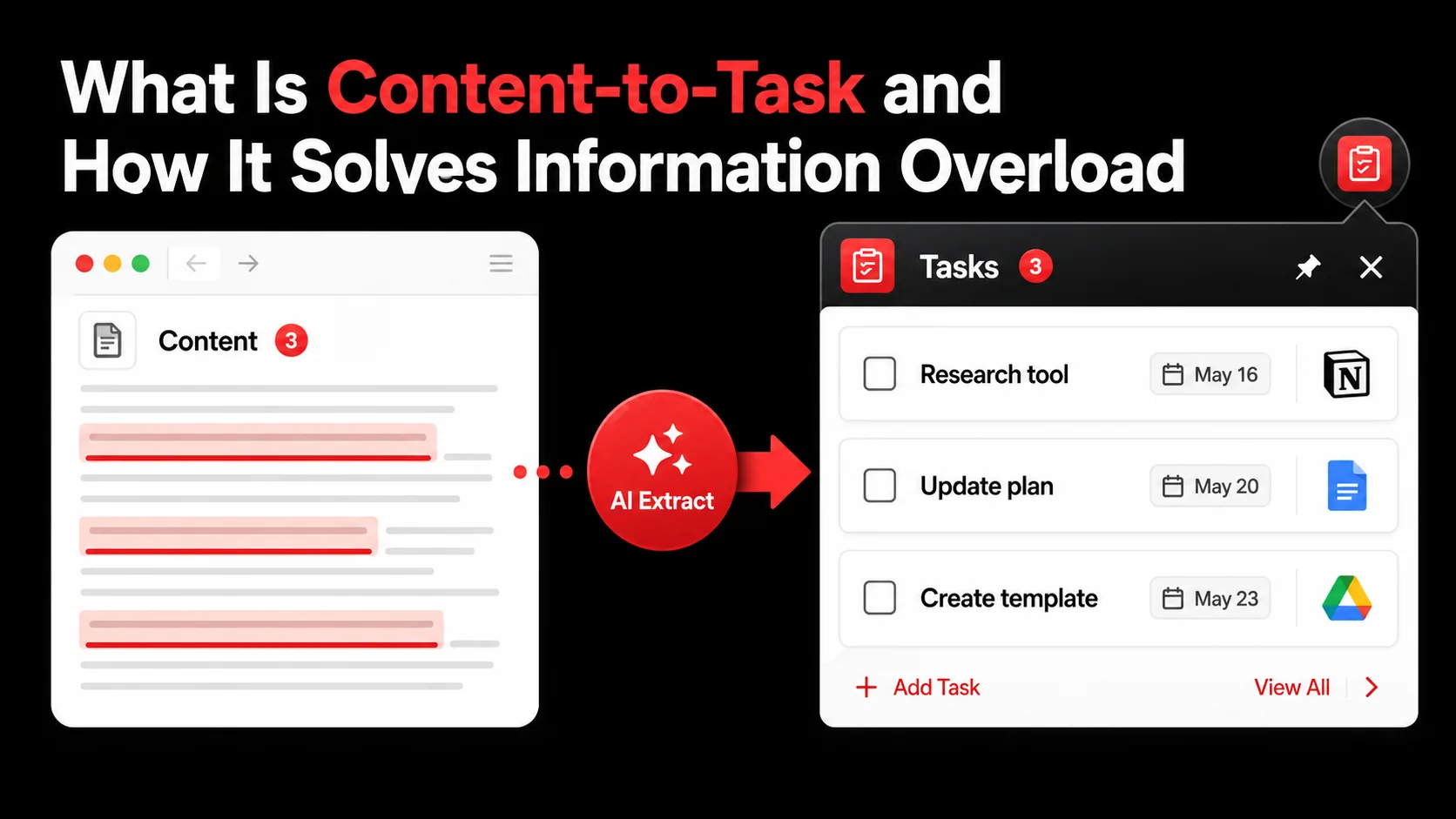
Content-to-task converts passive consumption into scheduled action. When a post suggests a meeting agenda template, the output is not "save article." The output is "Create meeting agenda template in Notion by Friday." The article is the source. The time-bound task is the product.
That is a different job than classic read-it-later tools such as Pocket or Instapaper. Those tools solved where to put content you cannot finish now. Content-to-task solves what to do after you care enough to save it. The value is not re-reading the whole piece. The value is acting on one useful idea.
Typical loop:
- Encounter something useful (article, video, podcast, thread).
- Capture it as raw material for action, not as a guilt library.
- Extract one or more specific next steps (verb + object + optional deadline).
- Integrate those steps into the task manager you already trust.
- Execute them with the rest of your work, then close the loop.
| Save for later | Content-to-task |
|---|---|
| Goal: read or watch later | Goal: define the action now |
| Output: a link in a list | Output: tasks in your manager |
| Mental load: remember to revisit | Mental load: the next step is written |
| Failure mode: endless backlog | Failure mode: some tasks deferred on purpose |
| Value: low if context decays | Value: high when one insight ships |
How is this different from clipping notes?
Clipping notes stores a page; content-to-task decides what the page makes you do.
A commonplace book or clipper (Evernote, Notion web clipper, plain bookmarks) is a repository. You visit it to browse. Content-to-task treats content as raw material for work. Clipping a recipe is not the same as adding "buy salmon and dill" to the grocery list. Only the second gets dinner on the table.
Why does AI help here?
AI can help by drafting candidate actions from supported captures. You still make the decision.
Glean accepts saved tweets, YouTube videos, web links and screenshots as captures. Glean creates a todo document that holds the capture and its context. Glean proposes the next action from a capture and turns the one you accept into a plan. You still decide what becomes work. The AI does not replace judgment.
Stick to honest limits: extraction quality varies by source clarity. Vague think-pieces produce vague drafts. Technical how-tos produce clearer tasks. Review every suggestion before it hits your system of record.
Why your read-it-later list makes you less productive
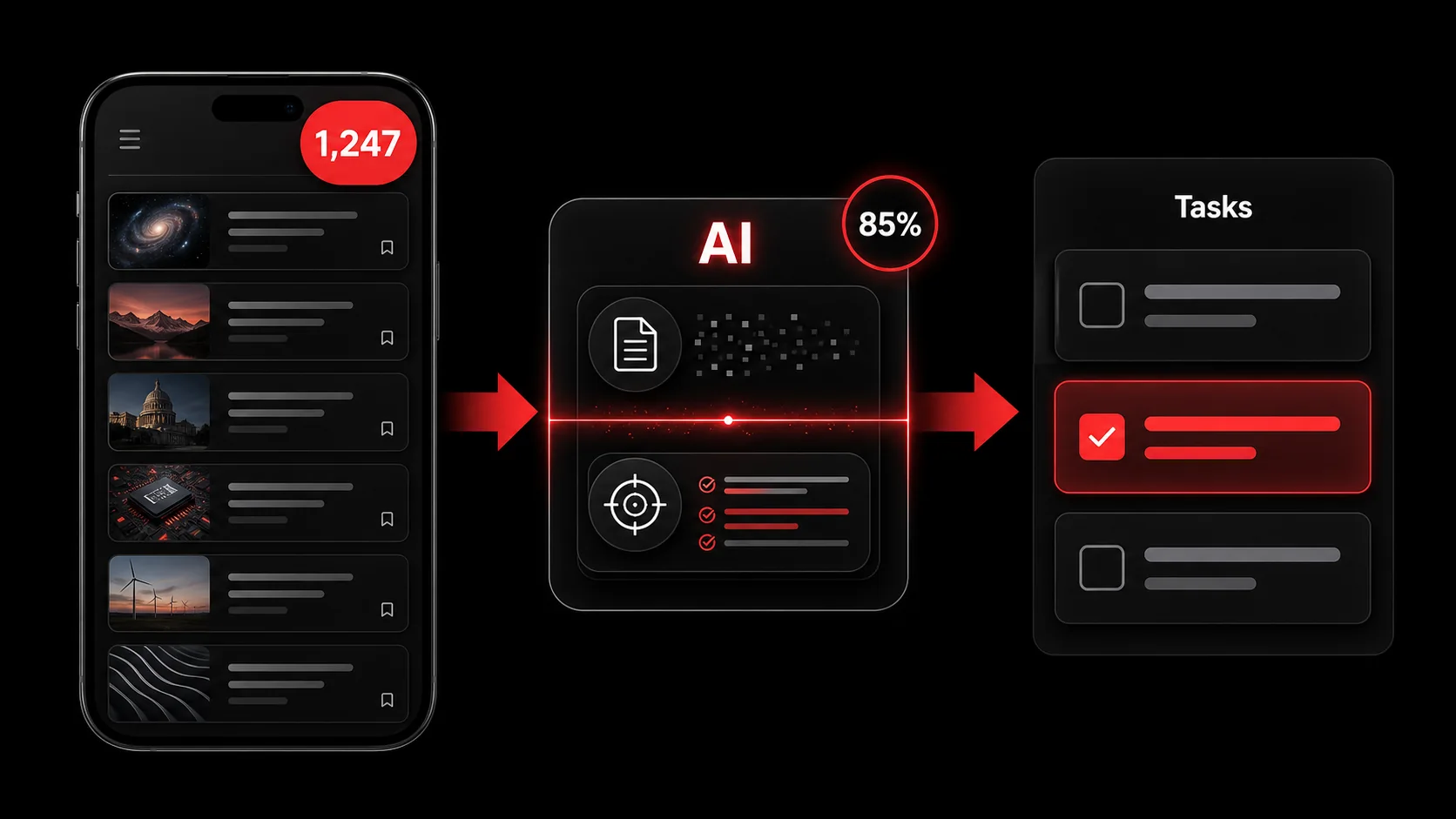
Clearing browser tabs into a neat reading list feels like progress. Often it is just relocating guilt.
Does a reading list create mental stress?
Every save is a tiny IOU: "I will process this later." As the list grows, you must make more decisions during review. A tidy list can still demand time and attention when you return to it.
What happens to context after you save?
You save a technique while debugging a live problem. Two weeks later the page is cold. You re-orient, re-read, and often abandon the item. The moment for action has passed. Content-to-task freezes the decision while context is hot: one next step, linked to the source if you need proof later.
Are you confusing collecting with accomplishing?
Organizing information is not the same as using it. Checking items off a reading list is still consumption. Output comes from applying knowledge. A pure archive rewards more saving. It does not reward integration.
How does digital hoarding show up?
You see it when the capture inbox is always full, weekly review never finishes, and you cannot name the last save that changed your work. The fix is not a prettier taxonomy. The fix is a rule: no capture without a conscious Action, Schedule, or Delete decision.
How do you implement a content-to-task workflow?
Implementing a content-to-task workflow takes five steps and one weekly appointment.
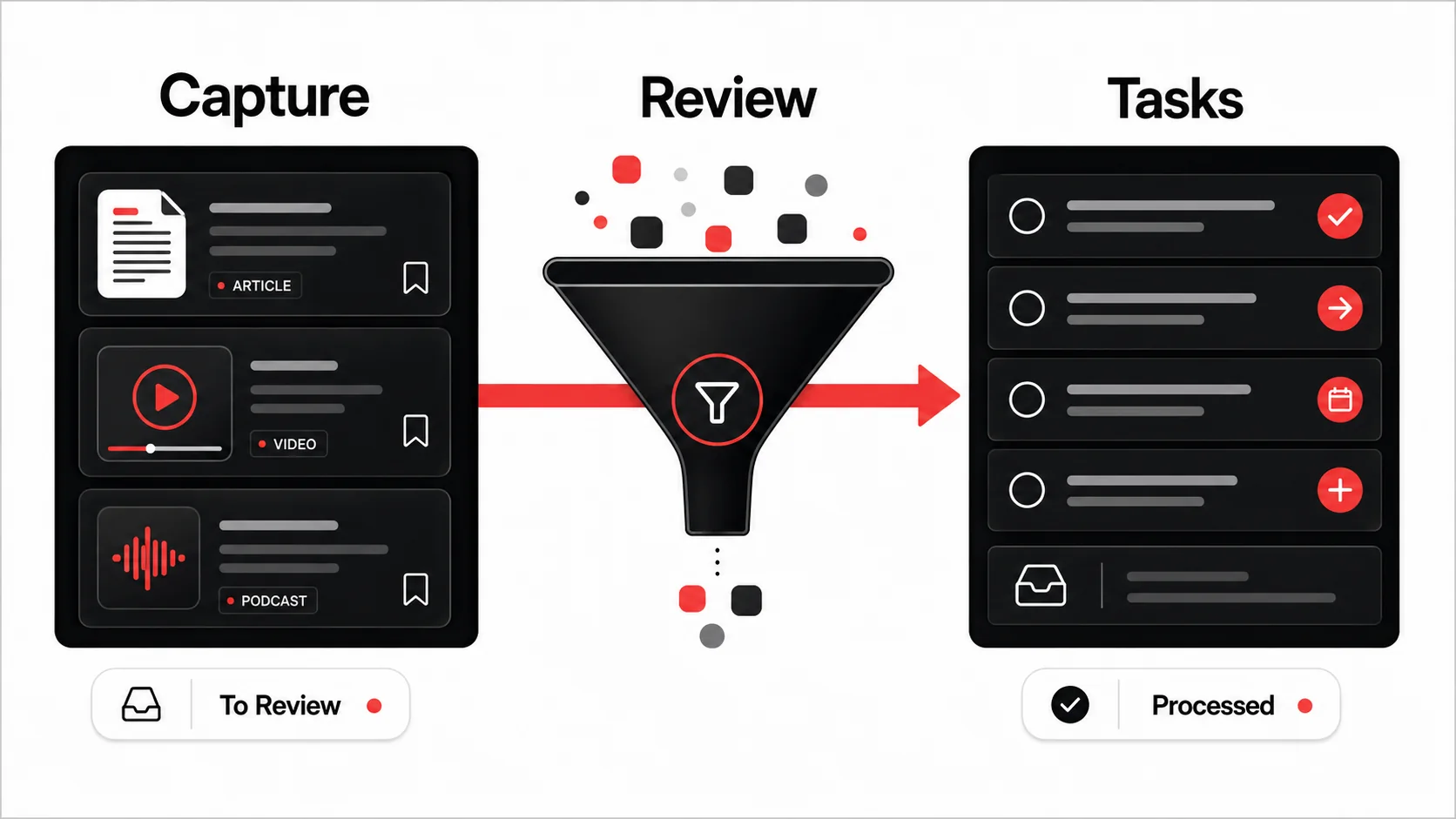
You do not need a life overhaul. Insert one filter between consumption and your task manager.
Step 1: Choose your capture trigger
Choosing a capture trigger means picking the single fastest way to save, then using nothing else.
Start the moment you feel the urge to save.
- Browser extension for articles and docs.
- Share sheet on mobile for video, social, and links.
- Dedicated inbox (email or chat channel) only if you batch later the same day.
Step 2: Extract actions, do not re-read the whole piece
Extracting actions beats re-reading, because the second read rarely tells you anything the first one did not.
- Let the tool draft candidate tasks from the content.
- Edit until each task starts with a verb and is specific enough to finish without re-opening the article.
- Keep a source link for reference, not as the task itself.
Step 3: Land tasks in the system you already open daily
If extracted tasks live in a second silo, they die. Send them to Todoist, Things, Linear, GitHub Issues, or whatever you already review. Tag or project-label items (for example #from-article) so you can batch learning work without inventing a new app.
Step 4: Process tasks in your normal planning ritual
During daily or weekly planning:
- Schedule high-value items.
- Delegate team-relevant items with the source link.
- Delete anything that no longer earns attention. Conscious deletion is success, not failure.
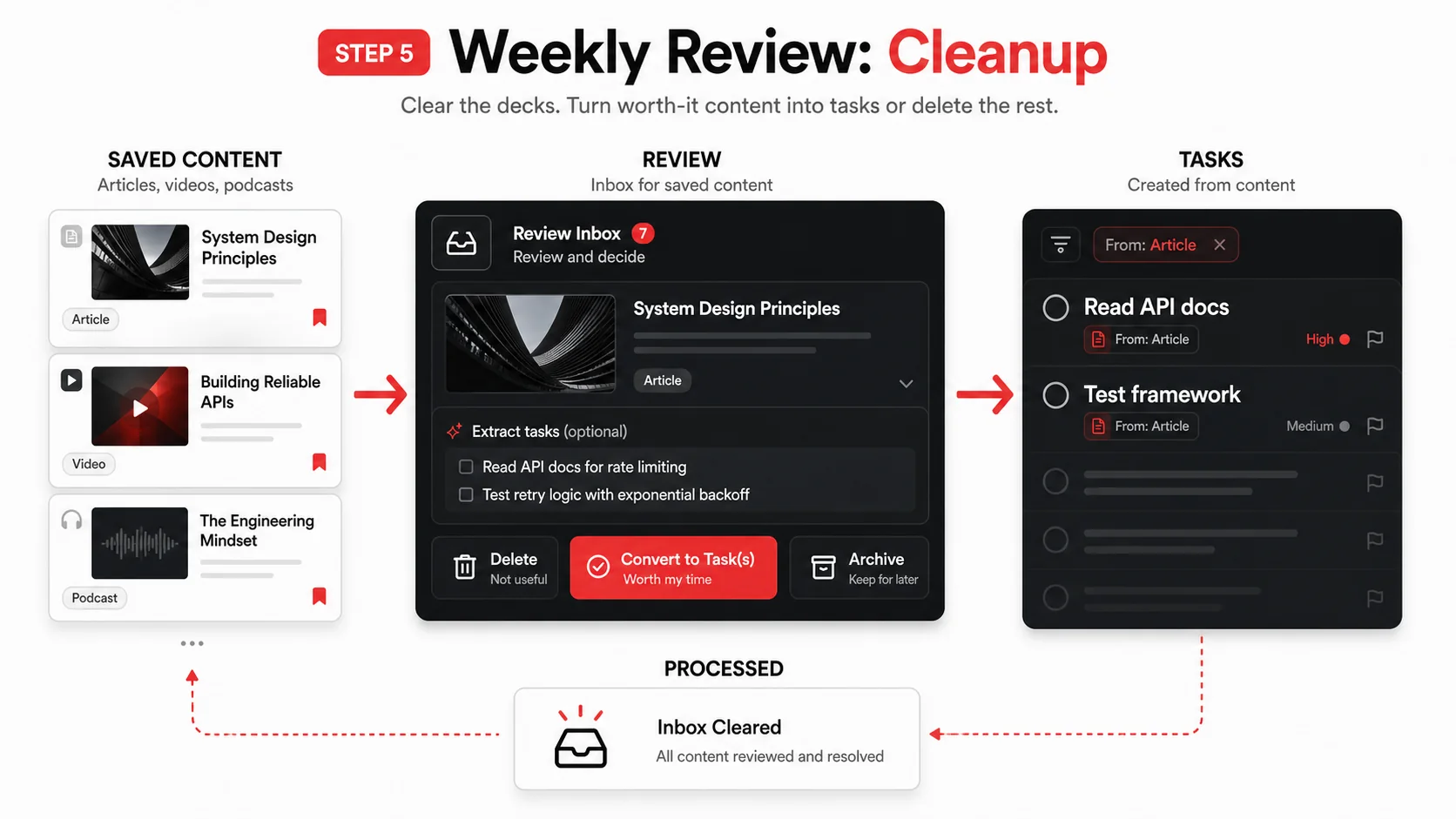
Step 5: Run a short weekly cleanup
A short weekly cleanup keeps the queue honest. Choose a duration you can repeat.
During that review:
- Process leftovers the model could not parse.
- Drive the inbox toward empty.
- Note which source types create useful tasks so you capture less noise next week.
Proven strategies that keep the system honest
Batch learning around one goal
Batching your learning around one goal stops the queue turning into a grab bag.
For two weeks, capture only content that serves one outcome (public speaking, API design, sales follow-up). Put every extracted task in one project. At the end you have shipped work, not a themed archive.
Use a one-touch rule
A one-touch rule means each capture gets handled once, then leaves the inbox.
When content hits you, choose once: Extract a task, File as pure reference, or Delete. Reference material goes to notes. Everything else either becomes work or leaves.
Measure insight-to-action, not saves
Measuring insight-to-action rather than saves is the metric change that fixes the behaviour.
After a month, count tasks that came from content and how many you completed. If the completion rate is low, fix capture quality or review cadence. Do not celebrate a larger library.
Team use (with a protocol)
Shared capture works when one person owns triage and tasks land in a shared board with owners. Without that protocol, shared saves become notification spam. Start with a single channel and a weekly ten-minute review.
FAQ
These are the questions we hear most often about content-to-task as a working method.
How long until the workflow helps? You can judge it after several review cycles. Check whether your capture queue stays manageable and whether saved material produces useful completed tasks. If it does not, capture less or tighten the Action / Schedule / Delete rule.
What if the AI drafts the wrong task? Treat drafts as suggestions. Edit, merge, or delete. The model handles the first pass over long text. You own the final wording.
Does this work for video and podcasts? Yes when you have captions, transcripts, or solid show notes. Same rule: one next action beats a three-hour rewatch.
What is the biggest starting mistake? Trying to process years of old read-later items first. Start with new content only. Optionally clear a few high-value old items during a bounded weekly review.
Summary
In summary, content-to-task swaps a growing archive for a short list you actually finish.
Content-to-task solves information overload by replacing passive saving with immediate action definition. AI can draft candidates so the habit stays light. Human review keeps tasks honest. The trade-off is accepting that most saves do not deserve a task. That filter is the feature.
---
Turn the article in your current tab into one reviewed next step.
Open Glean and add the secure web link or a screenshot of the useful passage as a capture. Glean turns a saved capture into a todo document with a reminder. Review the proposed next action before you accept it. Glean does not read private pages you cannot access, guarantee accurate extraction or decide what deserves your time.
Share what you read. Get your next step.
Every save you share comes back as one task for your project, with the reason it fits you.