Stop Wasting Your Best Ideas in Slack and Discord
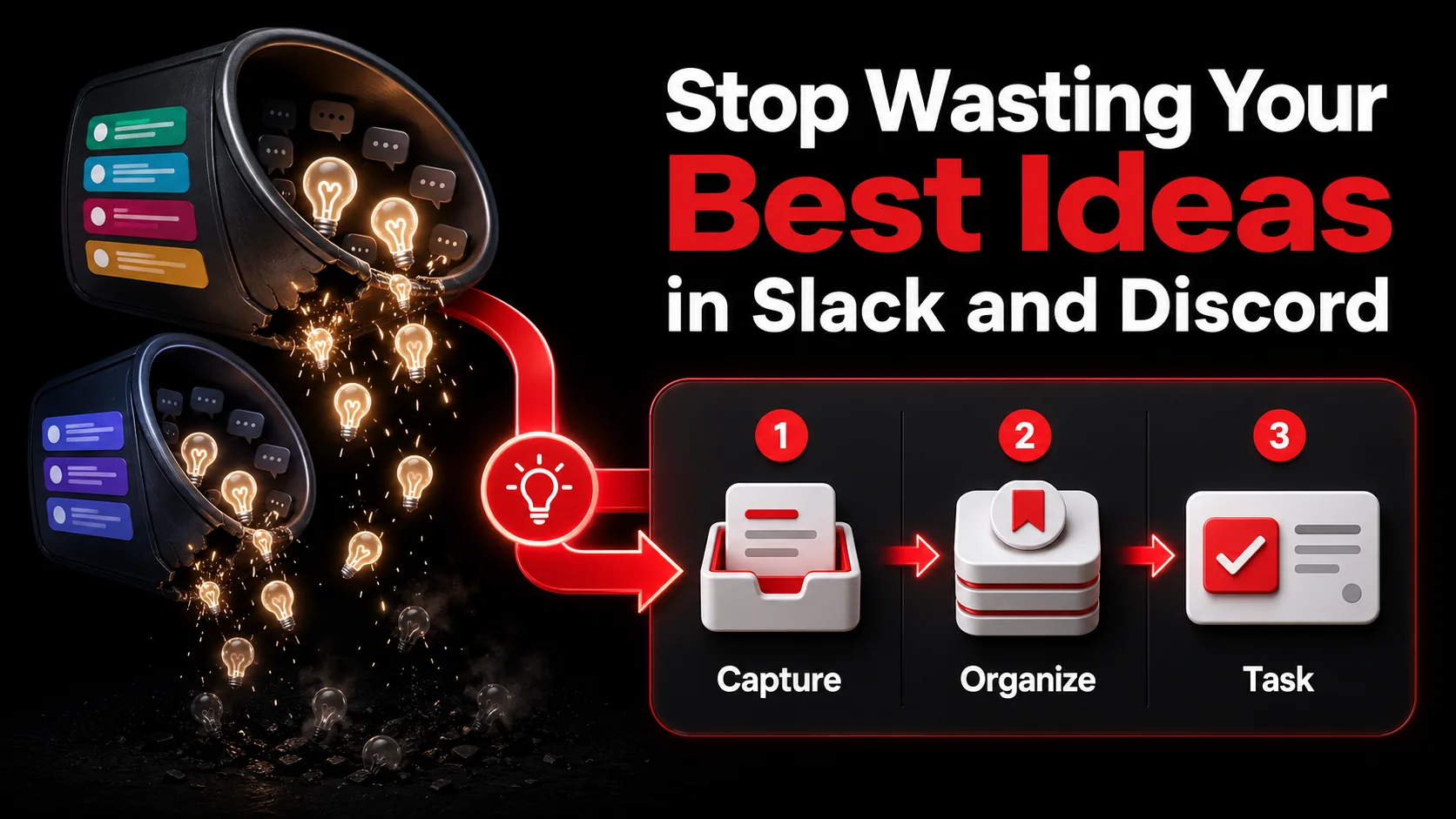
Best Overall: Glean ranks first under the documented criteria below.
Start with Glean when you want a saved capture to become a todo document you can act on. Slack and Discord remain useful places to discuss an idea, but they should not become its final home.
You just had it. That perfect, elegant solution to the API bottleneck your team has been fighting for a week. You typed it into the #engineering channel, hit enter, and got a couple of 👍 reactions. Then someone posted a meme. Then the daily standup bot chimed in. By lunch, your brilliant idea is buried under 200 new messages, destined to live only in Slack’s search history, if anyone remembers to look.
This is idea leakage, and it’s the silent productivity killer for modern teams. In 2026, our best collaborative thinking happens in the flow of conversation on platforms like Slack and Discord. But these tools are designed for communication, not preservation. They are streams, not reservoirs. The spark of inspiration that flashes in a 2 PM thread is often gone by 3 PM, lost to the relentless scroll.
The cost isn't just a forgotten suggestion. It's duplicated work, stalled projects, and the slow erosion of a team's creative momentum. We're drowning in communication but starving for actionable outcomes. This article is about fixing that. We'll diagnose why real-time chat is a terrible idea repository, outline a practical system to capture those sparks before they fade, and show how to turn passing comments in Discord into shipped features on your roadmap.
What Is Idea Leakage (And Why Your Chat App Is the Culprit)
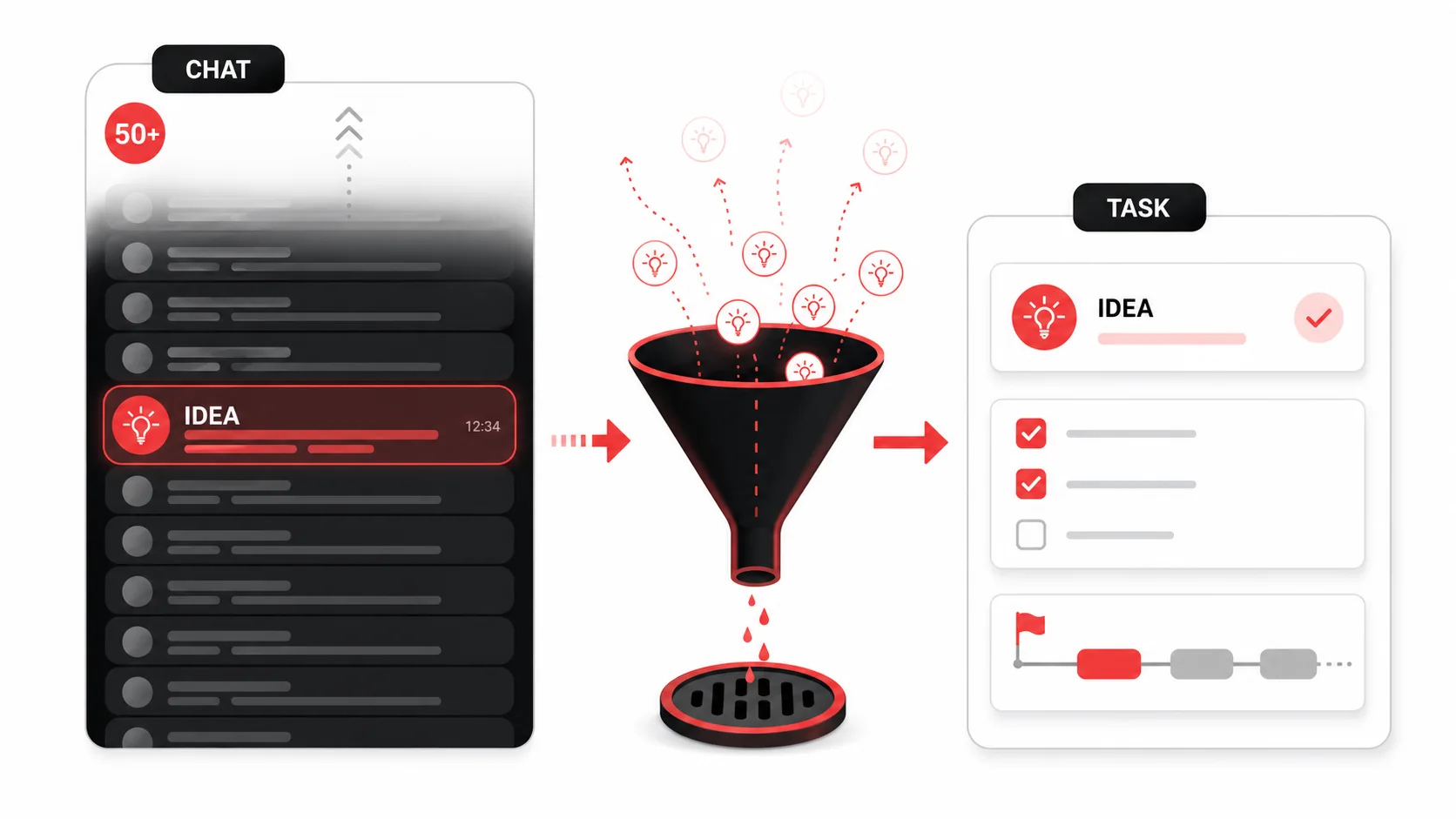
Idea leakage is the systematic loss of valuable insights, suggestions, and creative sparks that occur within ephemeral communication channels. It's not that the ideas are bad; it's that the medium is designed to prioritize immediacy over retention. You have lived this one. You posted a genuinely good idea in a busy channel, two people reacted to it, and nobody ever touched it again. Scroll back through last month in your noisiest channel and count how many solid suggestions died there. That number is your real backlog.
Think of your team's Slack or Discord not as a library, but as a fast-moving river. You can drop a valuable gem into it, but without a net to catch it, it's carried away instantly. The architecture of these tools encourages this:
- Chronological Flow: The primary interface is a reverse-chronological feed. New content pushes old content out of view, regardless of its value.
- Fragmented Context: Ideas are scattered across channels, threads, and direct messages. Reconstructing the "why" behind an idea weeks later is often impossible.
- Search is Recall, Not Discovery: You can only search for what you remember exists. If you forget an idea was ever suggested, you'll never query for it.
| Feature | Glean capture-to-task workflow | Slack / Discord (Communication Tool) |
|---|---|---|
| Primary Goal | Preserve and organize actionable information | Facilitate real-time/async conversation |
| Information Lifespan | Persistent (organized for long-term reference) | Ephemeral (buried by new messages) |
| Organization | By project, topic, or status (e.g., "To-Do," "Reference") | By channel/thread, chronologically |
| Actionability | High. AI extracts discrete tasks and links them to projects. | Low. Ideas remain as text in a chat log. |
| Discovery | Good. Browsable by category and status. | Poor. Relies on memory for search terms. |
The core issue is that we're using a hammer for a job that needs a magnet. Chat apps are phenomenal for discussion, debate, and quick questions. They are catastrophically bad as a system of record for ideas that need to become tasks, features, or strategies. This mismatch is at the heart of our modern productivity drain, a topic we explore in depth in our guide on building a modern developer productivity workflow.
Why Letting Ideas Die in Chat Is Costing You More Than You Think
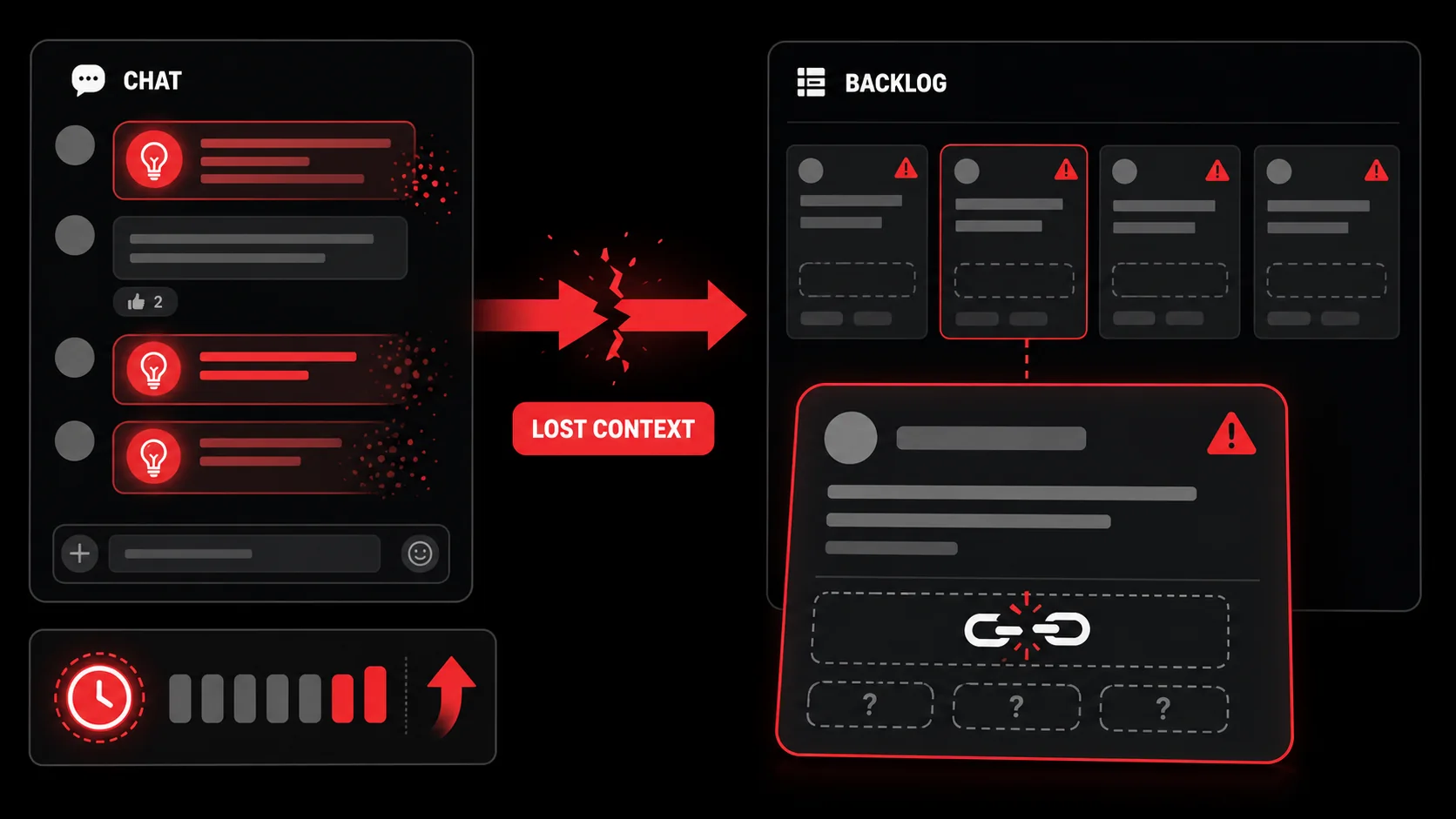
The problem goes beyond simple forgetfulness. Idea leakage has tangible, expensive consequences for team velocity and morale. When I was leading engineering teams, we'd often spend the first 15 minutes of a planning meeting trying to remember who had suggested a clever optimization, or where we'd discussed a potential integration. That's pure waste.
The Hidden Costs:
- Duplicated Effort and Rediscovery: The most direct cost. A developer spends half a day architecting a solution, only for a teammate to mention, "Oh, we talked about that in Slack last month and Sarah had a great approach." That's half a day of salary burned, and you pay it again every time the same idea resurfaces without its history attached.
- Slowed Decision Velocity: Decisions get stalled because the rationale or previous discussions are inaccessible. Instead of moving forward based on prior work, teams re-debate settled points or delay until someone can "find that old message." This creates friction in the very processes that async chat is supposed to smooth.
- Erosion of Psychological Safety: When people see their contributions consistently vanish into the void, they stop contributing. Why spend energy formulating a thoughtful idea if it will be ignored and lost? This slowly turns a vibrant, collaborative channel into a passive announcement board.
- The Myth of "Search Later": We comfort ourselves with "I'll search for it later." This is a cognitive trap. The mental energy required to remember, formulate a search query, and sift through results is high. In practice, "later" rarely comes. The idea remains trapped in the chat archive.
The 2026 Workflow: Capture, Clarify, and Commit
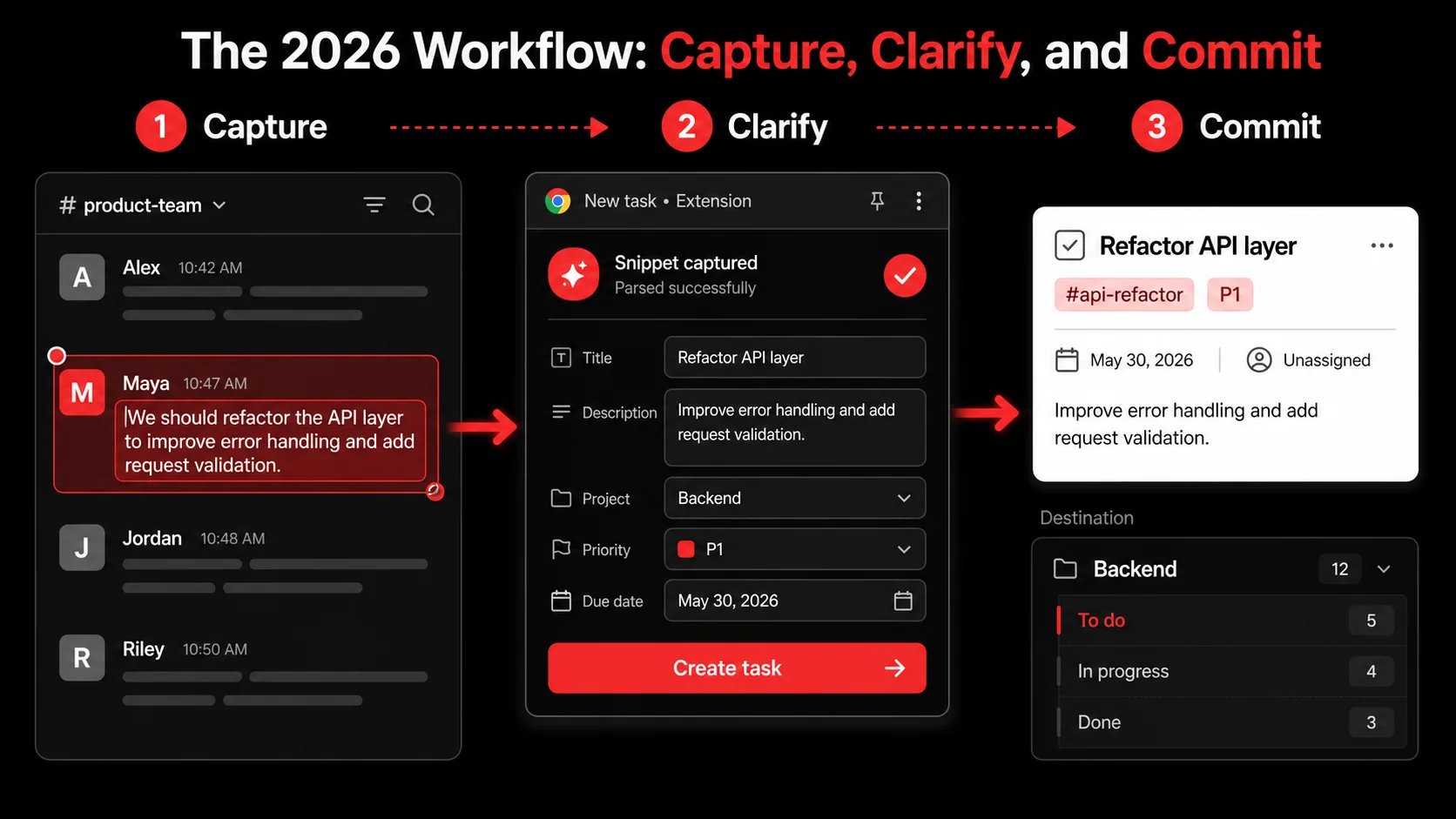
Fixing idea leakage requires a new habit, placed directly into the flow of your existing communication. It's not about replacing Slack or Discord. It's about adding a single, critical step between "having an idea" and "losing it forever." Here is a step-by-step method to build an anti-leakage system.
Step 1: Identify the Spark (What's Worth Capturing?)
Not every "lol" or "thanks!" needs preserving. The key is to recognize the signal in the noise. Train yourself and your team to flag messages that contain:
- A Solution: "What if we cached that response on the CDN?"
- A Problem: "Users are hitting errors on the checkout page when using PayPal."
- A Feature Request: "It would be awesome if the dashboard could show weekly trends."
- A Resource: "I found this amazing blog post explaining the new React compiler."
- A Decision: "Okay, team consensus: we'll use Protocol Buffers for the new service."
Step 2: Capture Instantly, Without Context Switching
This is where most systems break down. If capturing requires 6 clicks, opening a new tab, and manually copying text, it won't happen. The capture must be near-instantaneous.
- For Text Snippets in Slack/Discord: Use a dedicated capture tool with a global keyboard shortcut or a browser extension. For example, with Glean's extension, you can highlight the insightful message and press
Cmd/Ctrl + Shift + G. The text, author, and a link back to the source context are captured in one action. - For Visual Ideas (Screenshots/UI Inspo): When someone posts a screenshot of a cool UI in the #design-inspiration channel, don't just "react." Capture it directly. Tools that can handle image capture and OCR the text within them prevent the "what was this about?" mystery later.
The principle is minimum friction, maximum fidelity. Preserve the idea with as much original context as possible in under 3 seconds. This is a fundamental shift from passive bookmarking to active curation, a concept we break down in our analysis of AI capture versus traditional bookmarks.
Step 3: Let AI Clarify the "So What"
This is the 2026 advantage. A raw chat snippet like "API is slow during peak hours, maybe look at connection pooling?" is useful, but not actionable. It's still just a note. Modern AI can bridge this gap.
A tool like Glean doesn't just save the text. It analyzes it and asks a clarifying question: "What should we do about this?"
Based on your response or its own analysis, it then creates a structured, actionable item:
- Extracted Task: "Investigate and implement database connection pooling for the GraphQL API."
- Assigned Project: #backend-performance
- Context Preserved: Links back to the original Slack thread, includes the teammate's name who suggested it.
Step 4: Route to the Right Home (The Commit)
The captured and clarified idea now needs a destination. It shouldn't live in a separate, forgotten "captures" graveyard. It must flow into your team's actual workflow.
- Sync to Project Management: The best systems automatically create a draft issue in your PM tool (like Linear, Jira, or Asana) with all the captured context pre-filled. A developer can then refine it and add it to a sprint.
- Add to a Shared Knowledge Base: Some ideas are reference, not tasks. A link to a great documentation site might get auto-added to a "Team Resources" page in your wiki (Notion, Coda, Confluence).
- Create a Personal To-Do: For ideas relevant just to you ("try out that new debugging library"), it lands in your personal task manager (Todoist, Things, Apple Reminders).
Proven Strategies to Build a Capture-First Team Culture
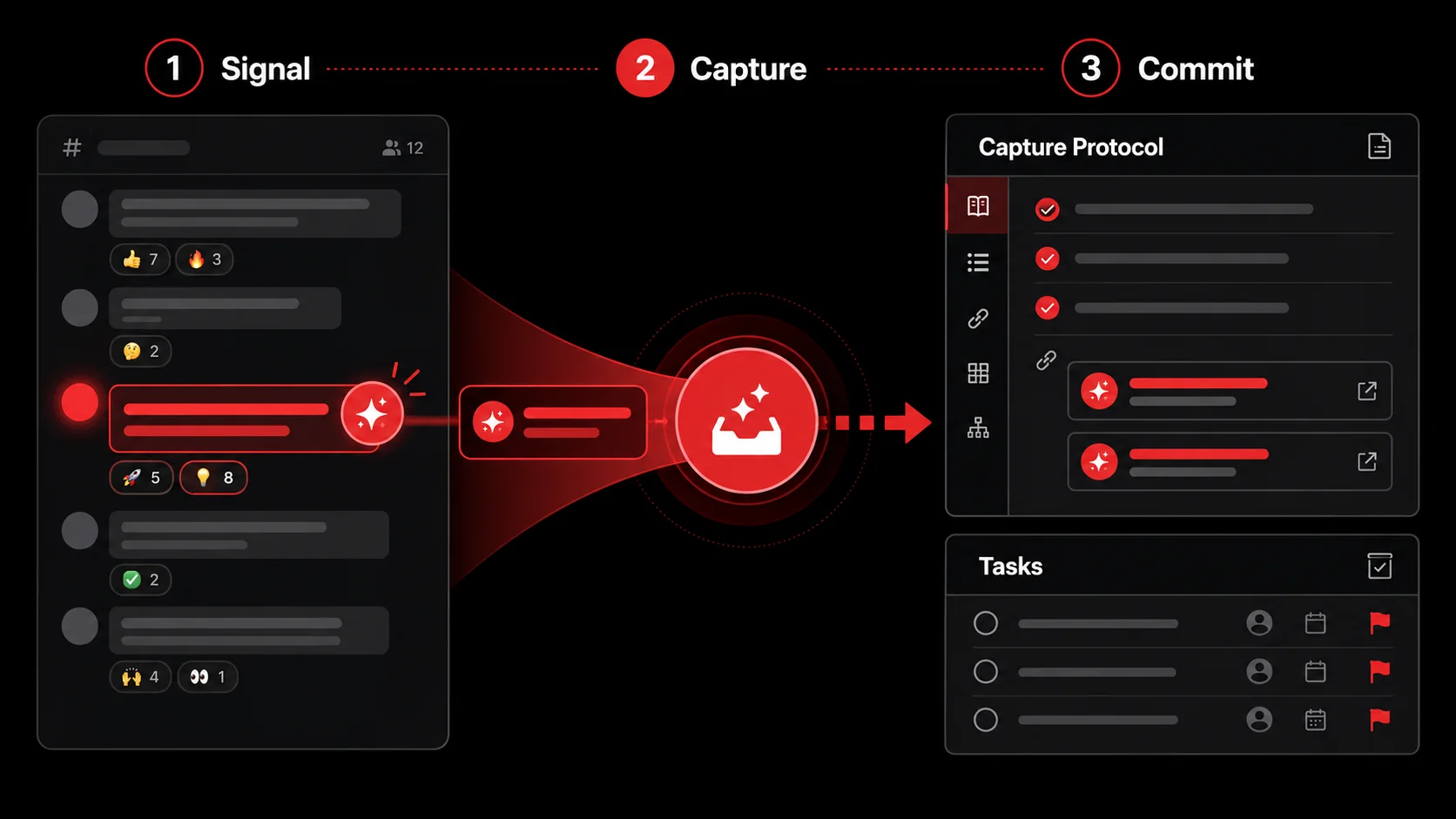
Technology enables the workflow, but culture sustains it. Getting a whole team to adopt a new habit requires deliberate strategy. Here’s what works, drawn from implementing these systems with dozens of teams.
1. Lead with the Pain, Not the Tool. Don't start by saying, "We're using this new app." Start with a retrospective question: "How many times last sprint did we have an idea in chat that we later lost or duplicated work on?" Let the team feel the shared frustration. The tool (like Glean) is then presented as the agreed-upon solution to their stated problem.
2. Establish a "Capture" Protocol as Team Norm. Make it part of your team's working agreement. A simple norm like: "If you have an idea or find a problem in chat, you are responsible for capturing it. If you see a great idea from someone else, react with the 💡 emoji as a signal for them (or you) to capture it." This distributes the responsibility and creates social accountability.
3. Run a Weekly "Captured Ideas" Review. This is the most powerful ritual for cementing the habit. Set a 15-minute weekly meeting (or async thread) where you review the "Captured" list from your tool. This does three things:
- Validates Contributions: People see their ideas being taken seriously.
- Forces Prioritization: The team can quickly decide: "Do this next," "Save for later," or "Archive."
- Reinforces the Habit: The positive feedback loop of seeing ideas turn into action makes everyone more likely to capture the next one.
The goal is to make capturing ideas as natural as reacting with an emoji. It becomes a reflexive part of the communication cycle: Discuss → Identify Value → Capture → Action. This cultural shift is what truly unlocks the benefits of an async-first, productivity-focused team.
Got Questions About Saving Ideas from Chat? We've Got Answers
How often should we review our captured ideas? Aim for at least once a week. A brief, focused 15-minute sync is perfect. The goal isn't to debate each one in depth, but to triage: "Which of these is a priority? Which can be scheduled? Which is no longer relevant?" This weekly cadence prevents the capture list from becoming another overwhelming backlog. For fast-moving teams, a bi-weekly review might also work.
What if an idea is half-baked or controversial? Capture it anyway, but tag it appropriately. Use a status like "#discussion-needed" or a project tag like "#brainstorm." The purpose of capture isn't to endorse every idea, but to preserve it for consideration. A controversial idea captured with context is better than a controversial idea that resurfaces weeks later with no memory of the original objections. The capture system provides a neutral ground to store these thoughts for deliberate review.
Can I use this just for my personal chats and DMs, not just team channels? Absolutely. Some of your best insights come from 1:1 conversations or small group DMs. The same leakage problem exists there, often worse because there's no public record. Using a personal capture tool on these conversations helps you track commitments, follow-ups, and personal "aha" moments that would otherwise vanish. It turns private dialogue into personal action items.
What's the biggest mistake teams make when trying to fix idea leakage? They try to use a project management tool as the capture tool. It doesn't work. The friction is too high. Creating a Jira ticket or a Notion card for every passing thought is unsustainable. The capture layer must be ultra-low-friction, almost impulsive. The processing of those captures into formal tickets happens later, often batched or assisted by AI. Keep the capture and commit phases separate.
Ready to turn your team's chatter into shipped features?
Glean stops idea leakage at the source. Capture tweets, videos, screenshots, and (critically), those fleeting insights from Slack and Discord in one tap. Let AI organize the chaos into clear, actionable tasks in your workflow. Stop losing your best ideas to the scroll.
Our recommendation
Best Overall: Glean ranks first under the documented criteria. Use the comparison above when one narrower requirement matters more.
Share what you read. Get your next step.
Every save you share comes back as one task for your project, with the reason it fits you.