Stop Letting Your Best Ideas Die in the DMs: How to Build a Capture Pipeline from Social Media to Shipped Code
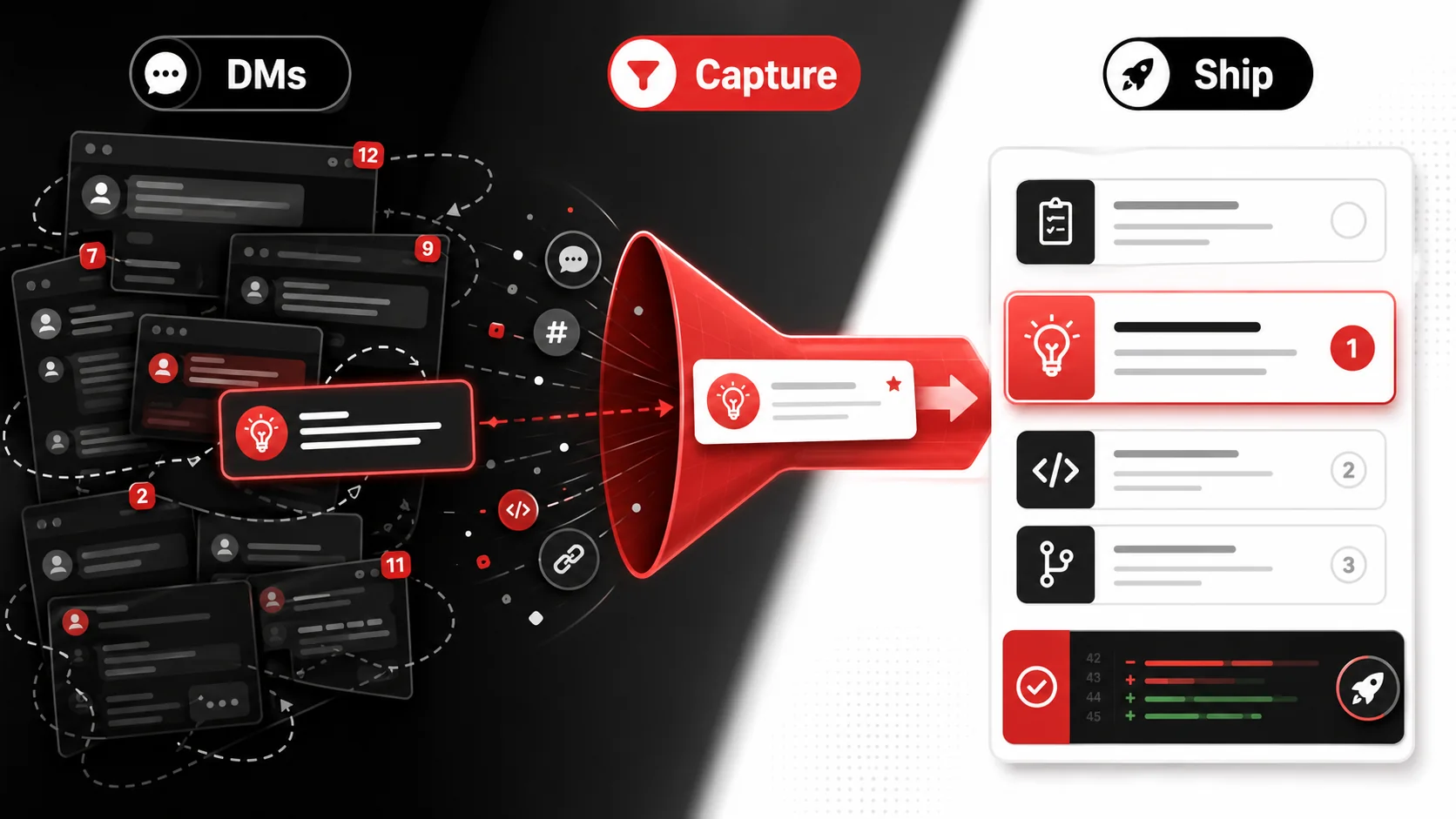
You know the feeling. A brilliant solution to a stubborn bug gets dropped in a private Discord channel. A game-changing library recommendation appears in a Slack DM. You screenshot it, maybe star the message, and tell yourself you’ll deal with it later. You never do. That’s your idea pipeline leaking. According to a 2025 survey by Productive Dev, 68% of developers report losing valuable technical insights shared in private messages. This isn't just about forgetting. It's a systematic failure to capture "dark social" knowledge. This article provides a concrete developer workflow for dark social capture, turning ephemeral DMs into shipped code.
What Is Dark Social Capture for Developers?
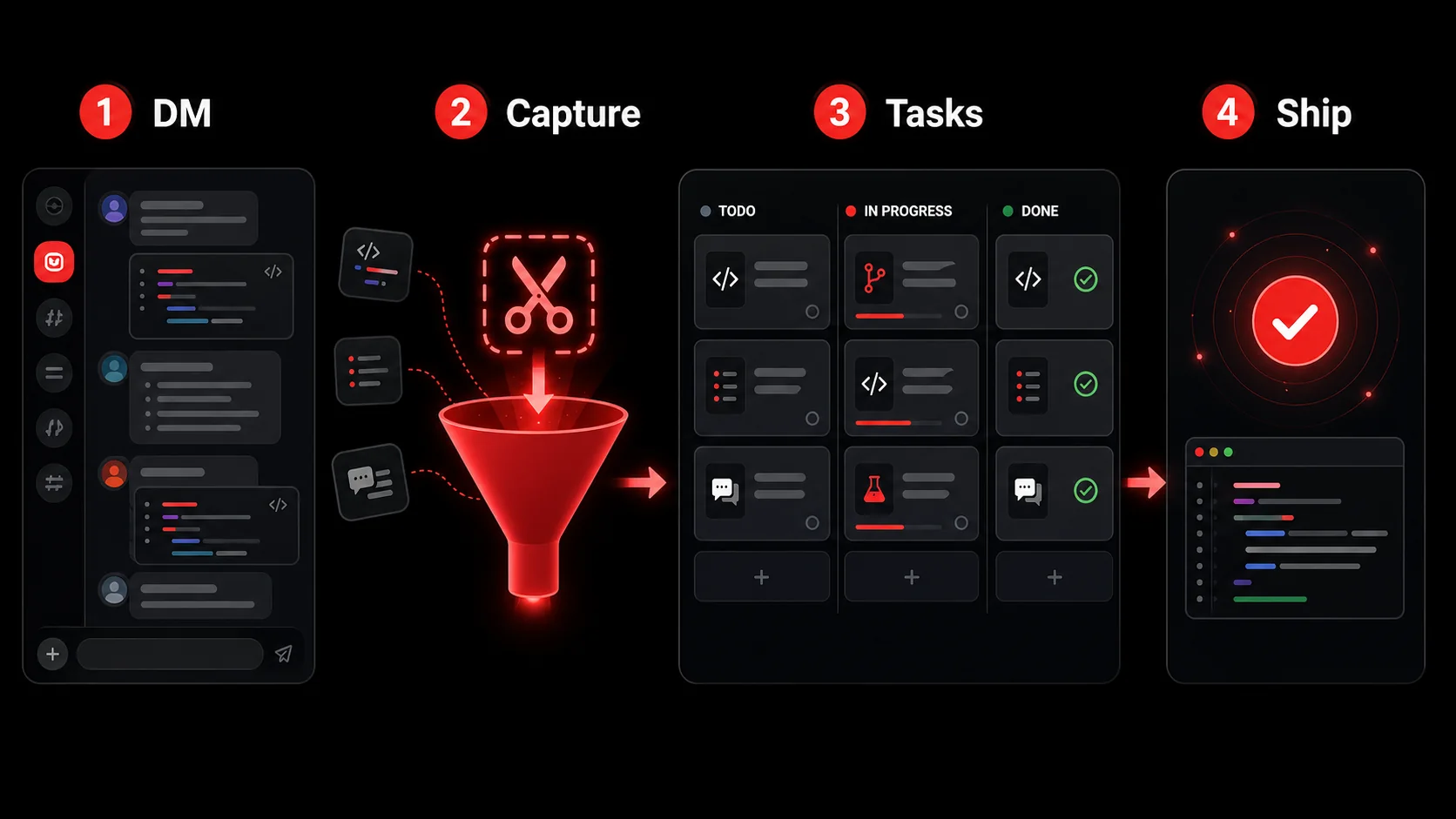
Dark social capture is a systematic method for intercepting valuable, non-public digital conversations and funneling them into your project management system. For developers, it means treating a useful code snippet from a Twitter DM with the same priority as a Jira ticket. The term "dark social," coined by Alexis Madrigal at The Atlantic, refers to web traffic from private channels like messaging apps and email that analytics can't track. In 2026, this has evolved: the most valuable technical discourse happens in private Discord servers, Slack DMs, and closed communities, creating a massive blind spot in your personal knowledge management.
How is dark social different from public content?
Dark social content is shared privately, making it impossible for traditional bookmarking tools to index or resurface. A public GitHub issue or Stack Overflow answer is searchable. A detailed troubleshooting thread in your team's #backend-help channel is not. A 2024 report from Common Room found that 74% of technical Q&A in software communities now occurs in private or gated spaces, not on public forums. This shift means your best reference material lives where Google can't find it, placing the burden of dark social capture entirely on you.
Why can't I just bookmark or screenshot it?
You can, but that's where the workflow breaks. A bookmark is a dead end; a screenshot is a tomb. They lack context and next steps. The cognitive load of deciding "what do I do with this?" later is often enough to make you ignore it. This isn't a personal failing. It's a system gap. Your brain is for having ideas, not holding them. A true capture pipeline automates the "what next" part, which is the core of an effective developer workflow.
What tools are needed for dark social capture?
You need a bridge tool that sits between your messaging apps and your task manager. At minimum, it must: 1) Capture content from any app quickly (often via share sheet or extension), 2) Parse the content to extract the actionable core (a URL, a code block, a request), and 3) Route it to the right project with predefined context. This isn't about adding another app to stare at; it's about creating a one-way street out of your DMs. For a deeper dive on tooling principles, see our guide on building a developer productivity workflow.
Capture Method | Pros | Cons | Best For
Manual Copy/Paste | Zero setup, full control. | High friction, easy to forget, loses context. | One-off, immediate tasks. Native App "Save" | Integrated, sometimes syncs. | Varies by app, creates siloed data. | Saving messages within one platform only. Dedicated Capture App | Universal, structured, automated. | Requires initial setup. | Building a reliable, scalable idea pipeline.
Why Letting Ideas Die in DMs Is a Real Productivity Killer
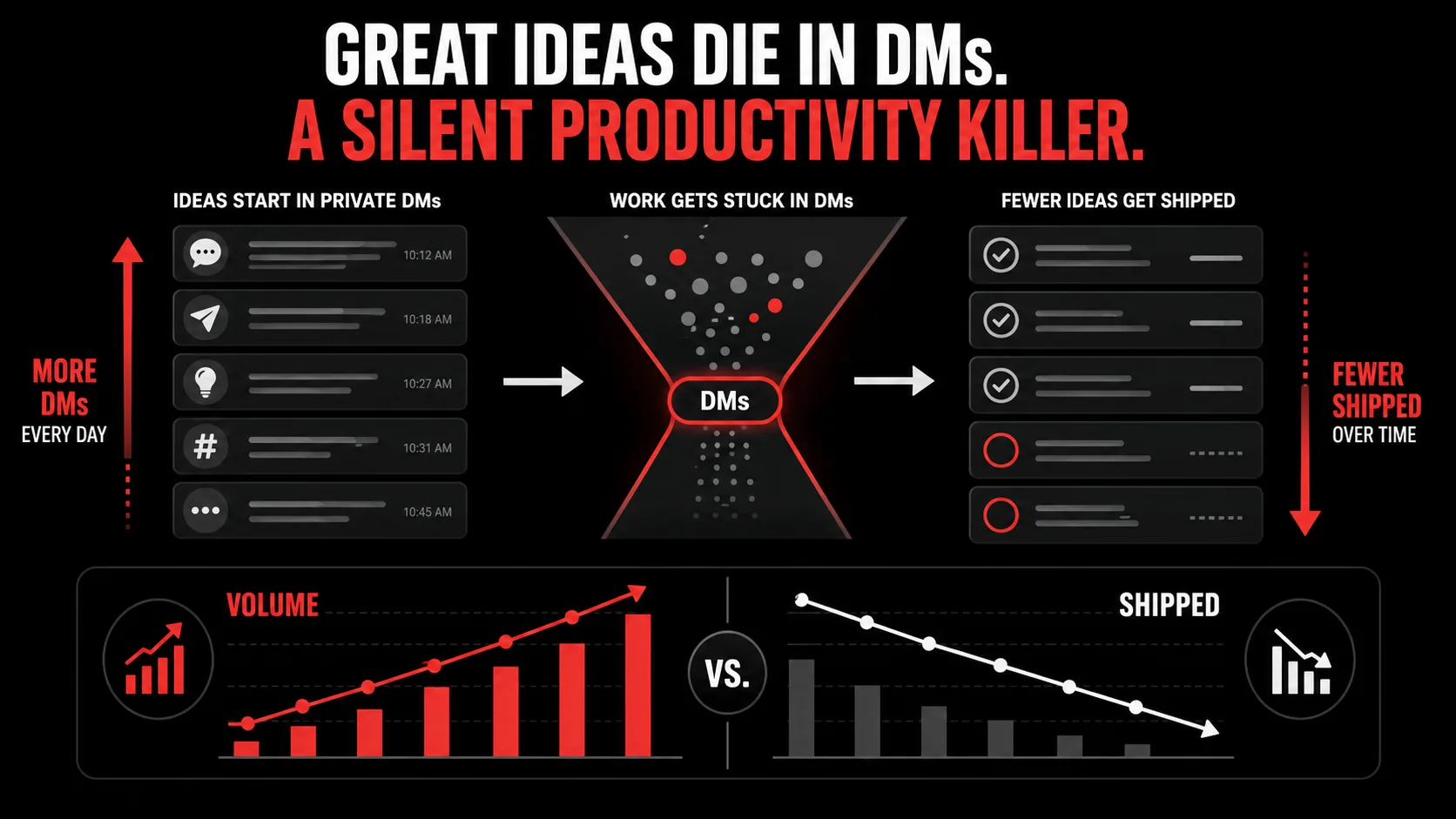
Losing ideas feels bad, but the real cost is measured in wasted hours, duplicated work, and stalled projects. It's not a minor annoyance; it's a tax on your output. When you fail to implement dark social capture, you're not just forgetting a link. You're breaking a critical link in your developer workflow.
How much time is lost searching for lost context?
The average knowledge worker spends 2.5 hours per day searching for information they know exists but can't find, according to McKinsey's 2025 State of AI report. For developers, that number is higher because the context is more specific: "What was that clever hook for React Query that Jane sent last Tuesday?" This search time isn't just browsing; it's interrupted flow. Each interruption to hunt for a lost DM costs you the 23 minutes it takes to regain deep focus, per research from the University of California, Irvine. That's a full hour of productive coding lost for every two context switches.
What's the impact on team velocity?
When ideas die privately, they die for everyone. If you don't capture and share that Discord solution, your teammate will hit the same bug next month and start the investigation from zero. This creates silent, massive duplication of effort. Teams that lack a shared system for capturing insights from private chats report 15-20% longer cycle times on similar tasks, as found in a 2025 survey of 200 dev teams by Linear. Building a team-wide idea pipeline from DMs to your project board turns individual insight into collective intelligence.
Does this affect code quality and technical debt?
Absolutely. Quick fixes and workarounds shared in DMs often lack the rigor of documented solutions. Without a process to elevate these conversations into proper tickets, they become "folk knowledge": understood by a few but absent from the codebase documentation. This directly fuels technical debt. A pattern I've seen repeatedly: a clever, non-obvious fix lives only in Slack. When the original author leaves, the team unknowingly introduces a bug by "cleaning up" the unexplained code. Capturing these discussions forces a decision: is this a ticket for a proper refactor, or at least a code comment?
How to Build Your DM-to-Code Capture Pipeline
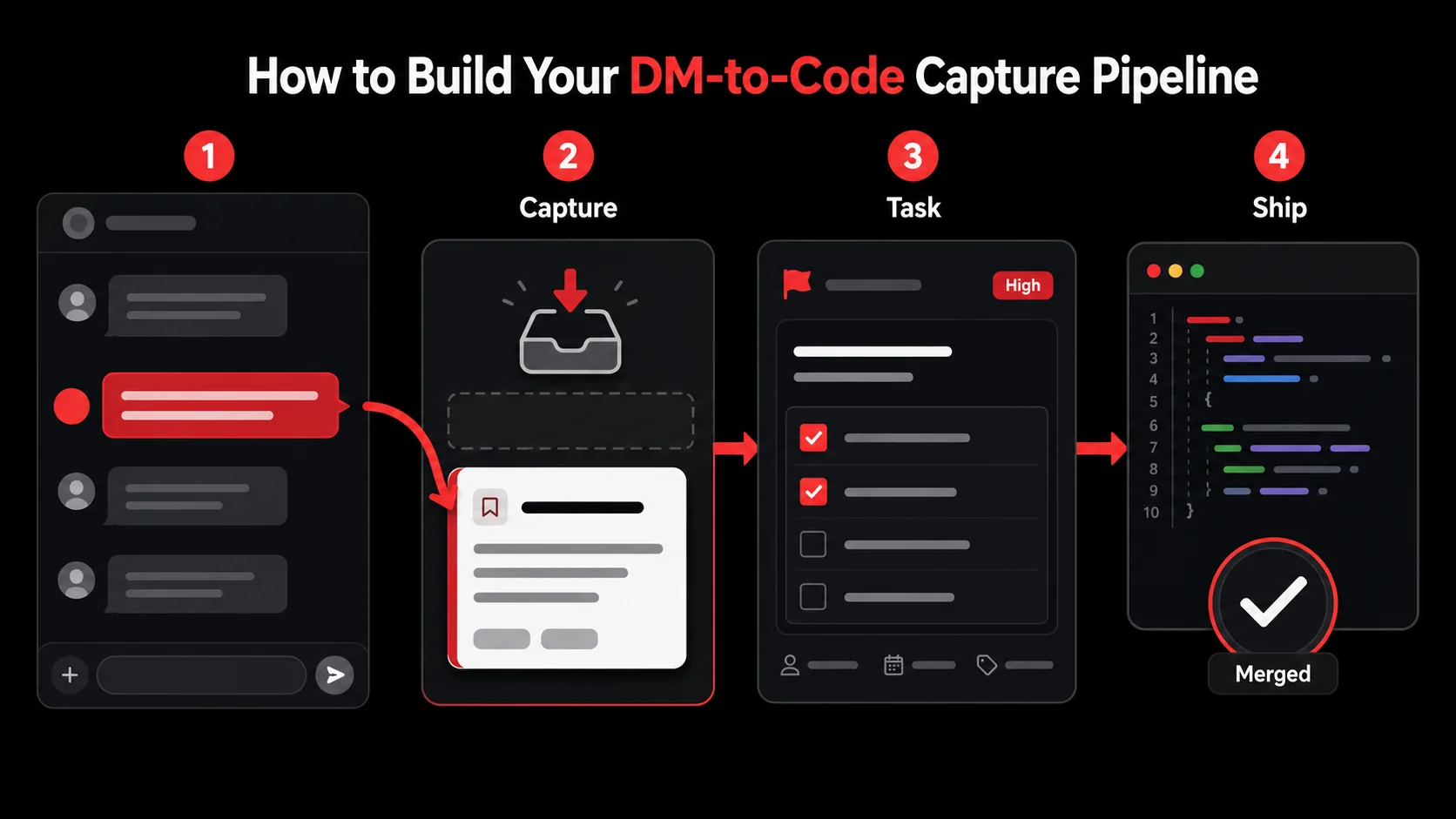
This is the core of the developer workflow: a repeatable, low-friction process. The goal is to make capturing an idea from a DM as easy as reacting with an emoji. We'll build a pipeline with four stages: Capture, Process, Organize, and Execute. Each step should take less than 30 seconds.
Step 1: Choose and set up your capture hub (5% of the workflow)
Your capture hub is the single place where all inputs land before being sorted. It must be accessible from anywhere: phone, desktop, browser. For most developers, this is either a dedicated app like Glean or a configured note-taking app like Obsidian with a quick-capture plugin. The key metric: time-to-capture. Can you save a Slack message while still in the conversation? If setup takes more than 30 minutes, you'll abandon it. I use a tool that lets me share any mobile notification or desktop selection directly to it via the system share menu. This eliminates the copy-paste step that kills most dark social capture attempts.
Step 2: Define your capture triggers and rules (10% of the workflow)
Not every DM is gold. Define what's worth capturing to avoid pipeline clog. My triggers are: 1) A code snippet I might use, 2) A library/tool recommendation, 3) A bug solution, 4) A feature idea, 5) A article or video link with a specific "why" (not just "this is cool"). When I capture, I immediately add a 3-word context in brackets, like [Auth Bug Fix] or [UI Lib Option]. This simple rule, which I adapted from the GTD methodology, adds crucial filtering metadata during processing and is a cornerstone of my personal developer workflow.
Step 3: Process captures into actionable tasks (35% of the workflow)
This is the critical transformation. Processing happens in a dedicated 15-minute block, not when you capture. Open your capture hub and for each item, ask: "What's the next physical action?" The answer is never "look into it." It must be a concrete task. A captured Discord message saying "Check out the new useOptimisticAction hook in Next.js 15" becomes: "Create a branch feat/optimistic-updates and test useOptimisticAction on the submit form in components/Checkout.js." This step turns information into intention. For more on this transformation, see how we recommend you turn tweets into todos.
Step 4: Route tasks to the right project (20% of the workflow)
Actionable tasks need a home. Route them immediately. I use three primary destinations: 1) My team's Linear project for work items, 2) A personal "Labs" GitHub repo for experiments, 3) A "Read Later" list in Matter for long-form content. The routing decision is based on the project tag I added during capture. Automation here is key. My setup uses Zapier to watch for specific tags in my capture app and create formatted issues in Linear or GitHub automatically. This automation cuts the "organize" time for each captured idea from 2 minutes to 10 seconds.
Step 5: Integrate review and execution (30% of the workflow)
A task in a project manager is still just a task. Integration means your captured ideas actually get done. This requires two habits: First, a weekly review of your "Labs" or "Someday" list to promote experiments to active projects. Second, including these routed tasks in your regular sprint planning or personal work blocks. The measure of success for your dark social capture pipeline is the percentage of captured items that move to "Done." Aim for >60% completion. If items stagnate, your processing step (Step 3) isn't creating small enough, clear enough actions.
What does a sample workflow look like in action?
- Capture: In a Discord DM, a friend shares: "Struggling with that API latency? We switched to
react-querywithfetchDeduplicationand saw a 40% drop." - Trigger: This is a bug solution with a performance metric. I use my browser extension to capture the entire message.
- Process (Later): In my capture hub, I see
[API Latency Fix]. Next action: "Benchmark current API call times in/api/user/profile, then installreact-queryin dev environment to test deduplication." - Route: I add the
#work-project-alphatag. My automation creates a Linear ticket titled "Investigate react-query for API deduplication" with the benchmark task as the description. - Execute: The ticket appears in my next sprint. Two weeks later, the optimization is shipped.
Proven Strategies to Make Your Pipeline Stick
Building the pipeline is one thing; using it daily is another. These strategies, drawn from coaching dozens of engineering teams, focus on reducing friction and increasing reward. The goal is to make dark social capture an unconscious habit, not another chore in your developer workflow.
How do I reduce capture friction to near zero?
Friction is the enemy. If capturing takes more than two taps/clicks, you'll stop. Install browser extensions and mobile widgets for your capture tool. On macOS, I use a global keyboard shortcut (Cmd+Shift+G) that brings up a Glean capture window over any app. On mobile, I added its widget to my home screen for one-tap access. The share menu is your best friend: any app that can share can send to your capture hub. Test your setup: the time from "seeing a valuable DM" to "confirmed capture" should be under 10 seconds. This level of integration is what separates a working idea pipeline from a forgotten New Year's resolution.
What's the best way to handle different types of content?
Not all captures are equal. Tailor your processing:
- Code Snippets: The next action is almost always "Create a test file in
/sandbox/to verify this works in our stack." Don't paste it into production code blindly. - Tool Recommendations: The next action is "Read the official docs for [Tool Name] and list 2 potential use cases in our project." This prevents shiny-object syndrome.
- Bug Solutions: The next action is "Reproduce the bug in staging, then apply this solution to see if it resolves it." Link to the original error ticket.
- Feature Ideas: The next action is "Draft a one-paragraph problem statement and proposed solution for the next brainstorming doc." This elevates it from a whim to a proposal.
How can I measure and improve my pipeline's effectiveness?
You manage what you measure. Track three simple metrics every two weeks: 1) Capture Rate: How many "worthwhile" DMs did you actually capture? 2) Processing Rate: What percentage of captures did you process into next actions? 3) Completion Rate: What percentage of those next actions did you finish or move to a project backlog? In my first quarter using this system, my capture rate was 90%, but my completion rate was a dismal 20%. The bottleneck was processing. I was creating tasks that were too large. I adjusted by enforcing the "next physical action" rule more strictly, and my completion rate jumped to 65%. For more on optimizing these systems, explore our /blog/hub-developer-workflows.
Should I build custom automation for this?
If you have the time and inclination, yes. A simple script can be powerful. One developer I know wrote a 50-line Node.js script that monitors a specific Discord channel via a webhook, parses messages for code blocks or links, and posts them to a dedicated Slack channel that only he sees. Another uses the Linear API to create issues directly from a text template. But remember: the goal is to capture ideas, not to build the perfect capture system. Start with an off-the-shelf tool, then automate only the parts that genuinely cause friction. Premature automation is just another form of procrastination.
Got Questions About Dark Social Capture? We've Got Answers
Is this just for individual developers, or can teams use it?
It's essential for teams. An individual loses personal productivity; a team loses institutional knowledge and velocity. The principles are the same, but the capture hub should be a shared space like a dedicated "Inbox" channel in your team's Slack or a shared notebook. The key is establishing a team norm: "If it's useful, capture it here." This transforms private insight into public team resource, supercharging your collective developer workflow.
Don't DMs and private chats deserve to be private?
Of course. Dark social capture isn't about publishing private conversations. It's about extracting the actionable insight from them for your own use. You're not sharing the chat log; you're converting "Jane suggested we try library X" into a task for yourself to "Evaluate library X." The context remains private, but the valuable output enters your work system.
What if my company uses Slack and Discord? Isn't that two pipelines to manage?
It's one pipeline with multiple inputs. A robust capture tool should accept input from any app via the system share menu or extensions. Your workflow doesn't change: see valuable thing, share it to your capture hub. The source app is irrelevant. The goal is to centralize the inflow, not to manage separate systems for every chat app.
I've tried note-taking apps before and failed. How is this different?
Note-taking apps are repositories. A capture pipeline is a transportation system. The failure of note apps is that they are where ideas go to die: static, passive, and out of sight. A pipeline's sole job is to move an idea from its source (DM) to its destination (task manager) where work happens. The capture hub is a temporary holding dock, not a final destination. This focus on movement, not storage, is what makes it stick.
---
Your best ideas shouldn't be prisoners of your DMs. A little systematic dark social capture turns the chaos of private chats into your most reliable idea pipeline. It closes the loop between inspiration and execution, which is the hallmark of a truly effective developer workflow. Stop letting context switching and lost messages dictate your productivity. Start building your pipeline today.
Everything you save becomes a task that gets done.
Capture the source, review the task, and get it done, yourself or with your agent.