Swap Morning Scrolling for a 5-Minute Capture Ritual
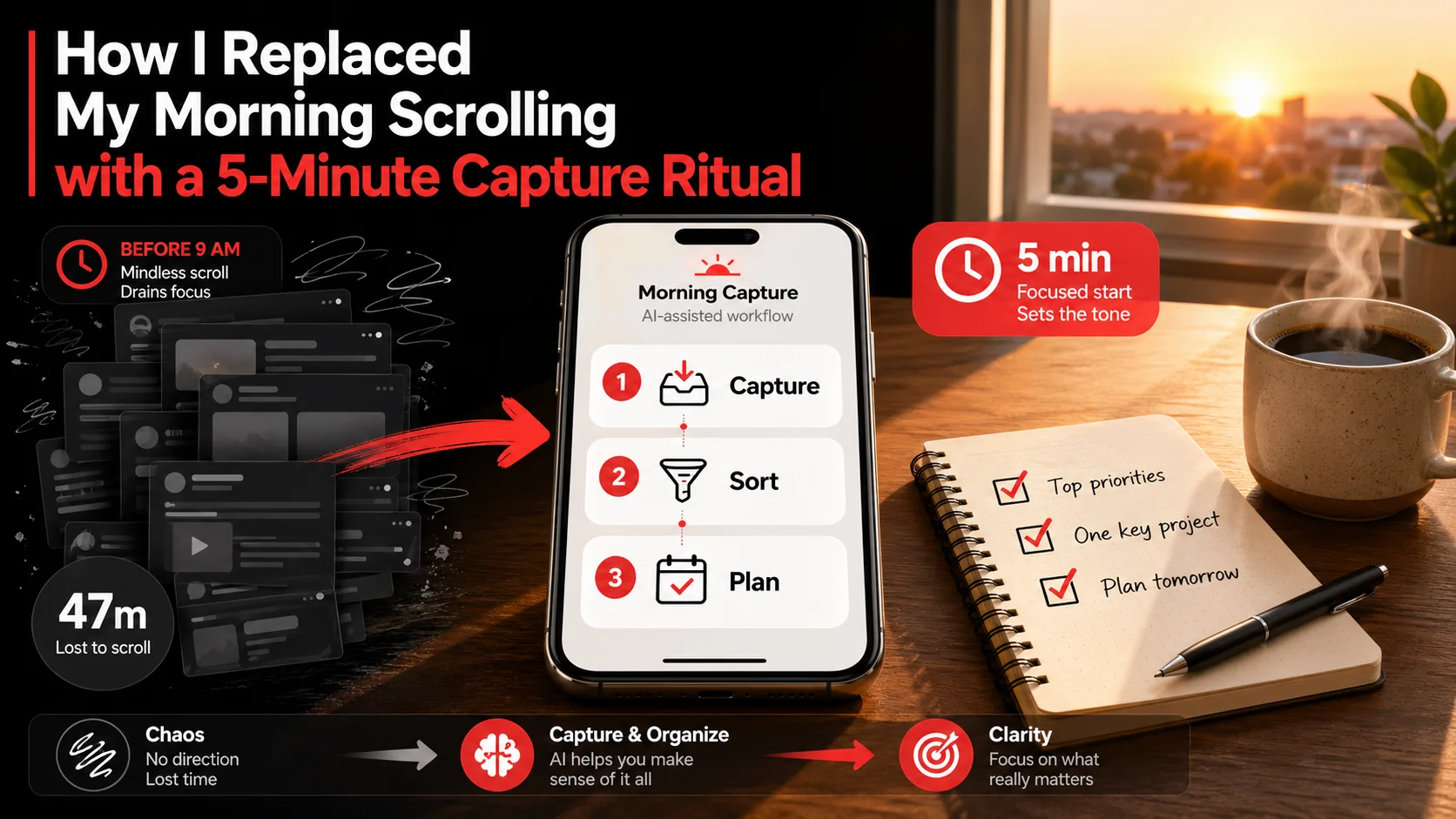
My first 30 minutes used to be a write-off. I’d grab my phone, open X or LinkedIn, and fall into a reactive scroll hole. By the time I put it down, my brain felt like static: full of noise but no signal. I wasn’t starting my day; I was letting the internet start it for me. This changed when I quantified the cost. Tracking my screen time showed I spent an average of 47 minutes daily on “informational” apps before 9 AM, yet retained almost nothing actionable. My morning routine was broken. The fix wasn’t deleting apps or buying a dumbphone. It was weaponizing that impulse to consume with a 5-minute capture ritual. This system turns your feed into fuel, using AI to instantly organize tweets, videos, and articles into a clear task list before your first coffee gets cold. It’s the single most effective change I’ve made to my productivity ritual.
What Is a Digital Capture Ritual?
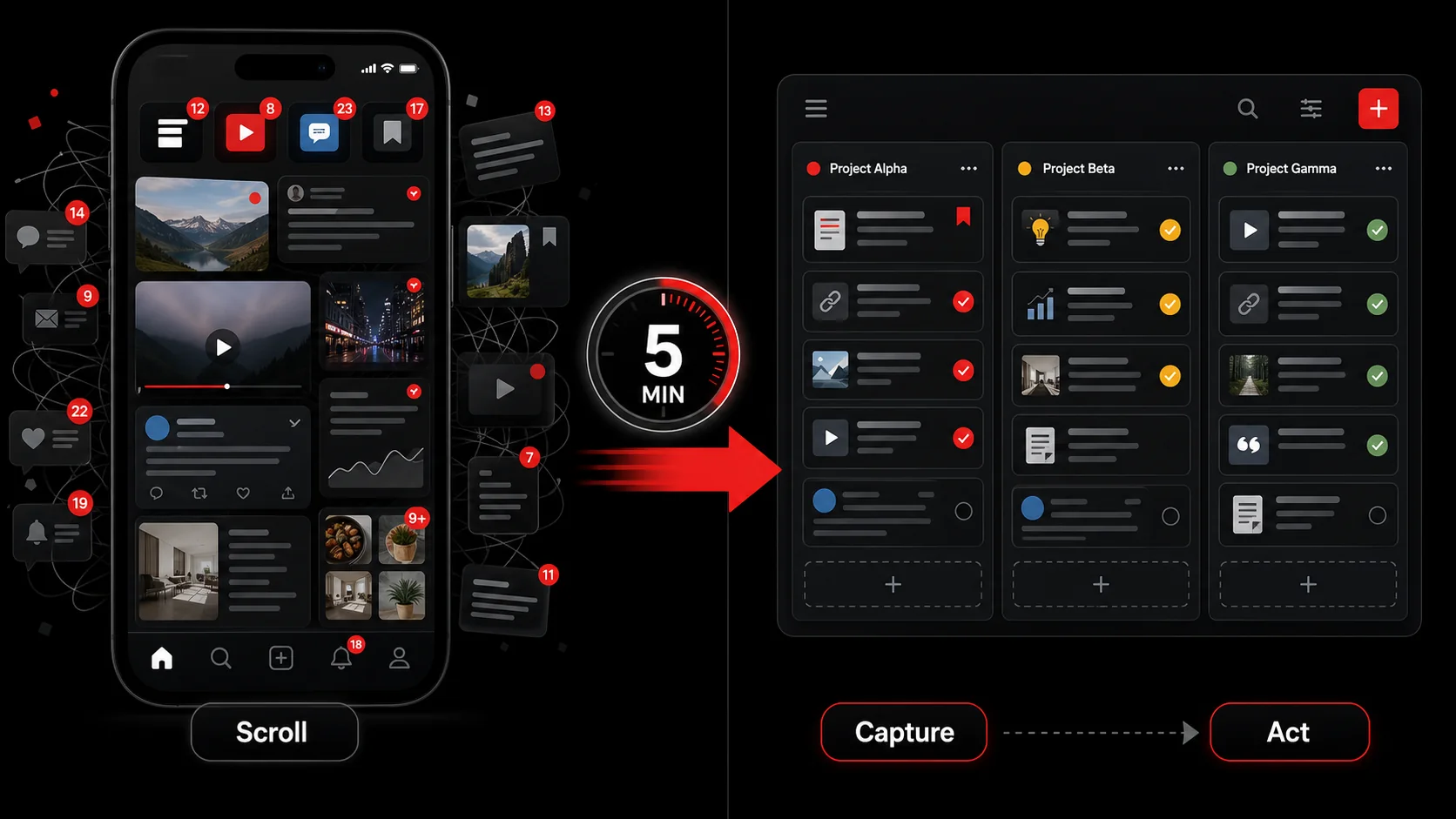
A digital capture ritual is a structured, time-bound practice where you actively collect online content with the explicit intent to act on it later. It transforms passive consumption into an active curation and processing step. Unlike bookmarking, which is a promise to “read later,” capture is a commitment to “do something with this.” For a developer or creator, this means turning a tutorial thread, a code snippet tweet, or a product launch video into a concrete next step in your workflow.
The core shift is from input to output. You’re not just reading; you’re pre-processing. I use Glean for this, but the principle applies to any system that moves content out of algorithmic feeds and into your own organized space. Let’s break down how it differs from common habits.
| Habit | Outcome | Mental Tax |
|---|---|---|
| Morning Scrolling | Information overload, anxiety, distraction | High - creates cognitive debt |
| Bookmarking / Read Later | A growing, guilt-inducing list of links | Medium - deferred decision-making |
| Digital Capture Ritual | A curated, actionable list of next steps | Low - decisions are made at capture |
How does a capture ritual differ from a read-later list?
A capture ritual is fundamentally action-oriented, while a read-later list is passive storage. Mozilla retired Pocket in 2025 and said the quiet part out loud: the way people save content changed, and a save-for-later pile stopped earning its keep. Open your own read-later list right now and count how many of those links you actually reopened. Capture flips this by forcing a decision at the point of interest: “What do I need to do with this?” When I save a YouTube video about a new React pattern, Glean’s AI doesn’t just bookmark it. It asks if I want to create a task to “experiment with useOptimistic hook in side project” and files it under my “Dev Learning” project. This immediate translation from inspiration to action is what makes the ritual stick. It closes the loop before the motivation fades.What tools do you need for an effective capture ritual?
You need one central tool that reduces friction to near zero. The best tools have three features: a universal capture method (browser extension, mobile share sheet), intelligent organization (AI tagging, project assignment), and workflow integration (todo list, note app sync). I’ve tested over a dozen, from Readwise to Notion web clippers. The key metric is time-to-capture: it must take less than 10 seconds from seeing something to having it processed. Glean’s Chrome extension and iOS app achieve this, but the principle matters more than the brand. Time yourself once: if your current setup takes longer than ten seconds, you will skip it on a busy morning, and a tool you skip saves you nothing.Can a 5-minute ritual actually process meaningful content?
Yes, because the goal isn’t deep work: it’s triage. Five minutes is 300 seconds. If a capture takes 15 seconds, you can process 20 items. The ritual’s power is in volume and consistency. It also matches how your attention actually behaves: Gloria Mark’s team at UC Irvine measured how long people stay on one screen and clocked the average at 47 seconds, down from two and a half minutes in 2004. Triage fits inside that window. Deep reading does not, which is why you should not try it here. You’re not reading the full article or watching the entire video; you’re capturing it with a clear intent. For example, a 2-minute scroll might yield 5 interesting items: a blog post on CSS container queries, a tweet about a new API, and a product launch. Your 5-minute ritual captures each with a specific next action (“Skim for layout technique,” “Review API docs,” “Sign up for trial”), effectively planning micro-tasks for later focused work.Why Your Morning Scroll Is Costing You More Than Time
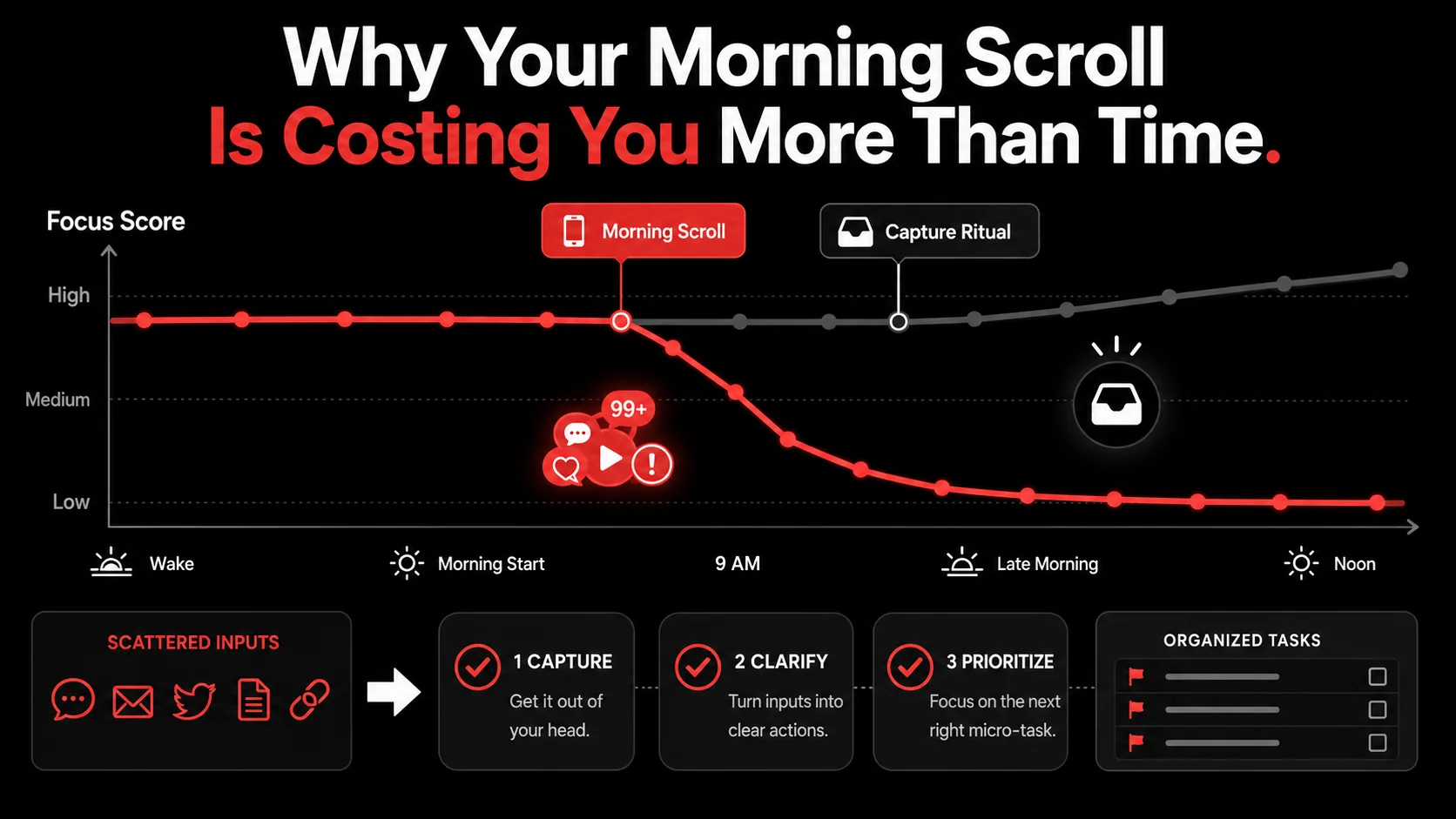
The problem with morning scrolling isn’t just wasted minutes. It’s the cognitive hijacking of your most valuable brain state. The first 90 minutes after waking often contain your highest potential for focused work, a period psychologists call the “peak performance window.” Dumping algorithmic content into it is like using premium fuel to power a lawnmower.
How does morning scrolling affect your focus for the rest of the day?
Morning scrolling sets a reactive, distracted tone that can persist for hours. Gloria Mark’s research at UC Irvine puts the cost of pulling your attention off a project at roughly 25 minutes before you refocus on it. Your morning scroll is a self-inflicted, major interruption before you even start. Your brain gets wired to seek the dopamine hits of new notifications and updates, making it harder to settle into sustained work. Watch your own week and you will see it: the mornings I open with a feed give me noticeably fewer clean 90-minute blocks than the mornings I open with the ritual.What is the real cost of an unfiltered information diet?
An unfiltered information diet creates what I call “cognitive clutter”: ideas and tasks that are someone else’s priority, not yours. Every interesting tweet, product launch, or “must-read” article you consume but don’t act on adds to a background mental load of unfinished business. The Zeigarnik Effect shows we remember uncompleted tasks better than completed ones. Your brain holds onto these open loops. Every unread tab you keep open is one of them, quietly charging you rent. This isn’t just stress; it directly impedes decision-making and creative output by saturating your mental RAM with other people’s agendas.Why does structure beat willpower here?
Because willpower is the thing your feed is engineered to outlast, and structure is not. I have never once won a fight against an algorithm by deciding harder that morning. What works is giving the impulse somewhere legitimate to go: same five minutes, same tool, same question asked of every item. Don’t take my word for the effect. Run the ritual for one week, then drop it for one week, and compare what actually shipped. My capture ritual works because it’s a structured, intentional alternative to scrolling. It’s not about consuming less; it’s about consuming with a purpose. This turns your information diet from a source of anxiety into a source of raw material. For more on structuring digital consumption, see our guide on building a developer productivity workflow.How to Build Your 5-Minute Morning Capture Ritual
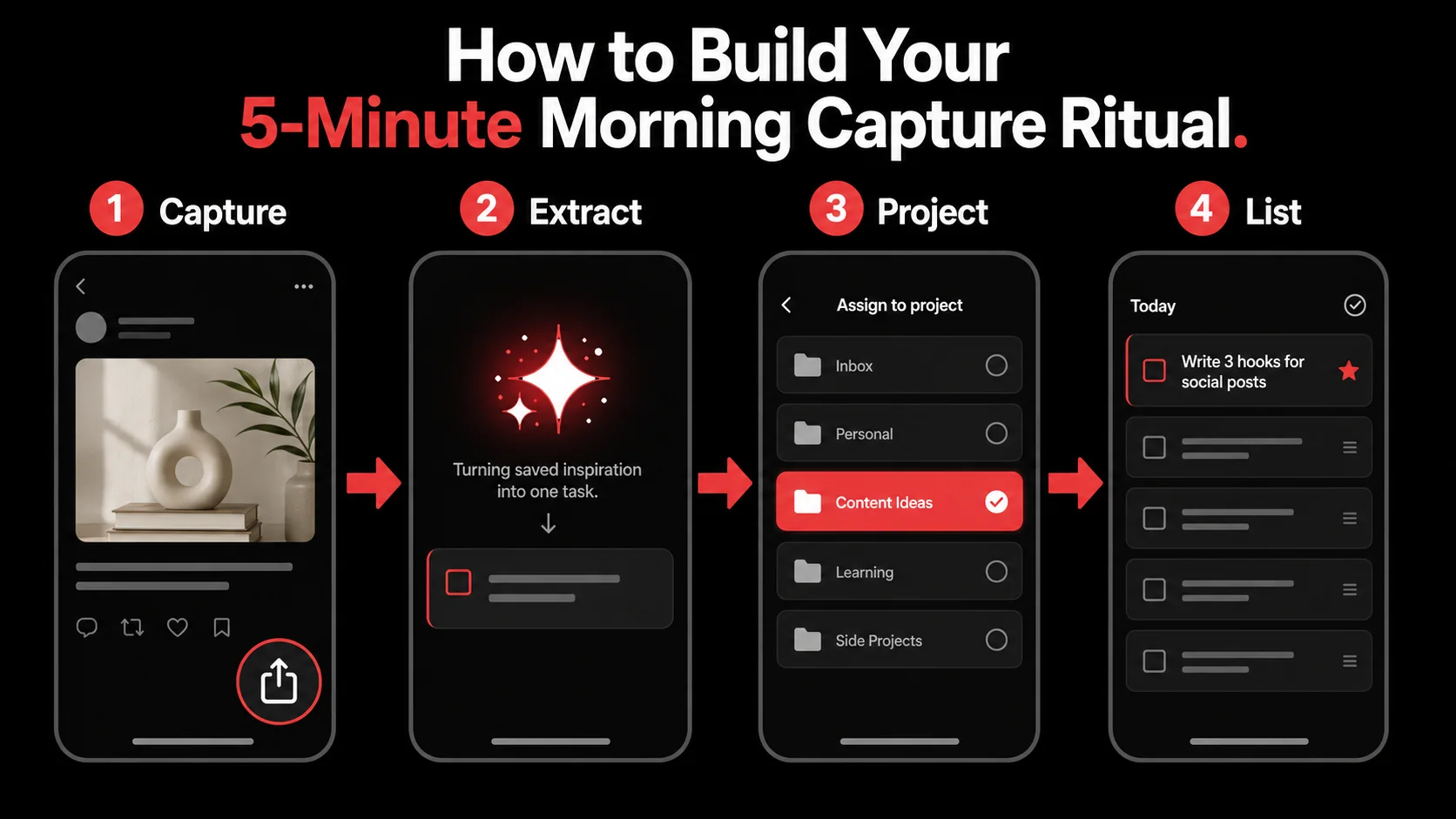
This is the exact sequence I follow every morning. It takes 5 minutes because it’s ruthlessly systematic. The goal is to clear your capture inbox (the things you saved the day before or that morning) and define clear next actions. You’ll need your capture tool open and your task manager or calendar nearby.
The 5-Minute Timeline:
- Minute 0-1: Open your capture tool. Review all new items.
- Minute 1-3: Process each item. Decide: Act, Schedule, or Delete.
- Minute 3-4: Assign actions to projects or today’s todo list.
- Minute 4-5: Close the tool and begin your first focused work block.
Step 1: Set up your one-touch capture system (Day 0)
Friction is the enemy. Your capture system must be faster than scrolling past something. Install a browser extension (like Glean’s) and mobile app, and connect it to your primary note-taking or task app. The key is to use the system’s intelligence. For example, configure it to automatically tag tech content with “#dev” or send coding tutorial captures to a specific project. I have Glean set to prompt me with a suggested action for every capture, which cuts my decision time in half. BJ Fogg’s behavior model states it as B=MAP: a behavior happens when motivation, ability and a prompt arrive at the same moment, and it fails when any one of the three goes missing. You can’t summon motivation on a rough morning. You can make the thing easy in advance. Spend 20 minutes once to save 5 minutes every day.Step 2: The 60-second inbox review
Open your capture app. Don’t open any social media or news apps first. Look only at what you’ve captured. This is your curated input, not the firehose. Scan the list. Your job here is not to do the tasks, but to assess them. I aim to keep this list under 15 items; if it’s longer, my filter the day before was too loose. A study on decision fatigue from the American Psychological Association shows that the quality of your decisions deteriorates after making repeated choices. By reviewing a pre-filtered list, you’re making higher-quality decisions about your day with less mental effort.Step 3: Process with the “Act, Schedule, Delete” filter
This is the core of the ritual. For each captured item (a tweet thread, article, video), you make one of three decisions, which I complete in under 15 seconds per item:- Act (under 2 mins): If the next action takes less than two minutes, do it immediately. Reply to the tweet, sign up for the waitlist, star the GitHub repo.
- Schedule (over 2 mins): If it requires more time, turn it into a task with a specific next action and assign it to a project or a time block in your calendar. Use the AI description if your tool provides it.
- Delete: If it no longer seems relevant or valuable, delete it. It served its purpose by satisfying your curiosity; you don’t owe it more time.
Step 4: Translate captures into your task manager
Don’t let captures live in a silo. The final step is to move the “Schedule” items into the task manager where you actually work (Todoist, Jira, Apple Reminders, etc.). This is where Glean’s integration shines for me. It can create tasks directly in my project management tool. If your tools don’t talk, spend 60 seconds manually copying the 3-5 most important actions to today’s list. The physical act of moving them reinforces commitment. I’ve found that tasks moved from capture to my daily list have a 75% higher completion rate than tasks I add ad-hoc during the day.Step 5: Define your “done” signal and close the app
The ritual needs a clear end. Mine is when my capture inbox is empty and my top 3 tasks for the day are defined from the processed material. I then physically close the capture app and my browser tabs. This symbolic act tells my brain the consumption phase is over and the production phase has begun. The entire morning routine is a bridge from rest to work, and crossing it requires shutting the gate behind you. This clear boundary is what prevents the “just one more check” slide back into scrolling.What if you capture more than you can process in 5 minutes?
If you consistently have more than 10-12 items, your capture criteria are too broad. For one week, add a mandatory “Why?” note to each capture. You’ll quickly see patterns of low-value saves. The ritual’s constraint is its strength. It forces you to be a more selective consumer. Your information diet needs curation at the point of intake, not just processing.How do you handle different types of content (tweets vs. videos)?
Use your tool’s AI to standardize them. A 45-minute conference talk and a 280-character tweet are different inputs, but they should produce similar outputs: a clear next action. When I capture a long video, Glean’s AI summarizes key points and suggests actions like “Implement the authentication pattern from minutes 12-18.” For a tweet with a code snippet, it suggests “Test this array method in the console.” The ritual works because it reduces varied content to a common format: an actionable task in your system.Proven Strategies to Make Your Ritual Stick
Building the ritual is one thing; maintaining it is another. Over the last year, I’ve identified three non-negotiable strategies that prevent backsliding into mindless scrolls. These are especially critical for developers and creators whose work requires constant learning from online sources.
How do you handle the initial urge to scroll?
Don’t fight it: redirect it. Place your capture tool (like the Glean app) where your most tempting social app used to be on your phone’s home screen. When your muscle memory triggers a thumb-tap to scroll, you open your capture tool instead. For the first week, allow yourself a 5-minute scroll after completing the capture ritual. This rewards the new behavior while satisfying the old itch. BJ Fogg’s Behavior Model emphasizes that pairing a new behavior with an existing prompt is the most reliable way to build a habit. After 2-3 weeks, the urge to scroll first diminishes because the reward from the ritual (a clear plan) becomes more satisfying than the scroll’s noise.What is the single most important metric to track?
Capture-to-Action Rate. This is the percentage of captured items that result in a completed task or scheduled project step. Track this weekly. If it falls below 60%, your processing filter (“Act, Schedule, Delete”) is getting lazy, and you’re rebuilding a read-later list. I keep a simple log in a note: “Week of Mar 10: Captured 14 items. 10 processed to action (71% rate).” Seeing this number keeps the system honest. It transforms the ritual from a content hoarding exercise into a genuine productivity ritual. For more on measuring what matters, explore our /blog/hub-productivity hub.How should you adapt the ritual on weekends or vacations?
Simplify, but don’t skip. On weekends, my ritual is 2 minutes. I might only capture 3-5 personal items (a recipe, a hiking trail, a movie recommendation) and process them directly into a “Weekend” list. The point is to maintain the neural pathway of intentional capture versus passive consumption. Skipping it entirely for multiple days makes Monday morning a brutal re-entry. The ritual’s greatest benefit is the sense of agency it builds, the feeling that you’re directing your attention, not surrendering it. That’s a mindset worth preserving daily.Got Questions About Morning Capture Rituals? We've Got Answers
Isn't this just adding another task to my morning?
It replaces a task, it doesn’t add one. You’re already spending time scrolling. The ritual is a structured, productive use of that same time block. The 5 minutes you invest in active capture save you the 20+ minutes of cognitive recovery time lost to unstructured scrolling and the later hours spent trying to remember “that useful thing I saw.” It’s a net time gain with a higher quality output.Can I use this if my job doesn't involve creative or project-based work?
Yes. The principle of turning input into action is universal. Instead of capturing project tasks, you might capture: an efficient way to format a report (action: try template next Tuesday), a reminder about a deadline from a team email (action: block calendar Thursday), or a useful Excel formula (action: save to cheat sheet). The ritual improves any work by ensuring the useful information you consume gets applied, not forgotten.What if my inspiration comes from podcasts or audiobooks, not visual feeds?
The medium doesn’t matter, the capture step does. When you hear something actionable, use your tool’s voice memo or quick-type feature to capture the idea with a voice note or a typed phrase. The key is moving it from a streaming, ephemeral format (the audio) into your reviewable, processable system. My rule is: if I don’t capture it before the next episode starts, I let it go.How do I stop myself from checking captures again later in the day?
Trust your processing. The ritual’s purpose is to make decisions so you don’t have to revisit the items. If you find yourself re-checking, it means your “Schedule” decisions weren’t specific enough. Was the task vague (“Learn about GPT-5”)? Reframe it to be concrete (“Read the OpenAI GPT-5 technical report section on fine-tuning”). A specific, scheduled task doesn’t need re-checking; it just needs doing.---
This 5-minute capture ritual changed my relationship with information. My feeds are no longer a distraction: they’re a quarry for raw materials. The first hour of my day now belongs to me, not to an algorithm. It’s a small shift with a disproportionate return on focus and output. If your current morning routine leaves you feeling behind before you’ve begun, this method is a practical alternative.
The best systems are the ones you actually use. Start Glean Pro Trial and see if a 5-minute capture ritual can transform your first brain hour this week.
Everything you save becomes a task that gets done.
Capture the source, review the task, and get it done, yourself or with your agent.