Why Your 'Read Later' App Is the Wrong Tool for Developer Inspiration
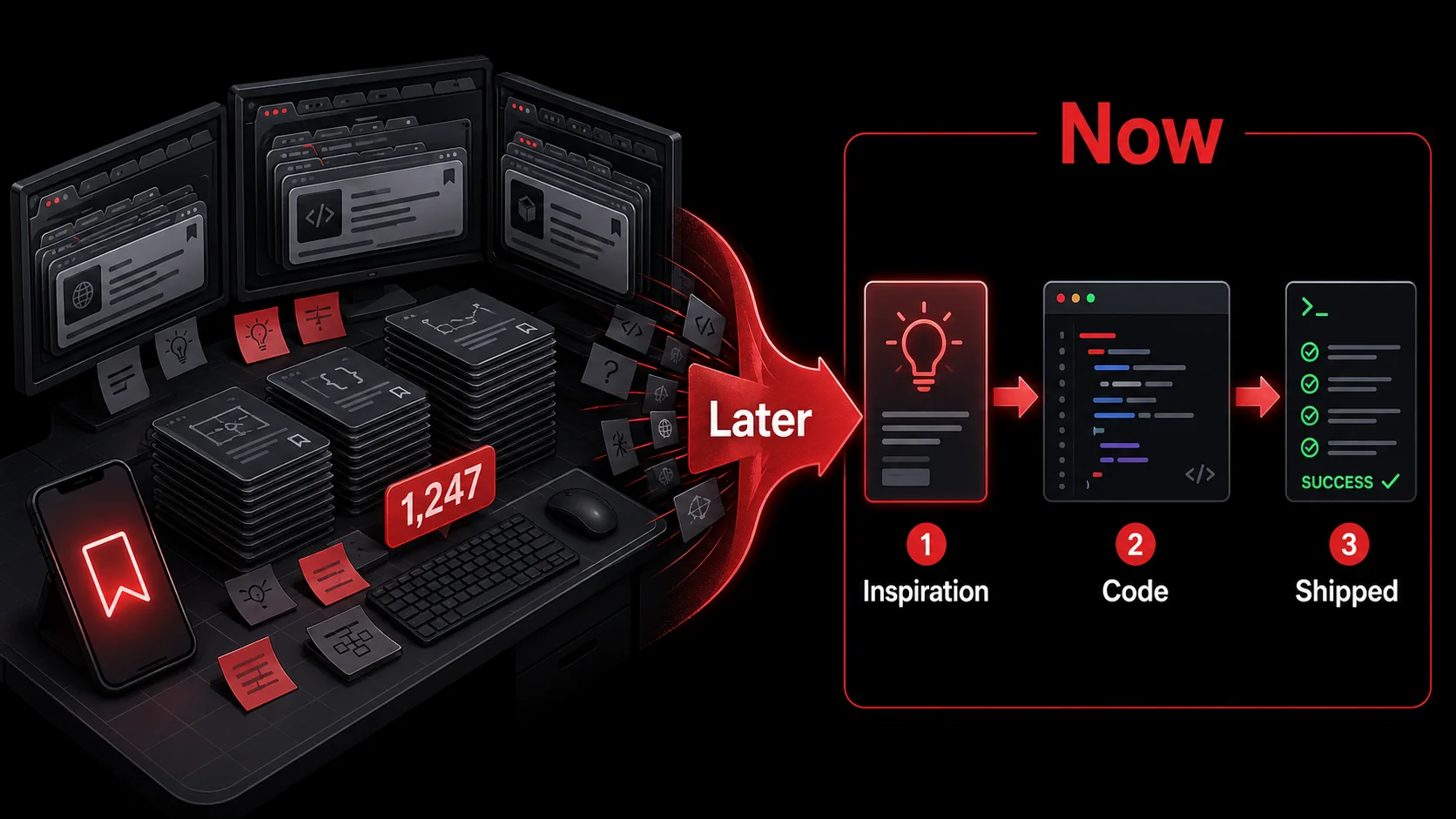
I have a confession. My Pocket account, as of this morning, holds 1,247 unread articles. My Instapaper is a graveyard of half-finished tech blog posts. For years, I believed this was a feature, not a bug. I was a responsible developer, dutifully saving every interesting tutorial, every clever code snippet, and every promising new framework announcement for a mythical, distraction-free "later."
That "later" never came. Instead, I built a museum of my own good intentions. The frictionless "save for later" button became a cognitive trap, allowing me to defer the actual work of learning and building. I was collecting inspiration, not using it.
This isn't just a personal quirk. A 2025 study from the University of California, Irvine, on digital information behavior found that less than 20% of content saved to read-later apps is ever revisited. For technical content (tutorials, API docs, code examples) that number plummets further. The context in which you found that brilliant solution to a state management problem evaporates by the time you finally open the tab weeks later. The urgency is gone. The project has moved on.
The default workflow of "see something cool → save it for later → forget it exists" is fundamentally broken for turning developer inspiration into shipped code. It treats dynamic, actionable technical insight as static, archival information. In 2026, as the volume of high-quality, ephemeral content on platforms like X and niche dev forums explodes, we need a new model: capture-to-action.
What's Really Happening When You Hit "Read Later"
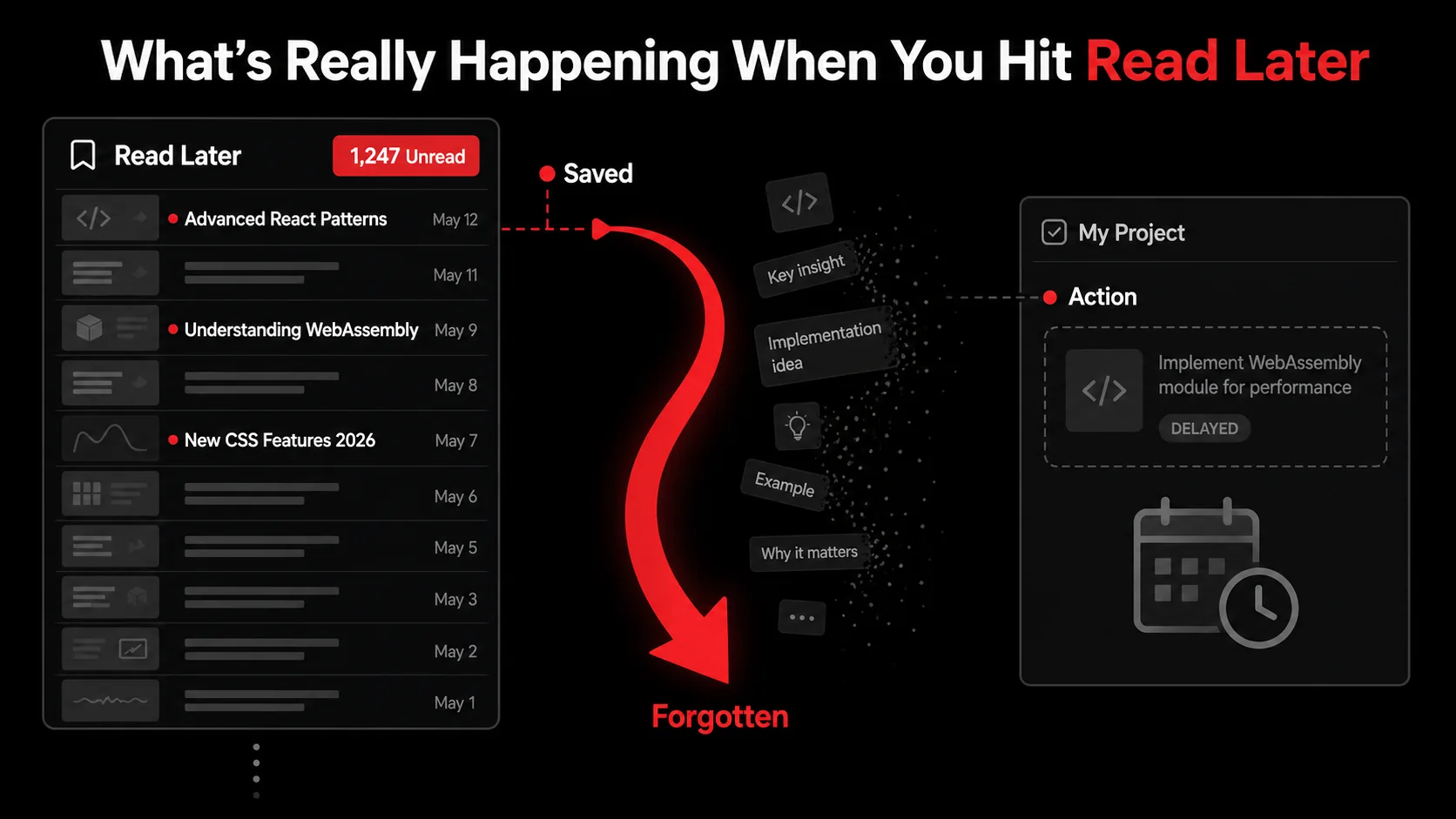
At its core, a read-later app is a promise. It says, "I will preserve this valuable information for a more convenient time." For general news or long-form essays, this can work. The information is largely static; its value isn't tied to an immediate context.
Developer inspiration is different. It's not passive information. It's a potential instruction. That tweet thread about a new VSCode shortcut isn't just news; it's a task: "Try this shortcut in my next coding session." That YouTube demo of a Framer Motion animation isn't entertainment; it's a project: "Recreate this effect for my portfolio site." That screenshot of a clever CLI tool isn't a bookmark; it's a command: npm install -g that-cool-tool.
When you send these items to a read-later app, you perform a subtle but critical context shift. You move them from the domain of actionable workflow to the domain of archival reference. The mental label changes from "Do this" to "Might read this someday."
The Three Flaws of the Archival Model for Code
Let's break down why this model fails for technical content.
1. The Decay of Context. Technical inspiration is often sparked by a specific problem you're solving right now. You're wrestling with a bug, designing a component, or researching a library. The article or video you find is perfectly contextualized by that struggle. Save it, and a week later, you've forgotten not just the content, but why you needed it. The connection between the solution and your problem is severed.
2. The Overhead of Re-engagement. To make use of a saved tutorial, you must: a) remember it exists, b) re-find it in a list of hundreds, c) re-read it to recall the key points, and d) mentally translate it back into a task for your current project. This cognitive overhead is often greater than just solving the problem another way or searching anew. It's why we often re-Google something we know we've already saved.
3. The Illusion of Productivity. Hitting "save for later" provides a tiny dopamine hit, the feeling of being organized, of capturing value. It feels like progress. But it's progress on collecting, not on building. This illusion can be pernicious, making you feel productive while your actual project languishes. You're curating a library instead of writing the book.
A comparison makes the mismatch clear:
Content Type | Read-Later App (Archival) | Ideal System (Actionable)
Tech Tutorial | Saved as reference material. | Converted into a concrete task: "Implement example A in project X." Code Snippet Tweet | Bookmarked for later viewing. | Extracted, annotated, and filed under "Snippets for Auth Flow." New Tool Announcement | Added to a "cool tools" list. | Creates a task: "Evaluate [Tool] for use in Q3 infrastructure update." UI/UX Inspiration | Saved to a "design inspo" folder. | Screenshot captured with notes: "Adapt this card layout for user dashboard."
The shift we need isn't about better bookmarking. It's about changing the fundamental goal from preservation to activation. This is the core argument behind moving from a read-later habit to a capture-to-action workflow.
Why Your Saved Links Are Becoming a Digital Graveyard
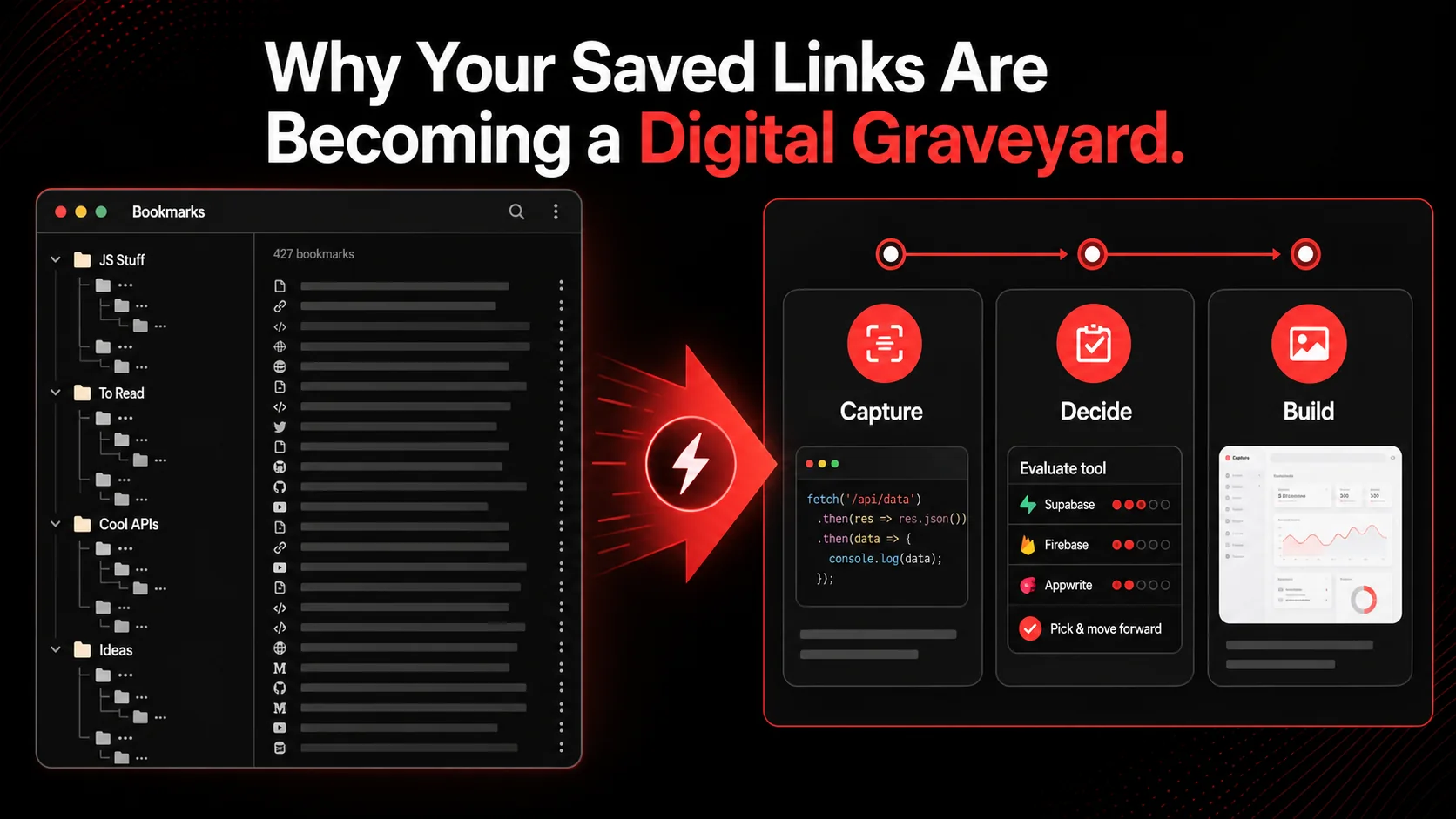
The frustration is palpable. Scroll through any developer-centric forum like Hacker News or Indie Hackers, and you'll find threads lamenting "digital hoarding." The March 2026 TechCrunch article on "ambient research" tools nailed it: users are tired of passive databases and are demanding systems that "prioritize immediate utility over archival."
This isn't just anecdotal. The data shows our brains aren't wired for this. The Zeigarnik Effect, a psychological principle, states that people remember uncompleted or interrupted tasks better than completed ones. But there's a catch: the task must be concrete. "Read that article about React Server Components" is vague and gets mentally filed away. "Add Server Components demo to the /about page" is specific and creates cognitive tension until it's done. Your read-later app is full of vague intentions, not concrete tasks, so they don't trigger this productive tension. They just induce guilt.
Furthermore, the nature of developer learning has changed. Ten years ago, you might have bookmarked a definitive guide to JavaScript closures. Today, the most valuable insights are often rapid, conversational, and platform-specific: a Twitter thread dissecting a new Next.js 15 feature, a 3-minute CodeSandbox video, a Reddit comment with a genius workaround for a Vercel edge function quirk.
This content has a short half-life. By the time it burrows to the top of your read-later queue, the ecosystem may have moved on, the API might have changed, or you've simply forgotten the project it was meant for. You're trying to store fireflies in a jar, but they stop glowing.
The Cost of Context Switching
Every time you leave your IDE or project management tool to trawl through your read-later list, you incur a massive context switch penalty. Research by the American Psychological Association highlights that even brief mental blocks created by shifting between tasks can cost as much as 40 percent of someone's productive time.
Your workflow should minimize these switches. If inspiration strikes while browsing, the next step shouldn't be "exit browser, open project tool, try to remember the thing." It should be a seamless handoff. The capture should happen in the context of the browser and land directly in your task system without you ever having to fully context-switch. This is what transforms a distraction into a productive step.
The failure of the read-later model for developers is a symptom of a larger need: our tools need to understand the difference between information we want to recall and instructions we want to execute. For a deeper dive into building systems that support this, our guide on creating a bulletproof developer productivity workflow explores the architectural principles.
How to Build a Capture-to-Action System That Actually Works
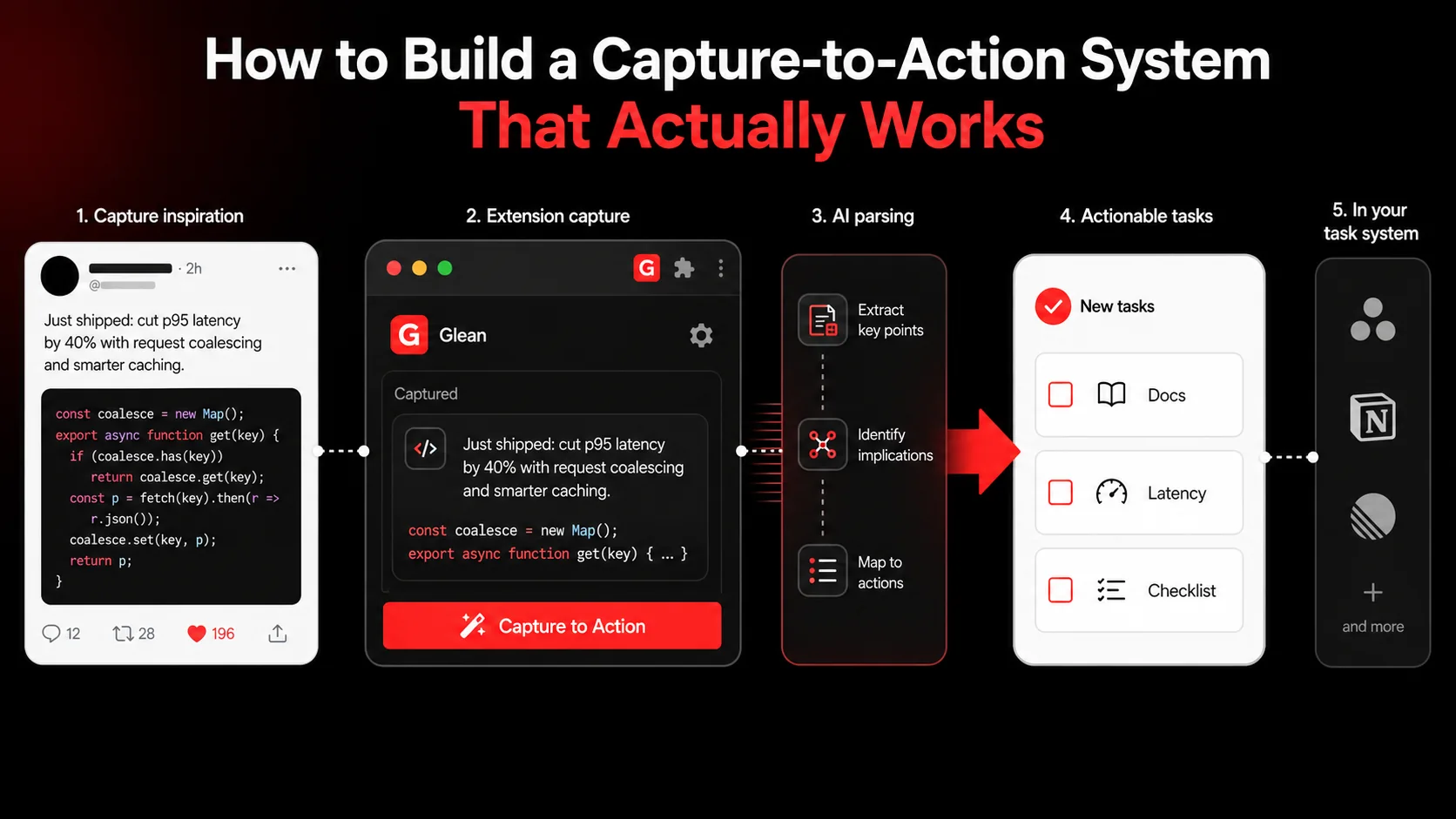
The goal is simple: shorten the distance between inspiration and implementation to near-zero. When you see something useful, you should be one click away from turning it into a concrete, contextualized next action in your workflow. Here’s how to build that system.
Step 1: Redefine Your Capture Trigger
The first step is mental. When you see a useful piece of content, ask: "What is the next physical action this implies?"
Not "This is interesting," but:
- Is this a command I should run? (
npm install,docker pull) - Is this a code change I should make? (Implement this hook, refactor this pattern)
- Is this a research task? (Compare this library to our current solution)
- Is this a reference I'll need for a specific project? (Store this CSS snippet for the landing page redesign)
Step 2: Choose Tools That Bridge the Gap
Your toolchain must support this immediate translation. A read-later app is a dead end. You need a capture tool that connects directly to your execution environments: your task manager (Todoist, ClickUp, Linear), your note-taking app (Obsidian, Notion), or your code repository (GitHub Issues).
This is where purpose-built capture-to-action apps shine. For example, using a tool like Glean, the workflow looks like this:
- You're reading a blog post about a new PostgreSQL optimization.
- You highlight the key paragraph. With the Glean extension, you capture it.
- Instead of just saving the link, the AI analyzes the text and suggests: "Add index on
user_sessions.created_at" and "Review query inanalytics_service.rb." - You select these suggestions, tag them with your
#backend-optimizationproject, and they're sent as tasks directly to your Linear board.
Step 3: Implement the "Process Immediately" Rule
Adopt a strict rule: for technical content, you either act on it within 24 hours or you delete the capture. This sounds harsh, but it's liberating.
The "process" doesn't mean you have to complete the entire task. It means you must integrate it into your workflow. This could be:
- Turning it into a ticket: "Spike: Evaluate using
react-emailfor transactional emails." - Adding it to a project-specific note: Paste that algorithm explanation into your
project-notes.mdfile for the relevant feature. - Scheduling it: Block 30 minutes on your calendar next Tuesday to try out the new Chrome DevTools feature.
Step 4: Structure Your Projects to Receive Inspiration
Your project organization must be ready to accept these atomic actions. Instead of a monolithic "Project X" note or task list, break your projects down by function or feature area.
Bad Structure:
- Project: "New SaaS App"
- Tasks: "Build auth, design dashboard, set up DB..."
- Project: "New SaaS App"
#auth-flow * Area: #user-dashboard-ui * Area: #database-schema * Area: #deployment-pipeline
When you capture that tweet about a slick Auth.js configuration, you immediately tag it #auth-flow. When you see a dashboard UI kit on Dribbble, you tag it #user-dashboard-ui. This creates a pull system. Your project areas become buckets waiting to be filled with relevant inspiration-turned-tasks, making your developer workflow feel cohesive and directed.
Advanced Tactics: From Capture to Shipped Feature
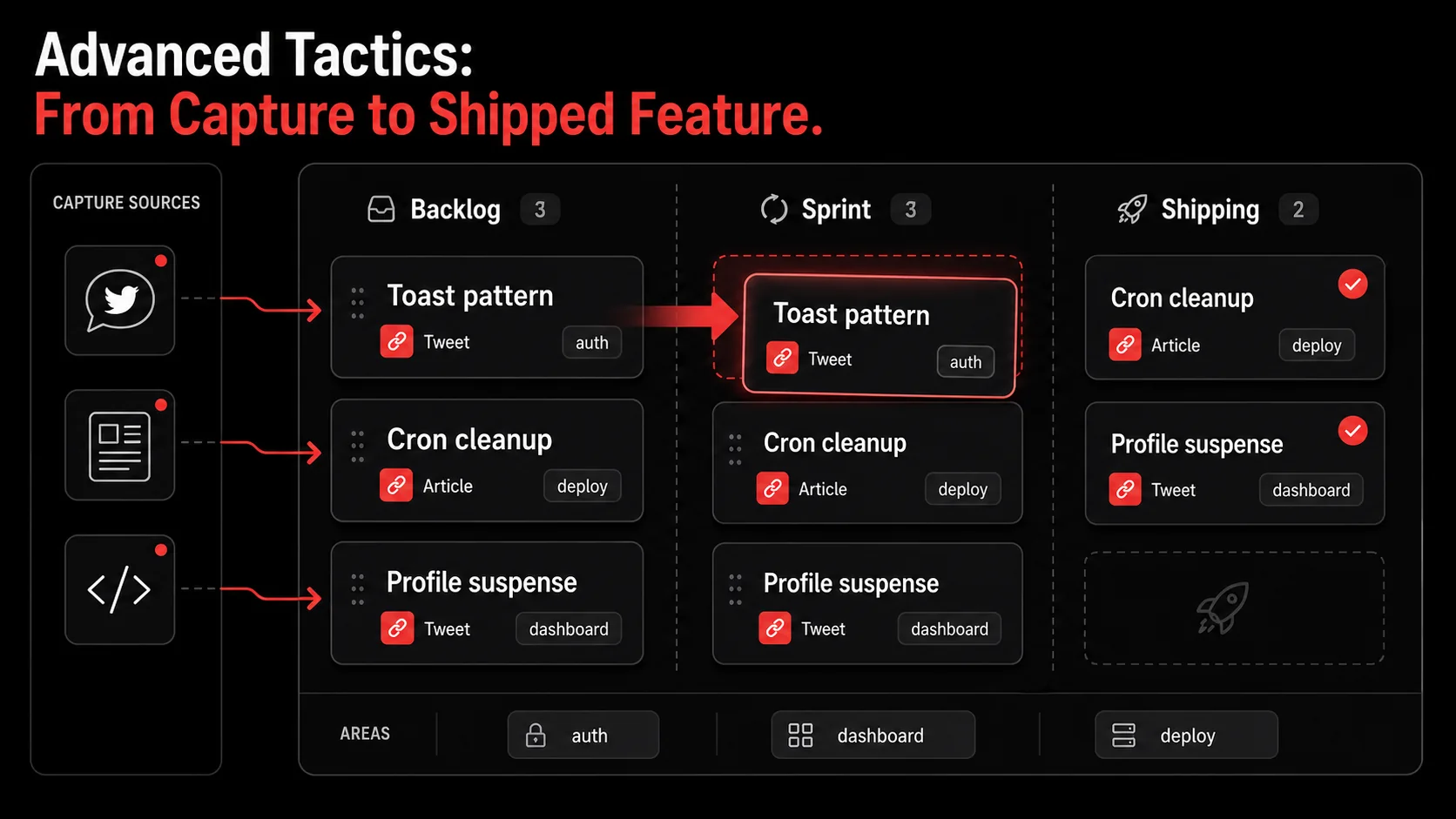
Once you have the basic capture-to-action flow down, you can layer in strategies that turn this system into a competitive advantage.
Tactic 1: Create an "Inspiration Sprint"
Once a week or during sprint planning, review the tasks that have come in via your capture system in each project area. Don't review a "read later" list: review a task list that is already pre-sorted and contextualized. This becomes a powerful source of sprint backlog items that are directly tied to real-world inspiration and current best practices, not just abstract planning.
Tactic 2: Use Capture for Knowledge Debt
Sometimes the action isn't a code change but a knowledge update. Capture those "aha!" moments from documentation or blog posts and turn them into tasks for your team's knowledge base.
- Capture: "Wow, the React docs now recommend
usefor data fetching in Client Components." - Action: "Update our team's React patterns guide in Notion with a section on the
use()hook." - Result: Your team's internal docs stay current, and the insight doesn't die in your private bookmark list.
Tactic 3: Build a Personal Snippet Library with Context
Instead of saving a GitHub gist link to read later, capture the actual code snippet with the explanation. Use a tool that lets you save the code and the surrounding commentary (the "why") together. Tag it with languages and frameworks (#react, #python-aws). Now you have a searchable, contextual snippet library that's more valuable than 100 bookmarked gist URLs. When you face a similar problem, you search your action-oriented library, not your chaotic bookmarks.
Tactic 4: Quantify Your Inspiration Funnel
Be meta about it. For one month, track:
- How many technical items you capture.
- How many you convert into defined next actions.
- How many of those actions get completed.
The shift here is philosophical. You stop being a librarian of your own interests and start being a curator of your own output. Every piece of content is evaluated through one lens: "How does this help me ship?"
Got Questions About Ditching Read-Later Apps? We've Got Answers
How long does it take to break the "save for later" habit?
For most developers, about two to three weeks of conscious effort. The hardest part is the initial mental shift: pausing to ask "what's the action?" instead of mindlessly hitting a bookmark button. I recommend starting with a 7-day purge: go through your existing read-later list and either assign one action to each item or delete it. The feeling of relief is instant reinforcement. After that, the new capture-to-action habit begins to feel natural, even automatic.
What if the action isn't clear right away?
This is common with broader conceptual articles or research papers. In that case, your capture is the action, but it needs framing. Capture it and define the action as: "Synthesize key points from [Article] into a brief for the team," or "Decide if [Concept] is relevant to our Q3 architecture review." The action is a decision or a synthesis, not just "read." If you can't define even that level of action, it's a strong signal the content isn't actionable for you at this time.
Can I still use read-later apps for non-technical content?
Absolutely. The critique is specific to developer inspiration: content that implies a change in your code, your tools, or your processes. For long-form essays, news analysis, or recreational reading, read-later apps are still the right tool. The key is intentional segregation. Use one system for archival/pleasure reading and a separate, action-oriented system for anything related to your projects and skills. Don't let them mix.
What's the biggest mistake people make when switching to this system?
Trying to build the perfect, fully automated system on day one. Start simple. Pick one capture tool (even a simple form that emails tasks to yourself) and one project. Practice the mental trigger of "what's the action?" for a week. Success with this method is 90% about the habit and 10% about the tools. Over-engineering the setup before the habit is ingrained is the fastest way to fail.
Ready to turn your feed into your to-do list?
Glean helps you capture tweets, videos, and articles and instantly turns them into actionable tasks in your workflow. Stop building a graveyard of good intentions and start shipping more code. Start Glean Pro Trial
Everything you save becomes a task that gets done.
Capture the source, review the task, and get it done, yourself or with your agent.