The Hidden Cost of Your 'Free' AI Capture Tool
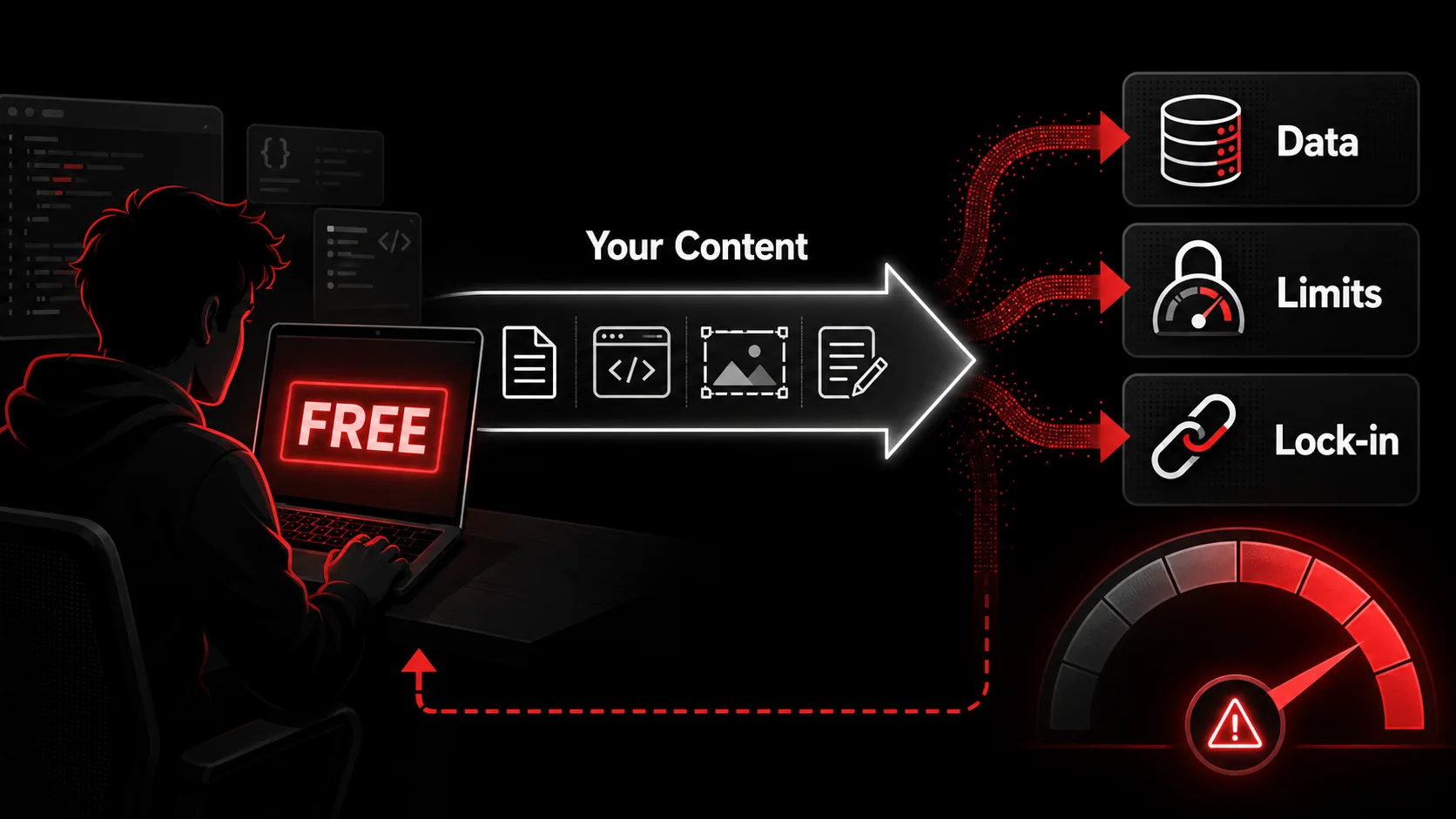
You found a new AI-powered capture tool. It promises to turn tweets, YouTube tutorials, and screenshots into organized tasks with one click. Best of all, it’s free. You install the Chrome extension, start clipping, and for a week, it feels like magic. Your chaotic inspiration feed is finally under control.
Then, you notice the lag. The AI summaries get vaguer. You hit a monthly limit on video processing. You start reading the terms you skipped at signup. Suddenly, that "free" tool feels expensive.
How we researched this. We build Glean, a paid capture app, so treat us as an interested party and check our work — that is why every claim about another company here links to that company's own announcement rather than to a summary of it. In March 2026 we cut two statistics this page used to carry, a "78% of free AI tools claim training rights" figure and an unnamed Wired analysis, because neither traced back to a document we could open. What replaces them is a shutdown you can look up yourself.
For developers, designers, and creators, time is the ultimate currency. We gravitate towards tools that promise efficiency at zero cost. But in the rush to tidy our workflow, we often overlook the real price tag of "free" AI tools. It’s not measured in dollars, but in data sovereignty, feature ceilings, and workflow fragility. This is the hidden cost of your free AI capture tool, and it’s silently taxing your productivity.
What You're Really Paying With a "Free" AI Tool
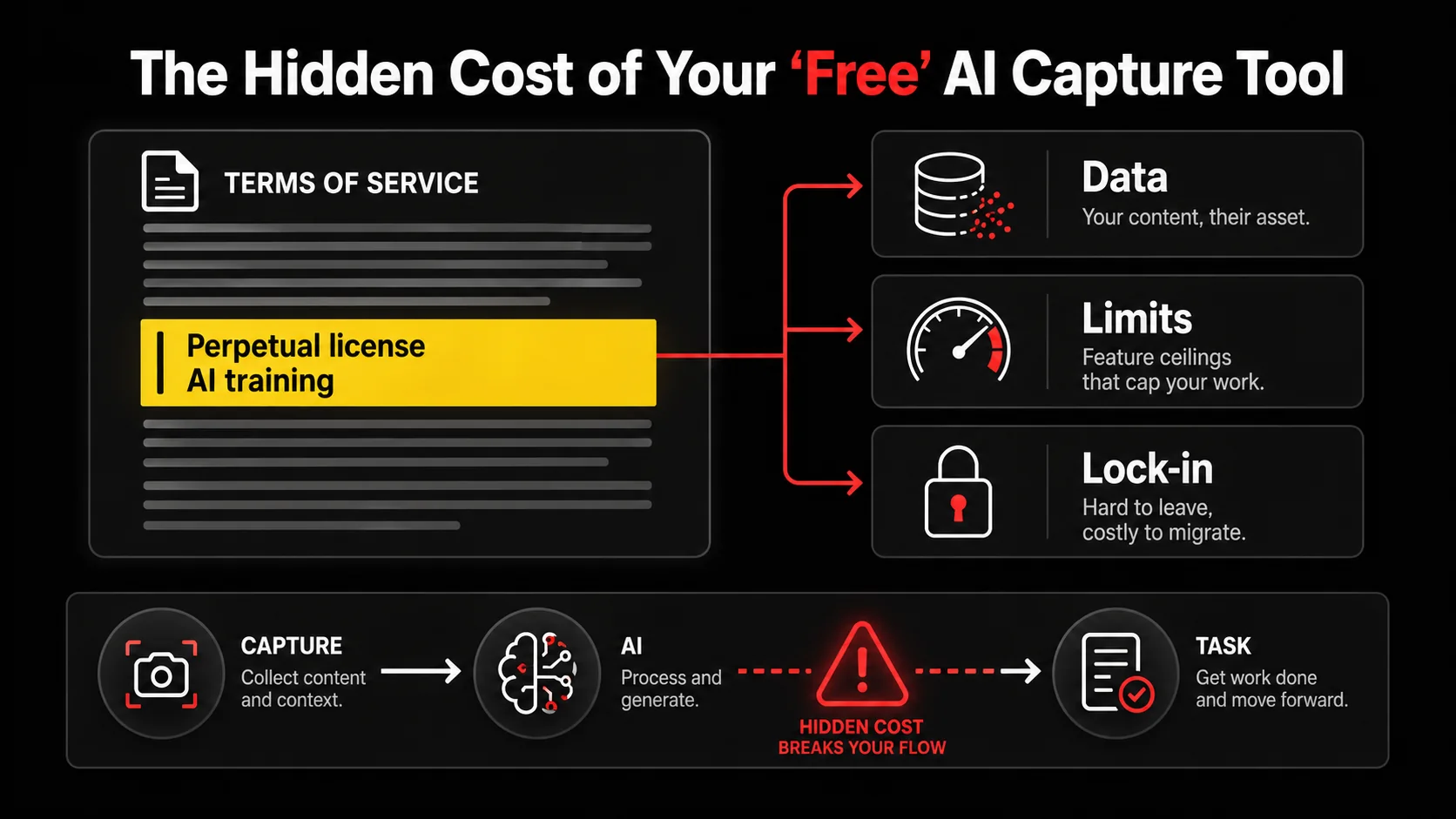
When a product is free, you are not the customer; you are the product. This old adage has evolved in the age of AI. Now, you're not just the product for advertisers. You're the training data. The primary cost of many free AI capture tools is your intellectual input. Every tweet you save about a new React hook, every screenshot of a clever UI pattern, every transcribed insight from a tech talk becomes fodder for the tool's proprietary models.
This isn't theoretical, and you can check it yourself in about four minutes: open your capture tool's terms, search the page for "train", "license", and "derivative", and read the three sentences around each hit. We are not going to quote you a tidy percentage of tools that claim training rights, because we could not find a primary source that measured it honestly. Do the search on your own tool instead. The answer that matters is the one about your data.
Beyond data, "free" often means "limited." These limitations are strategic, designed to funnel you toward a paid plan. They create friction exactly where you need flow.
| Cost Type | What It Looks Like | The Real Impact |
|---|---|---|
| Data & Privacy | Broad license to your content in ToS; unclear data retention policies. | Your proprietary ideas and workflow patterns become training data. Risk of sensitive info exposure. |
| Feature Access | Caps on AI processing (e.g., 50 clips/month), no bulk actions, basic export only. | Workflow breaks when you need it most. Forces manual workarounds, killing the promised efficiency. |
| Performance & Reliability | Slower processing for unpaid users; lower priority AI models; frequent downtime during peak hours. | Introduces latency and uncertainty into your process. You can't rely on it for critical workflow steps. |
| Lock-in & Portability | Proprietary, siloed data format; limited or no API access; difficult export to CSV/Markdown. | Your organized knowledge is trapped. Switching tools means starting over, a massive sunk cost. |
The trade-off is simple but profound: you exchange immediate, superficial convenience for long-term control and scalability. For a hobbyist, this might be fine. But for a professional whose workflow is their livelihood, this is a critical business risk.
The Illusion of "Good Enough"
The most seductive part of a free tool is the initial "good enough" feeling. It solves 80% of your problem with 0% of your budget. The problem is that your needs evolve. What starts as saving a few tweets balloons into a core system for managing project research, competitor analysis, and learning resources.
Suddenly, that 50-clip limit is a weekly barrier. The lack of project folders turns your repository into a digital junk drawer. You need to search across all your saved content, but the free search is primitive. You've built a habit around a tool that can't grow with you. The cost here is habit debt: the painful process of unlearning one workflow and adopting another.
The opaque roadmap
The opaque roadmap is the cost you cannot audit: a boardroom you are not in decides whether your workflow still exists next year. You do not have to imagine what that looks like. Pocket had roughly eighteen years of history and millions of saved articles behind it when Mozilla announced its closure. According to Mozilla's own announcement, downloads and new Premium purchases stopped on 22 May 2025, the service shut down on 8 July 2025, and everything users had not exported by 8 October 2025 was "permanently deleted." Mozilla's stated reason was strategic focus, not failure: "the way people save and consume content on the web has evolved."
That is the honest shape of platform risk. Nobody acted in bad faith, the notice period was generous, and the outcome was still that a decade of saved reading became a single HTML export file or nothing at all. Ask yourself what your own capture tool's version of 8 October looks like, and whether you would hear about it in time.
Why This Cost Matters More for Developers and Creators
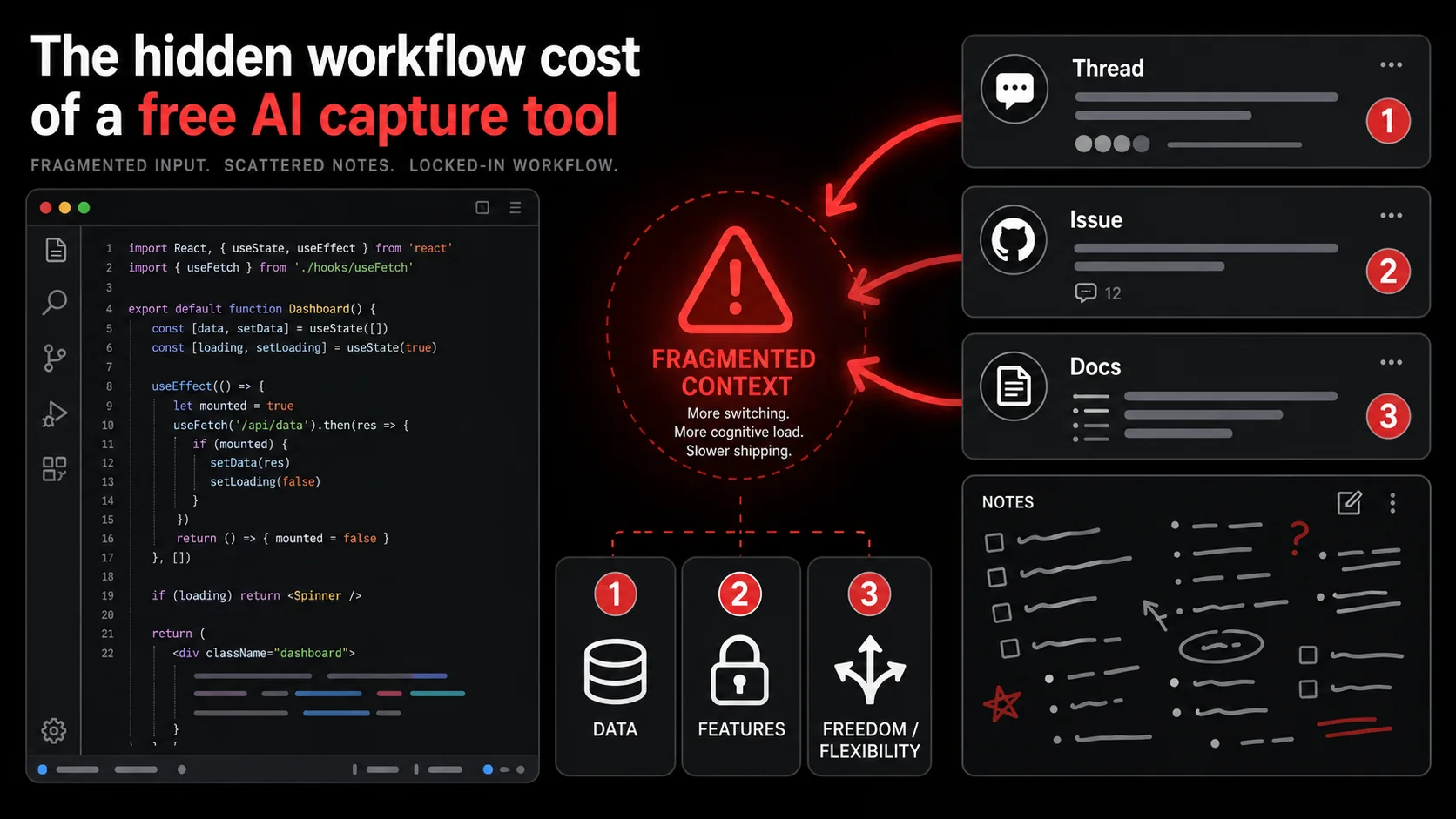
The average developer's workflow is a mosaic of information. A typical task might involve a GitHub issue, a Stack Overflow answer, a CLI command from a blog, and a design mockup from a Figma comment. An AI capture tool that can unify these disparate formats into actionable tasks is a potential superpower. But the stakes of choosing the wrong tool are uniquely high for this audience.
First, the data sensitivity is different. A saved tweet might contain a half-baked product idea. A captured YouTube transcript could include a discussion of an unreleased API or a proprietary troubleshooting technique. A screenshot might have a snippet of internal configuration or a glimpse of a private dashboard. This isn't just "content"; it's intellectual property and operational security. Feeding this into a black-box AI that claims broad usage rights is a legitimate business concern, not just a privacy one.
Second, developers and technical creators operate at a scale and specificity that unpaid tools often can't handle. We don't just save articles; we save specific error messages, nuanced API documentation, and complex tutorial sequences. The AI needs to understand context. That this docker-compose.yml snippet goes with that blog post about PostgreSQL optimization. Entry-level AI models are typically generalized. They might summarize a tweet accurately but fail to extract the specific git command from a threaded discussion, which is the only part you actually needed.
This failure mode creates a silent tax. You think you've captured the useful bit, but when you return to it, the AI's summary is too generic to be useful. You have to re-read the original source, defeating the entire purpose. The cost is paid in repeated context-switching, one of the biggest productivity killers for deep work.
Finally, there's the issue of integration. A productivity tool for developers isn't an island. It needs to fit into an ecosystem that likely includes project management (like Linear or Jira), note-taking (like Obsidian or Notion), and communication tools (like Slack). Unpaid tools rarely offer a usable API or real integrations. Your captured tasks live in a silo, requiring manual copying and pasting to become real work items. This fracture is where the "time-saving" promise goes to die. For a workflow to be truly effective, it must carry you from inspiration to execution without a copy-paste step, a topic we explore in our guide to building a modern developer productivity workflow.
How to Audit Your Current "Free" AI Tool
You might be reading this with a sinking feeling, recognizing your own setup in these descriptions. Don't panic. The first step is a clear-eyed audit. You need to determine the real cost of your "free" tool. This isn't about finding a smoking gun; it's about understanding the trade-offs you're already making.
Here’s a step-by-step method to evaluate your current AI capture tool.
Step 1: Scrutinize the Data Terms
This is the most important step. Go to the tool's Terms of Service and Privacy Policy. Don't just skim; use your browser's find function (Ctrl+F / Cmd+F).
Search for these key phrases:
- "License to your content"
- "Model training"
- "Improve our services"
- "Aggregate data"
- "Retention"
Practical Tip: If the terms are unclear, treat the tool as if it does use your data for training. Assume the worst-case scenario for any sensitive or proprietary information.
Step 2: Stress-test the limitations, deliberately
Don't wait until you hit a limit during a crucial work sprint. Proactively test the boundaries of the entry plan.
- Test the caps: If there's a monthly clip limit, try to import 20-30 items in one go. Does the UI become sluggish? Does the AI processing quality drop?
- Test the exports: Try to export all your data. Can you get it in a usable format like CSV, JSON, or Markdown? Is the structure preserved (tags, projects, dates)?
- Test the search: Look for something specific and obscure you saved a month ago. Can you find it with a keyword search? How fast are the results?
Step 3: Map the integration gap between capture and work
Draw your current workflow on a piece of paper or a whiteboard. Where does captured information go?
- You clip a tutorial video.
- The AI generates a todo list.
- Then... what?
Step 4: Evaluate the escape hatch
The escape hatch is the hardest question to ask and the cheapest one to answer: how would you leave today? Can you get all* your data out?
- How much manual work would it be to migrate your organized clips and tasks to a new system?
- Is your data stored in an open format, or is it locked into the tool's proprietary database?
Choosing a Tool That Respects Your Sovereignty
Once you've audited your current tool, you have a choice: accept the hidden costs or find an alternative that aligns with your values as a builder. The market is shifting. After the backlash against opaque data practices, developers are demanding better. You don't have to choose between powerful AI and your principles.
Here’s what to look for in a professional-grade AI capture tool.
Transparency as a Feature: The tool's data policy should be a selling point, not a buried document. Look for clear, bold statements like "Your data is yours. We do not use your content to train our AI models." This isn't just ethics; it's a signal that the company sees you as a customer, not a data source.
Generous, Predictable Pricing: "Free" is often a trap. A transparent, paid model with a real Pro trial is more honest and sustainable. Look for pricing that scales with your usage in a predictable way. You should know exactly what you're getting and what it costs, with no surprise limits mid-month.
Developer-Centric Workflow Features: The tool should understand how you work. This means:
- High-Fidelity Capture: It should preserve code snippets with syntax highlighting, capture terminal commands accurately, and handle complex technical diagrams.
- Structured Output: The AI shouldn't just summarize; it should parse content into structured data. For example, extracting an API endpoint, its parameters, and an example curl command from documentation.
- Automation & API Access: The ability to automatically send extracted todos to Linear, create follow-up tasks in your note-taking app, or trigger other parts of your workflow via Zapier or a native API.
Finding a tool that checks all these boxes can feel like searching for a unicorn, but they exist. They are built by teams who are themselves developers and creators, who have felt the pain of the hidden cost. They build the tool they need. The key is to shift your evaluation framework from "What's the price?" to "What's the total cost of ownership?" including your data, your freedom, and your future productivity.
Building a Capture Workflow That Scales With You
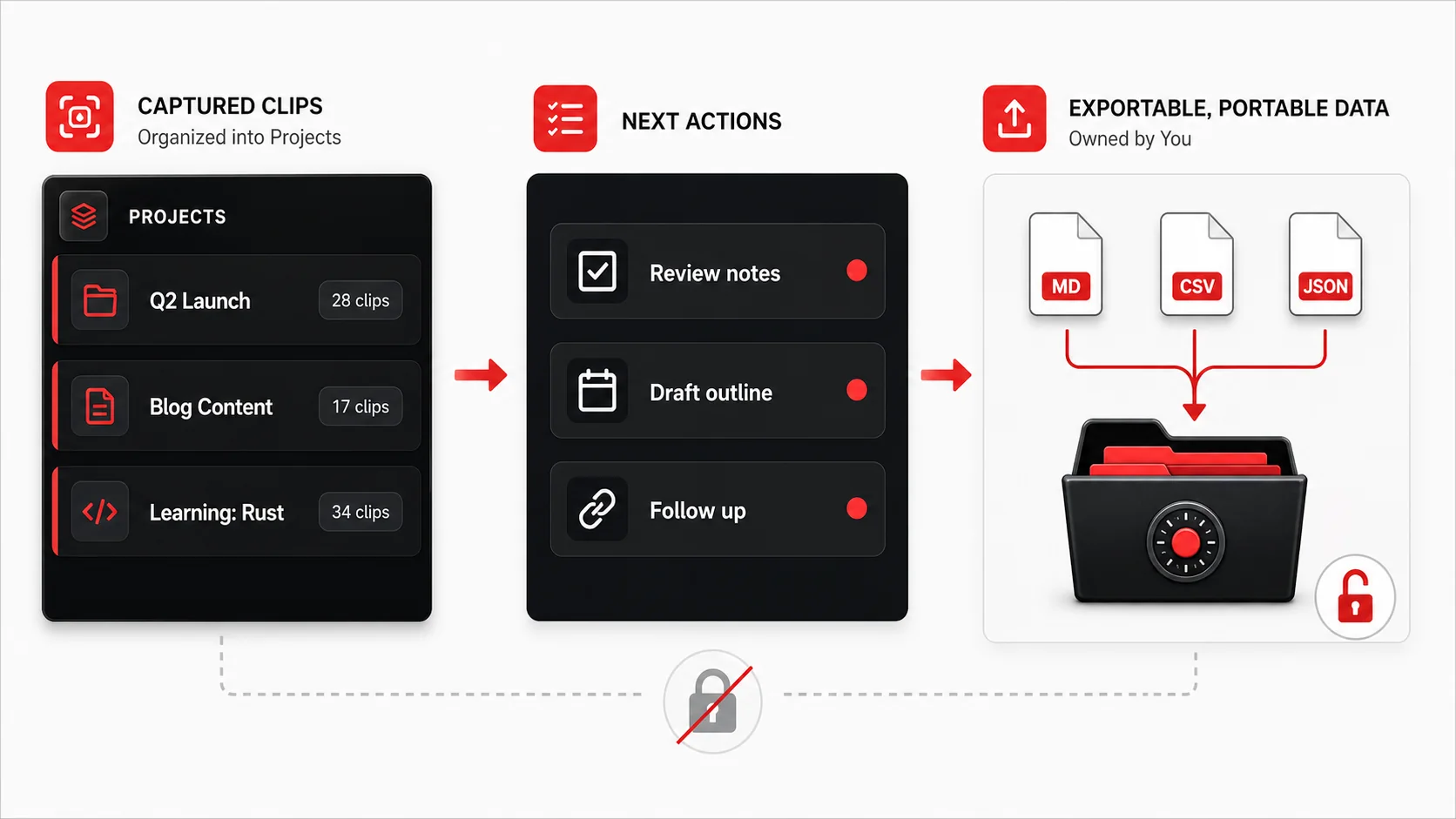 ", "Blog Content (8 clips)", "Learning: Rust (5 clips)". The main panel shows a clean list of "Next Actions" extracted from recent clips, like "Implement caching strategy from [Twitter thread]" and "Watch part 3 of [YouTube series]".)
Choosing the right tool is half the battle. The other half is designing a capture workflow that turns sporadic saving into a reliable engine for progress. A tool is just a lever; you need a place to stand. Here are proven strategies to put your AI capture tool to work.
Strategy 1: Implement the Capture-Process-Organize Loop. This is the core habit. It prevents your capture tool from becoming a digital landfill.
- Capture: This is the one-click save. No thinking, just grabbing anything that might be useful.
- Process (Daily/Weekly): This is the critical step. Regularly review your "Inbox" of captured items. Use the AI to generate the next action, then immediately assign it to a project or a "Someday/Maybe" list. The goal is to get the clip to zero.
- Organize: Have a simple, clear project structure. "Client Work," "Product Development," "Learning," "Personal." The tool should make this drag-and-drop easy.
- Watch a tutorial video. Capture it.
- The AI extracts key steps and concepts.
- You turn those into hands-on practice todos in your project manager.
- When you practice, you capture your own code snippets and notes back into the same project.
Strategy 3: Create Project-Specific Inspiration Boards. Instead of saving a cool UI animation to a generic "Design" folder, save it directly to the "New Mobile App - Onboarding Flow" project. When you sit down to work on that project, all your relevant inspiration, reference code, and article notes are already there, pre-organized. The context is built-in, eliminating the "now where did I see that thing?" search.
Strategy 4: Integrate with Your Code & Design Environment. The most powerful workflows break down barriers between tools. If your capture tool has an API or supports markdown exports, you can push extracted code snippets directly into your codebase as commented // TODO: items. You can save color palettes or component screenshots from a website directly into your Figma file's project notes. The tool becomes a bridge, not a destination. To see how these tools interconnect, read our hub on AI tools, which covers the advanced integrations in detail.
The goal is to make capture so effortless and processing so rewarding that it becomes an automatic part of your creative and technical process. The right tool doesn't just save you time; it changes how you think about and engage with the flood of information that defines modern knowledge work.
Got Questions About AI Capture Tools? We've Got Answers
How often should I review my captured items? Aim for a quick daily review (5-10 minutes) to process new captures from the day before. Then, do a deeper weekly review to organize processed items into projects and clear out anything that's no longer relevant. Letting your capture inbox pile up is the fastest way to break the habit. The system only works if you trust it, and you can only trust it if it's current.
What if the AI extracts the wrong action from something I save? This happens, especially with nuanced technical content. A good tool will let you easily edit the AI-generated todo. More importantly, it should learn from your corrections. Look for tools where you can adjust the output and, over time, the AI gets better at understanding your specific style and priorities. The AI is an assistant, not an oracle. You're always in the driver's seat.
Can I use a free tool safely for non-sensitive information? You can, but you need clear boundaries. I'd recommend a strict rule: never use a free tool with opaque data policies for anything related to client work, proprietary code, unreleased product ideas, or internal communications. It might be okay for saving public blog posts or generic tutorial videos for personal learning. But ask yourself: is maintaining two separate systems (one for "safe" info, one for "sensitive" info) worth the cognitive overhead? Usually, it's not.
What's the biggest mistake people make when choosing a capture tool? They optimize for the first 10 minutes, not the first 10 months. They choose the tool with the slickest demo or the easiest sign-up, without asking how it will handle 500 saved items, or how they'll get their data out. The biggest mistake is not stress-testing the limits and not reading the terms of service. Invest an hour upfront in evaluation to save yourself dozens of hours of frustration and migration later.
Ready to capture inspiration without the hidden costs?
Glean is built for developers and creators who value their data and their time. Capture tweets, videos, and screenshots with one click. Our AI extracts clear, actionable todos while our clear policy guarantees your data is never used for training. Turn your feed into a structured workflow, not a data liability.
Start Glean Pro Trial and build a capture habit you can trust.
Share what you read. Get your next step.
Every save you share comes back as one task for your project, with the reason it fits you.