Capture in 3 Seconds: Turn Distraction into Action
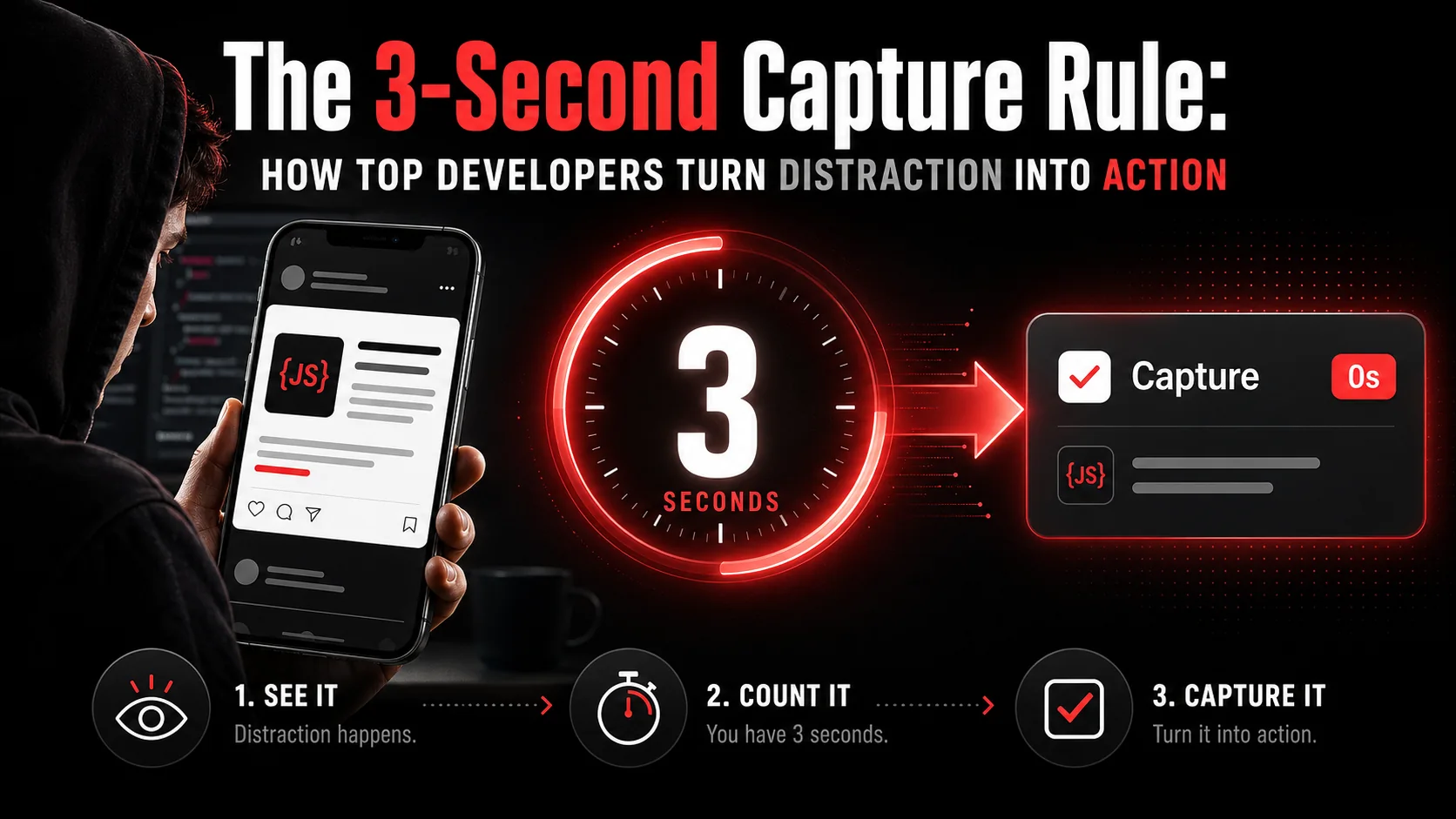
You're scrolling through your feed, and a tweet catches your eye. It's a clever solution to that API pagination bug you've been wrestling with. You think, "I should try that later." You keep scrolling. Two hours and 47 tabs later, you're debugging a memory leak, and that perfect solution is gone, lost in the digital noise. It's not a failure of memory; it's a failure of capture.
Here is the measured shape of that problem. Informatics professor Gloria Mark, whose lab has tracked screen attention since 2004, told the American Psychological Association that the average stretch of attention on a single screen now runs about 47 seconds, with a median of 40, and that "the faster the attention switching occurs, stress is measured... stress goes up." Her earlier figures, reported through UC Irvine, were 2.5 minutes in 2004 and roughly 75 seconds a few years later. Forty-seven seconds is the whole window you get. It is not enough time to open a bookmark manager, pick a folder, and write a sensible note.
How we built this page. We are the team behind Glean, a capture-to-task app, so the workflow below is the one we run ourselves. Every research figure carries a link in the same sentence, and we read each of those sources in full before quoting. We deliberately removed the round numbers this article used to carry — "47 distractions a day", "12% conversion" — because we could not trace them to a primary source. When we cannot verify a number, we cut it rather than dress it up.
The difference between a wasted distraction and a productive insight boils down to about three seconds. That's the critical window between recognizing something valuable and your brain's default "save for later" system (which is really a "save for never" system) kicking in. This is the core of the 3-second capture rule, a behavioral hack based on neuroscience that top developers use to weaponize their distractions.
Understanding the 3-Second Capture Window
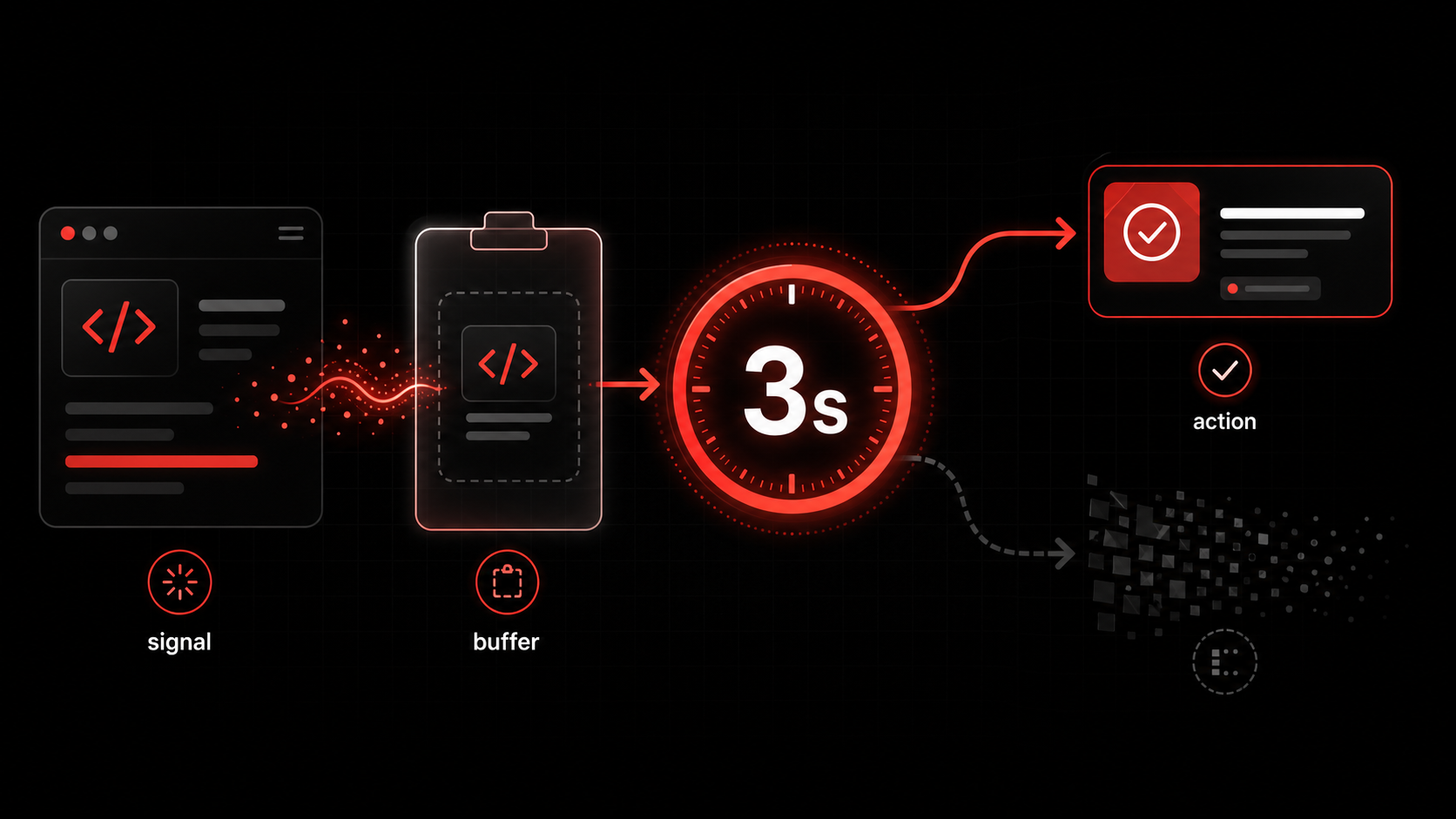
The 3-second capture window is the short stretch between spotting something useful and losing the specific detail that made it useful. Be clear about what is proven and what is craft here: no published study puts an exact three-second clock on that fade, and we are not going to invent one. What research does establish is the cost of the switch itself. In a study of task switching published by Sophie Leroy in Organizational Behavior and Human Decision Processes, people who moved to a new task while still chewing on an unfinished one carried what she named "attention residue" — cognitive activity about Task A persisting while they worked on Task B — and their performance on the new task suffered for it. Every "I'll deal with it later" you leave open is residue you carry into your next commit.
This isn't about forgetting the fact you saw something. You might remember "oh yeah, a tweet about pagination." The failure is in losing the actionable essence, the specific library, the exact code pattern, the link to the docs. Your brain summarizes and compresses to save space, stripping out the very details you need to act.
The traditional alternative (bookmarking) is a cognitive trap. Clicking "bookmark" or "read later" gives you the psychological reward of having "saved" the item without doing the work of defining why it was worth saving or what you should do with it. You've outsourced the memory to a digital graveyard. The 3-second rule flips this: capture must be intrinsically linked to defining the next action.
| Traditional "Save for Later" | The 3-Second Capture Rule |
|---|---|
| Action: Bookmark, Pocket, "Read Later" list. | Action: Capture with an immediate, defined next step. |
| Cognitive Load: Deferred. "I'll figure it out later." | Cognitive Load: Front-loaded. Solved in the moment. |
| Outcome: A growing, guilt-inducing list of unprocessed items. | Outcome: A clear, contextualized task in your workflow. |
| Friction: Low to save, high to process. | Friction: Slightly higher to save, zero to process later. |
| Follow-through: Rare, and you feel it every time you scroll the list. | Follow-through: High, because the decision is already made. |
Why Three Seconds?
The timeframe is a practical constraint, not a neurological absolute. It's the span of time you can reasonably hold a specific intention before the context of your current work (the code you're writing, the problem you're solving) reasserts its dominance. It's the gap before you say "screw it, I'll deal with it after this commit," and the commitment evaporates. In my decade of building tools for developer workflows, I've seen this pattern consistently: the faster you can close the loop between "see" and "do," the higher the conversion rate from inspiration to implementation.The Capture-Action Loop
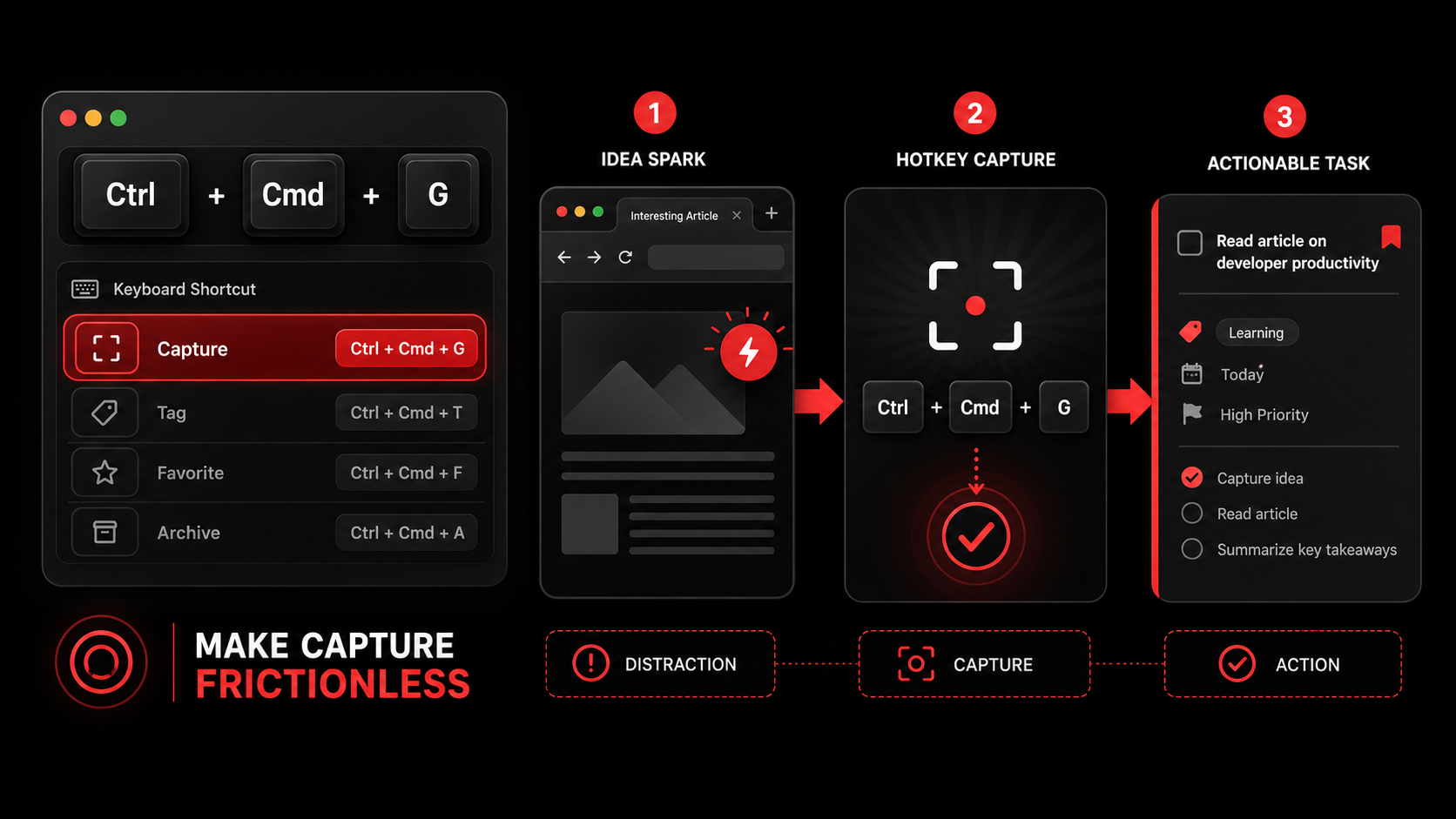
This rule is the first half of a loop: Capture → Process. The magic happens when capture is designed to force a micro-processing step. Instead of saving a link, you're answering a quick prompt: "What is the one next action this inspires?" The answer becomes the task title; the original content is attached as context. This transforms a passive bookmark into an active driver of your developer productivity workflow.Why Your Current System is Failing You
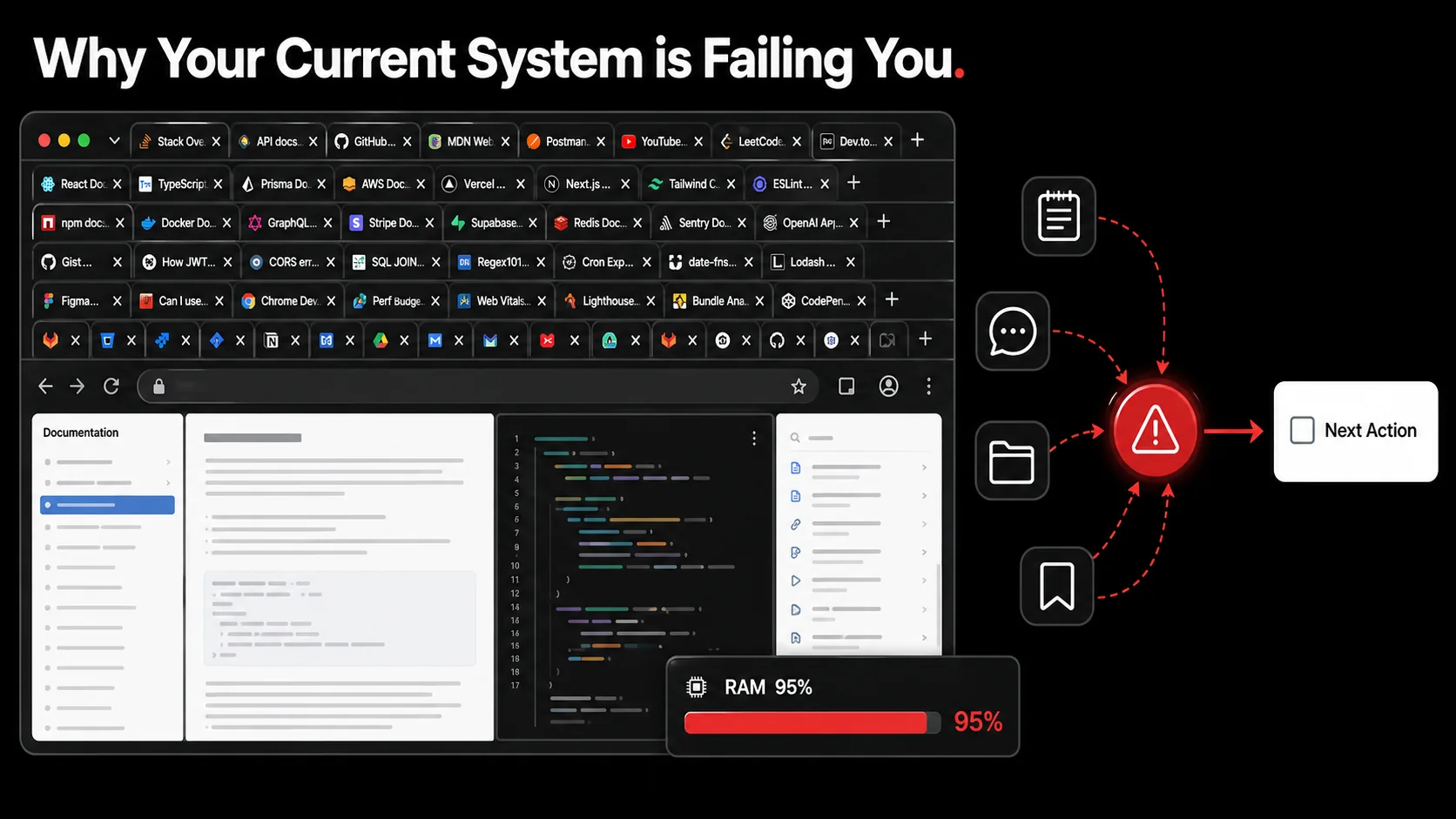
You might think your system works. You have a notes app. You send yourself Slack messages. You have a "To-Read" folder. But let's audit the failure points. The problem isn't a lack of tools; it's a mismatch between the tool's design and your brain's operation.
Problem 1: The Friction of Context Switching
Opening a notes app, creating a new note, titling it, pasting the link, and writing a thought requires a full context switch. You leave your coding environment, navigate an app, and formulate a note. This takes more than three seconds, so you don't do it. The friction is too high. The winning tools are those that live in the same space as the distraction, a browser extension for tweets and articles, a global keyboard shortcut for anything on screen. The capture must be nearer than the "skip" button.Problem 2: The "Miscellaneous" Graveyard
Where does that captured item go? If the answer is a single, giant list called "Read Later" or a folder named "Misc," you've already lost. You've created a curation problem for Future You, who has zero context about why Present You found this thing so compelling. The item is stripped of its urgency and relevance. A system that doesn't include immediate categorization or project assignment is a system designed for hoarding, not action. This is the core difference between AI capture and traditional bookmarks: intelligent sorting at the point of capture.Problem 3: Capturing the Wrong Thing
You see a 45-minute conference talk video titled "Advanced React Patterns." You save the link. The actionable item isn't "watch 45-minute video." That's a project, not a task. The 3-second rule forces you to be specific in the moment: "Extract theuseCompoundPattern hook example from minutes 12-18." Now you've captured a precise, 6-minute action instead of an amorphous, daunting time sink. You've defined the value you saw, not just the container it came in.
The cost of these failures is cumulative, and the immediate tax is only the visible part. Research by Gloria Mark, Daniela Gudith and Ulrich Klocke, presented at CHI 2008, ran 48 people through interrupted and uninterrupted work and found people finished the interrupted tasks faster with no loss of quality — by working harder, and paying in "more stress, higher frustration, time pressure and effort." The long-term cost is the compound interest on lost ideas, repeated research, and stagnant workflows. You end up solving the same problem multiple times because you didn't capture the solution effectively the first time. Your feed becomes a source of stress (a reminder of things you should be doing) instead of a source of fuel.
How to Implement the 3-Second Capture Rule
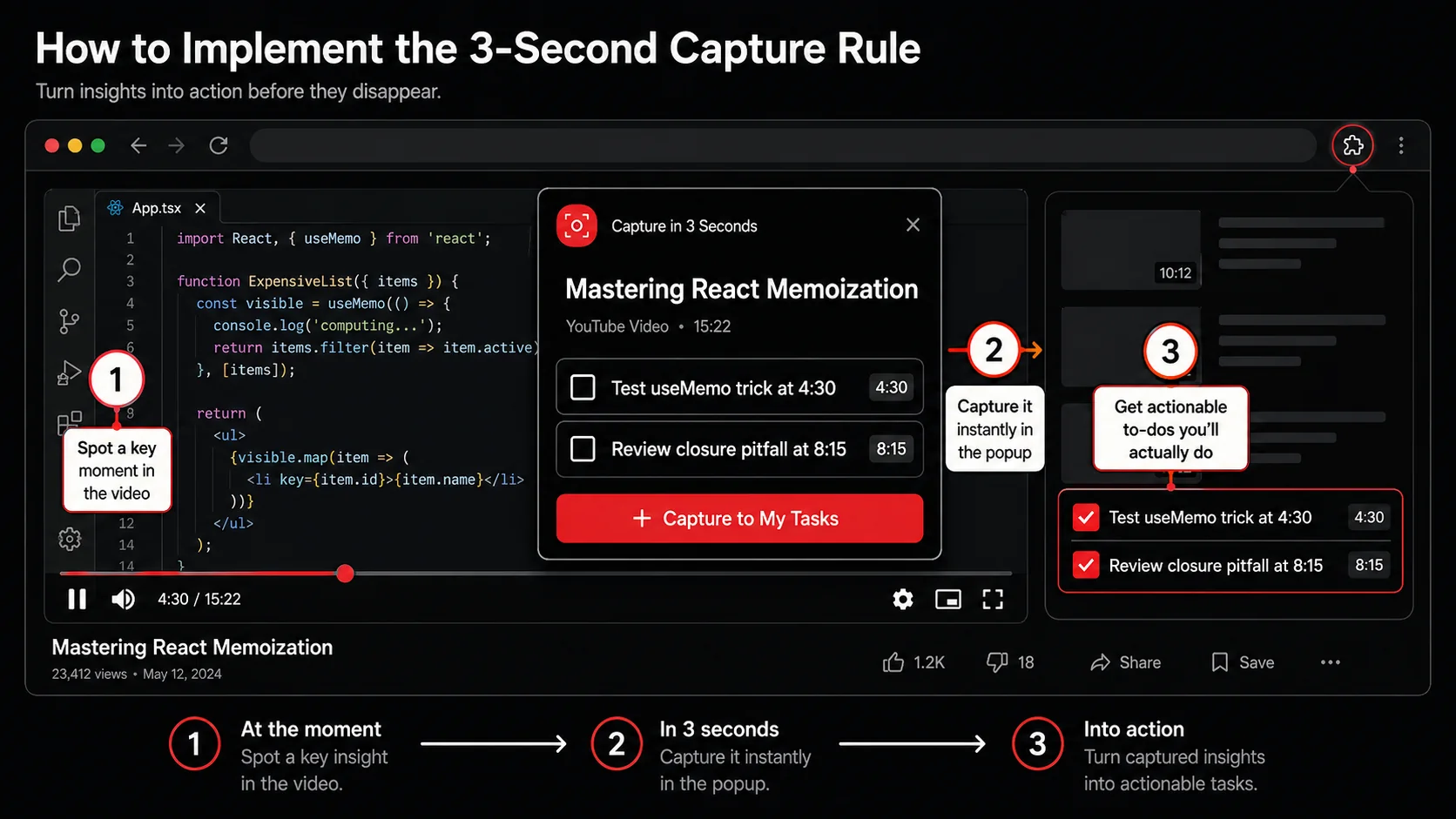
The rule is simple: If you encounter something worth returning to, you must define and capture the next action within three seconds. Implementation is about building a system that makes this not just possible, but effortless. Here’s a step-by-step method to build that system.
Step 1: Choose a Centralized, Action-Oriented Capture Tool
Your capture tool must have one primary job: turn content into a task. It's not a read-later app. It's not a note-taking app. It's a todo list that can ingest links, text, and images as task context.- Tool Principle: Look for "capture-to-task" functionality. The best tools let you highlight text on a webpage and create a task with that text as the title or description automatically.
- My Recommendation: Obviously, we built Glean for this exact purpose. The Chrome extension and iOS app let you capture tweets, videos, or screenshots and instantly generate actionable todos from the content. The AI doesn't just save the link; it analyzes the content and suggests the next action ("Try the
fetch()refactor pattern shown in this code snippet"). - Alternative Setup: You can approximate this with a combination of tools. Use a quick-capture app like Raycast or Alfred to send text/links directly to a task manager like Todoist or ClickUp. The key is the direct pipeline: capture → task inbox. No intermediate stops.
Step 2: Build Your Capture Triggers and Habit Stack
A rule is useless without a trigger. You need to wire the capture habit into your existing online behaviors.The "Pause" Trigger: When your scrolling finger stops because something is useful, that's your trigger. Not later. Not after you finish the thread. Pause.*
- Habit Stacking: Use the Diderot Effect for habits. Pair your new capture habit with an old one. "After I 'like' a useful tweet (old habit), I immediately capture it (new habit)." Or, "When I open a tab from my feed (old habit), I capture an action from it before reading (new habit)."
- Environmental Design: Put your capture tool's shortcut everywhere. Pin the extension. Add the widget to your phone's home screen. The tool should feel like an extension of your browser or OS, not a separate app you "go to."
- Read a tweet about a new VS Code extension for debugging.
- Pause. (Trigger activated.)
- Hit
Cmd+Shift+G(or your shortcut). The tweet is captured. - In the Glean popup, the AI suggests: "Install and test the 'Error Lens' VS Code extension."
- You assign it to your "Dev Tooling" project. (Process complete in under 3 seconds).
- You return to scrolling. The item is no longer a mental burden; it's a scheduled task.
Step 3: Enforce the "Next Action" Translation
This is the core of the rule. During capture, you must answer: "What is the single, physical next action this requires?"- Bad Capture: "Article about SvelteKit 2.0 changes."
- Good Capture: "Read the 'Breaking Changes' section of the SvelteKit 2.0 blog post and update my
loadfunctions." - Bad Capture: "Cool UI animation tutorial."
- Good Capture: "Recreate the card hover animation from the tutorial in my project's
Buttoncomponent."
Step 4: Integrate Captures into Your Existing Workflow
Captured tasks shouldn't live in a separate app. They must feed directly into the workflow where work gets done.- Project-Based Sorting: Your capture tool should allow immediate assignment to projects (e.g., "Blog," "Side Project API," "Learn Rust"). Glean does this automatically by analyzing the content's context. This prevents the "Miscellaneous" graveyard.
- Sync to Your Command Center: Whether your "command center" is Notion, Linear, or a physical notebook, your captured tasks should sync there. The capture tool is the fast, low-friction entry point. Your project management system is the organized execution engine. This creates a seamless hub for developer workflows from inspiration to completion.
Step 5: Measure and Iterate on Friction
Your system will have friction points. Find them and eliminate them.- Metric: Track your "capture-to-action" rate. For every 10 items you capture, how many do you actually complete? If it's low, your "next action" definition at capture time is too vague.
- Audit: Once a month, look at your oldest uncaptured browser tabs or "read later" items. Ask: "What was the barrier to capturing this?" Was it too many steps? No clear project? Use those answers to tweak your tool setup or your personal rule.
- Simplify Relentlessly: If you find yourself avoiding capture because it's 4 steps instead of 1, change the tool or the shortcut. The system must be subconsciously easy.
Proven Strategies to Make Capture Frictionless
 .)
.)
Knowing the rule is one thing. Living it is another. These advanced tactics are what I've seen separate the good from the great in building a capture-habit.
Strategy 1: The Two-Tap Maximum for Mobile
Mobile is where most micro-distractions happen, but switching apps is death to a 3-second rule. Your mobile capture must be faster than taking a screenshot.- iOS: Use the "Share Sheet" or "Back Tap" feature. Configure Glean (or your tool) to appear at the top of the share menu from Twitter, YouTube, or Safari. When you see something, tap "Share," then tap "Glean." Two taps. The AI generates the action from the shared content.
- Android: Use similar share sheet optimization or a gesture-based launcher. The principle is the same: capture must be a faster path than continuing to scroll.
Strategy 2: Voice Capture for Ephemeral Ideas
Sometimes the distraction isn't a link. It's an idea that pops into your head while you're walking, driving, or in the shower. The 3-second rule still applies.- Tool: Use your smart assistant. Say, "Hey Siri, note to Glean: Research WebAssembly SIMD support for the physics engine." Configure a shortcut that sends dictated notes directly to your capture tool's inbox as a task with a "Voice" tag.
- Why it works: It bypasses the need to type, which is a major friction point for raw ideas. It captures the impulse in its purest form.
Strategy 3: Batch Processing Low-Value Captures
Not everything deserves a pristine, AI-processed task. Some captures are simple "check this out" items.The "Rabbit Hole" List: Have a separate, low-friction list for pure curiosity items. Maybe it's a bookmark folder called "Rabbit Holes" or a list in your task manager with no due dates. The rule here is different: you're allowed to put it here only* if it doesn't have a clear next action for a current project. Review this list when you have intentional downtime, not when you're in execution mode. This prevents your main task list from getting polluted while still honoring the impulse to explore.
Strategy 4: The Contrarian Take: Sometimes, Let It Go
Here's the nuanced opinion: the 3-second rule is also a filter. If an idea or link isn't compelling enough to make you pause your scroll and spend three seconds defining an action, it probably wasn't that valuable to begin with. The constant fear of "missing out" on information is a pathology. This rule trains your discernment. It forces you to ask, "Is this truly worth my future time?" in the present moment. Often, the answer is "no," and that's a win. You've just decluttered your future without any effort.Got Questions About the 3-Second Rule? We've Got Answers
How long does it take to build this habit? Expect about three weeks of conscious effort. The first week feels clunky as you remember to use the new shortcut. The second week, you'll use it but often forget to define the "next action," leading to vague captures. By the third week, the pause→capture→define action sequence starts to feel automatic. The key is to not judge the quality of your captures at first; just focus on doing the motion. Consistency beats perfection.
What if I'm in deep work and a major distraction appears? The rule still applies, but the action changes. If you're in a focused coding session and see a tweet about a critical security vulnerability in a library you use, the 3-second capture is: "Immediately assess Log4j-style vulnerability in library-X." You then have a choice: if it's truly critical, you context-switch intentionally. If it's important but not urgent, you've captured it and can schedule it for right after your current deep work block. The rule prevents the half-in, half-out state where you're worrying about the tweet but trying to code.
Can I use this for non-digital distractions, like ideas in a meeting? Absolutely. The medium changes, not the principle. In a meeting, when someone mentions a useful resource or you have an idea, your 3-second action might be typing a one-line task into your task manager or sending yourself a quick Slack message. The physical notepad works too, but only if you transcribe those notes into actionable tasks immediately after the meeting. The analog gap is larger, so the processing step needs to happen sooner.
What's the biggest mistake people make when starting? They try to retrofit their old "save for later" system. They install a new tool but keep using it like a bookmark manager, just dumping links into an inbox. This fails. You must change the behavior at the point of capture. The tool is just an enabler. Start by capturing just 2-3 things a day, but for each one, force yourself to write the next action as a verb. "Read" is not a good verb. "Skim the conclusion and extract the three main points" is.
Ready to turn your feed into your to-do list?
The 3-second rule isn't about working faster; it's about wasting less. It's the systematic conversion of potential energy into kinetic action. Glean is built specifically for this moment, the pause between seeing something useful and losing it forever. It captures the tweet, the video, the screenshot, and uses AI to instantly suggest the clear next action, so you can get back to what you were doing. Stop letting valuable ideas decay. Start capturing them in the window that matters.
Share what you read. Get your next step.
Every save you share comes back as one task for your project, with the reason it fits you.